
“What if your support team never had to answer the same question twice?”
That’s the promise of an FAQ Chatbot, and it’s why I believe every growing business needs one. I’ve seen teams burn hours replying to repetitive queries while high-value leads wait in the queue. It slows momentum, frustrates customers, and quietly eats into revenue.
Basically, an FAQ chatbot is an automated tool that instantly answers frequently asked questions, reduces repetitive support workloads, and ensures customers get help anytime.
In this guide, I’ll break down the key features that make an FAQ chatbot truly effective, walk you through how to build one in easy steps, and explore the trends shaping its future. If you’re serious about scaling support without scaling chaos, this is where you start.
What Is an FAQ Chatbot?
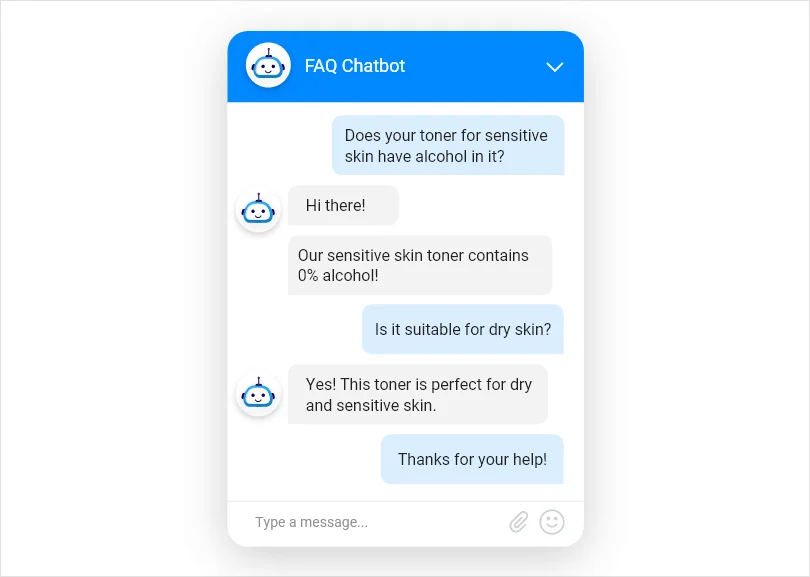
An FAQ chatbot is an automated conversational assistant built to answer frequently asked questions instantly. Instead of making customers browse long help pages or wait for a support agent, it delivers quick responses based on your stored FAQs, help articles, product documents, or website content.
Businesses use interactive FAQ chatbots to handle repetitive queries such as pricing details, return policies, onboarding steps, account issues, or service availability. The goal is simple: reduce manual workload, provide 24/7 support, and improve response speed. When necessary, the chatbot can also transfer the conversation to a live agent, ensuring that complex issues are handled properly.
Now, depending on how the chatbot processes and responds to questions, there are different types available.
What Are the Types of FAQ Chatbots?
The type of FAQ chatbot you choose depends on how intelligently it can understand and respond to questions. Here are the main types:
1. Rule-Based FAQ Chatbots
These follow fixed decision trees and respond only to predefined inputs. They are simple to set up but limited in flexibility.
2. Keyword-Based FAQ Chatbots
These detect specific words in a user’s query and match them to stored answers. They offer more flexibility than rule-based bots but still rely on keyword accuracy.
3. AI-Powered FAQ Chatbots
These use natural language processing to understand intent and pull answers from knowledge bases, documents, or website content. They are more scalable and accurate.
4. Hybrid FAQ Chatbots
These combine AI automation with human support, answering common questions first and handing off complex issues to live agents when needed.
What Are the Key Benefits of Using an FAQ Chatbot?
An FAQ based chatbot does more than just reply to questions. When implemented correctly, it becomes a powerful support and sales assistant that works around the clock. It improves efficiency, reduces pressure on your team, and creates smoother customer interactions.
Here are five key benefits businesses experience.
1. Instant Answers to Common Questions
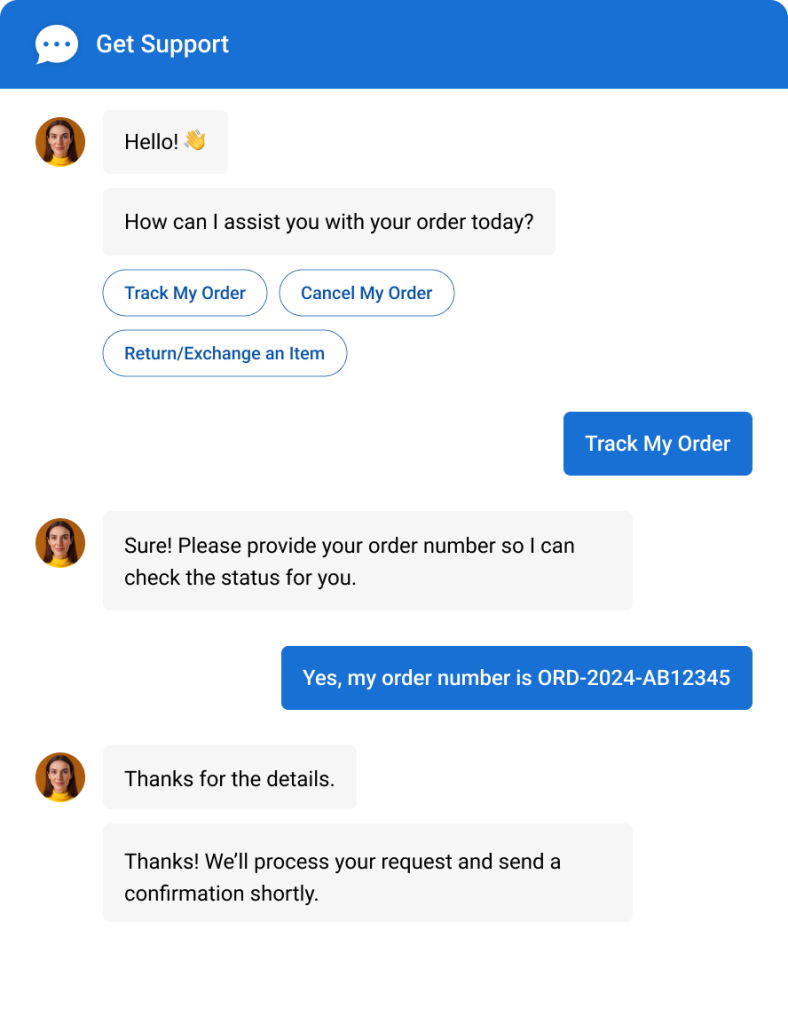
An FAQ chatbot delivers immediate responses to frequently asked questions such as pricing details, shipping policies, account access, or product specifications. Instead of waiting for a human agent, customers receive accurate answers within seconds.
This significantly reduces ticket volume and support backlog while improving satisfaction. By handling repetitive queries automatically, your team can focus on more complex issues that require human expertise and personalized assistance.
2. Continuous Improvement Through AI Training
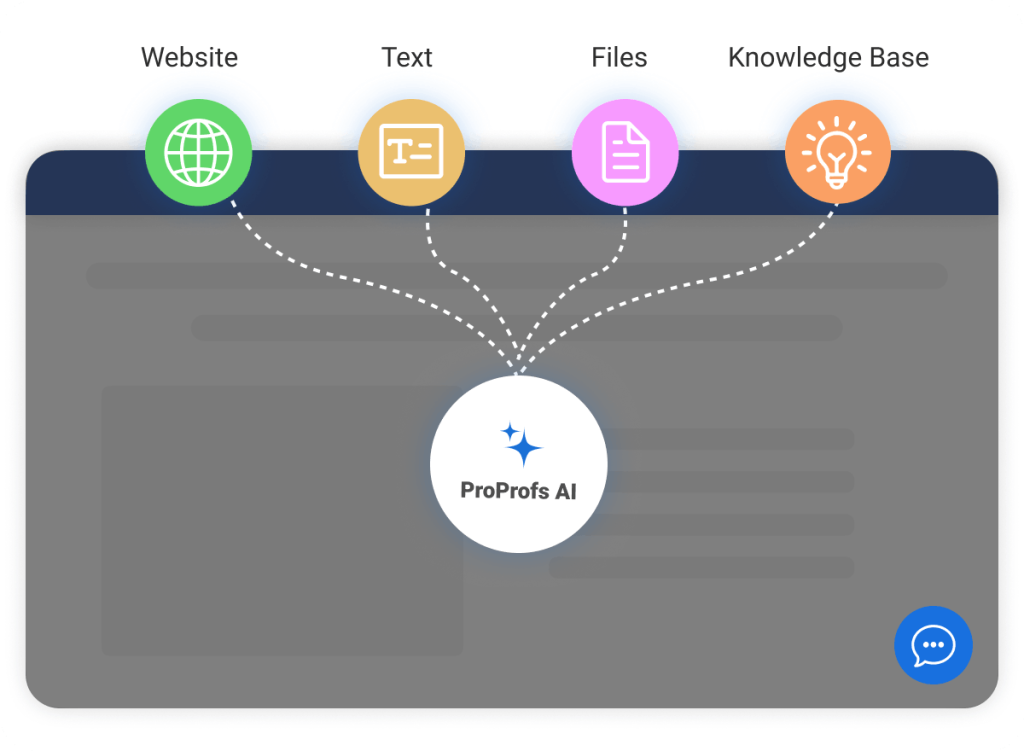
AI FAQ chatbots improve over time as you can train your chatbot using your own data and real customer interactions. When you add knowledge base articles or refine responses, the chatbot becomes more accurate and context-aware.
Here are some examples of data sources for training your FAQ chatbot:
- Knowledge Base (help articles, how-to guides, tutorials)
- Support Tickets (email queries, resolved cases, ticket history)
- Live Chat Logs (chat transcripts, common conversations)
- Product Documentation (user manuals, feature docs, onboarding material)
- Customer Feedback Channels (survey responses, feedback forms, community posts)
This continuous improvement ensures more relevant answers and fewer incorrect responses. Over time, the bot adapts to customer language patterns, making interactions more natural and effective without increasing operational effort.
3. Lead Capture and Qualification

An FAQ chatbot can capture visitor information such as name, email, phone number, and company details during conversations. It can also ask qualifying questions to identify intent, budget, or urgency before passing leads to sales teams.
By integrating with CRM systems, captured data is automatically stored for follow-up. This turns routine FAQ interactions into revenue opportunities while ensuring no potential customer inquiry goes unnoticed.
4. Omnichannel Support Across Platforms
Modern FAQ chatbots operate across websites, mobile apps, WhatsApp, Facebook Messenger, and other social channels. This ensures customers receive consistent responses regardless of where they reach out. Instead of managing separate tools for each platform, businesses can centralize conversations into one dashboard.
Omnichannel support improves operational efficiency, reduces response delays, and creates a unified experience that builds trust across every communication channel.
5. Seamless AI-to-Human Handoff
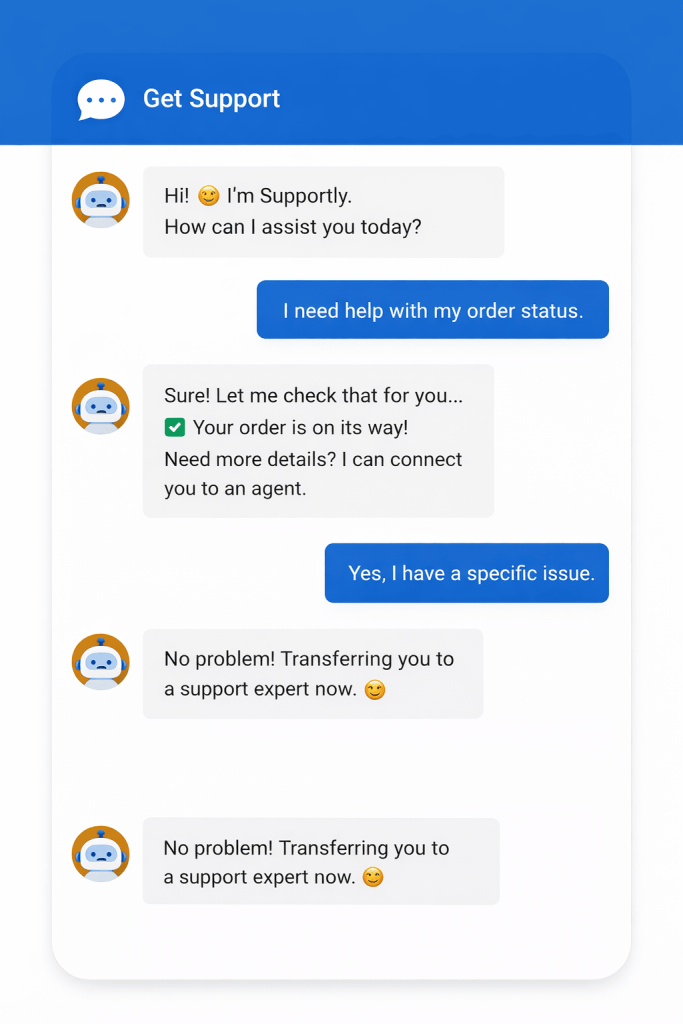
While FAQ chatbots handle common queries efficiently, complex issues still require human expertise. A seamless AI-to-human handoff ensures conversations transfer smoothly without losing context. The chatbot passes chat history and user details to the agent, preventing customers from repeating themselves.
This balance between automation and live support improves satisfaction, shortens resolution time, and maintains a personalized experience even when advanced assistance is required.
Want a quick walkthrough of how it works in a real setting? Watch this video:
How to Build an FAQ Chatbot (Step-by-Step)
Building an AI-powered chatbot for FAQ might sound technical at first, but in reality, it’s much easier than most people think. When I set one up using ProProfs Chat, I was surprised at how simple the process felt, even without any advanced technical skills.
I’ll walk you through how to build an FAQ chatbot step by step, so you can automate common questions, reduce support workload, and start helping customers instantly.
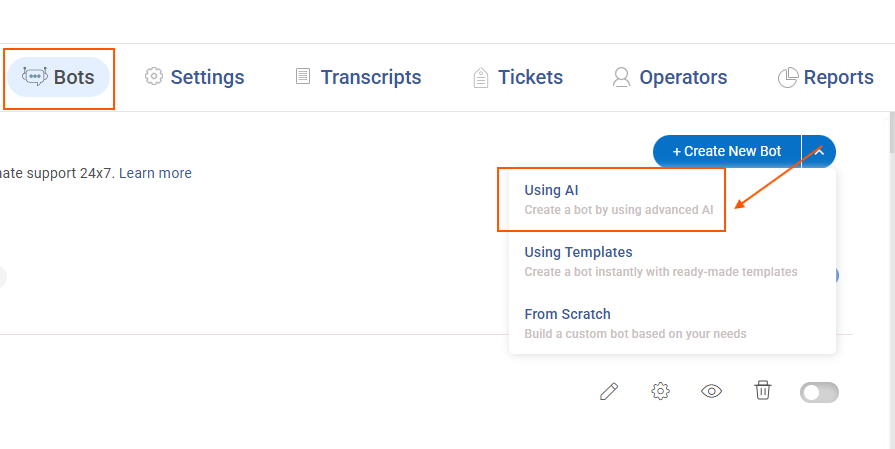
Step 1: Once you have logged in, go to the “Bots” tab in the dashboard, click “Create New Bot,” and pick the “Using AI” option.
Step 2: On this screen, you will see three to four options for uploading your data: website URL, uploaded files, plain text, or your Knowledge Base.
To show you how it’s done, I will use this link: [https://www.amazon.com/returnpolicy/] as the data source.
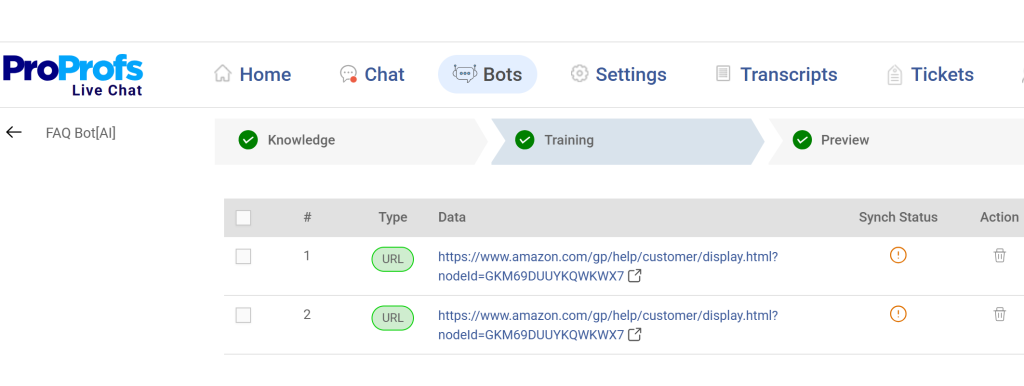
After adding your preferred data source, simply click “Process Data” to move ahead. Once the system finishes processing, your website content will appear like this:
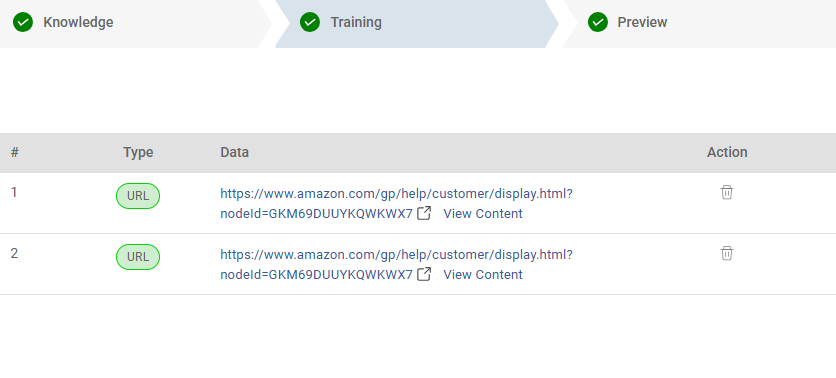
Step 3: Click “Preview” to test how your FAQ chatbot responds to questions.
Let me quickly test it with a question to see how accurately it responds.
“Which items can’t be returned?”
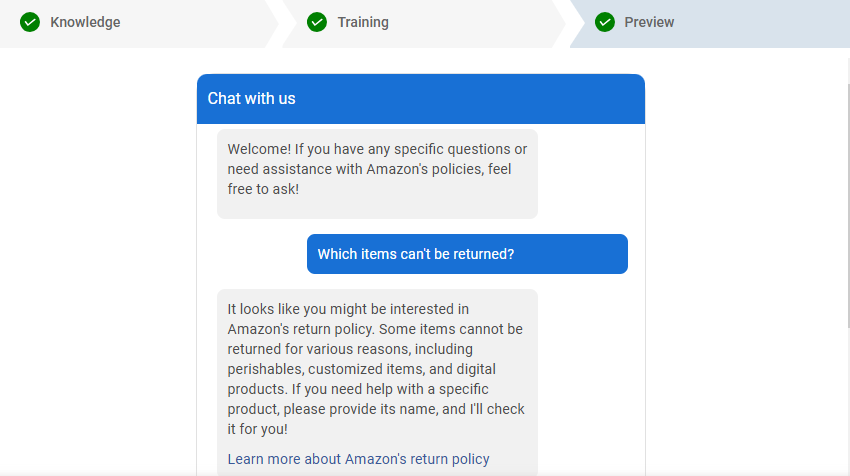
And there you have it! Your FAQ chatbot is now ready to provide accurate and instant answers to your users’ most common questions.
FREE. All Features. FOREVER!
Try our Forever FREE account with all premium features!
5 Best FAQ Chatbots to Deliver Instant 24/7 Customer Support
With so many FAQ chatbots out there, I know it can feel overwhelming to pick the right one. That’s why I’ve put together a list of some of the most popular and highly recommended FAQ chatbot examples. I’ve considered factors like ease of use, integrations, reporting and analytics, and overall customer satisfaction to help you make a more confident choice.
1. ProProfs Chat – Best for 24/7 Delightful Customer Support With AI Chatbots
I like ProProfs Chat because it makes launching an FAQ chatbot simple and practical. You can train the chatbot using your FAQs, course information, help articles, and even internal documents, so it answers questions based on your actual content. That helps reduce repetitive tickets while keeping responses accurate and consistent.
What really stands out to me is how smoothly it combines automation with live support. The bot handles common queries first, then transfers more complex conversations to agents without losing context. It also supports multiling
ual conversations, which makes it useful for businesses serving global audiences.
On top of that, it integrates with help desk tools, CRM systems, and platforms like Shopify and WordPress. With proactive greetings, lead capture forms, and detailed analytics, you can turn routine FAQ conversations into engagement and growth opportunities.
Pros:
- Pre-chat forms to collect visitor details and qualify leads
- Real-time visitor tracking for faster engagement
- Integration with ProProfs Knowledge Base for quick self-help articles
- Ready-to-use templates for support, sales, lead capture, and bookings
Cons:
- Cloud-only – no offline access
- No dark theme
Pricing: A free plan is available for growing teams. Paid plan starts at $19.99/user/month.
2. Connect – Best for Advanced AI-Driven Customer Support
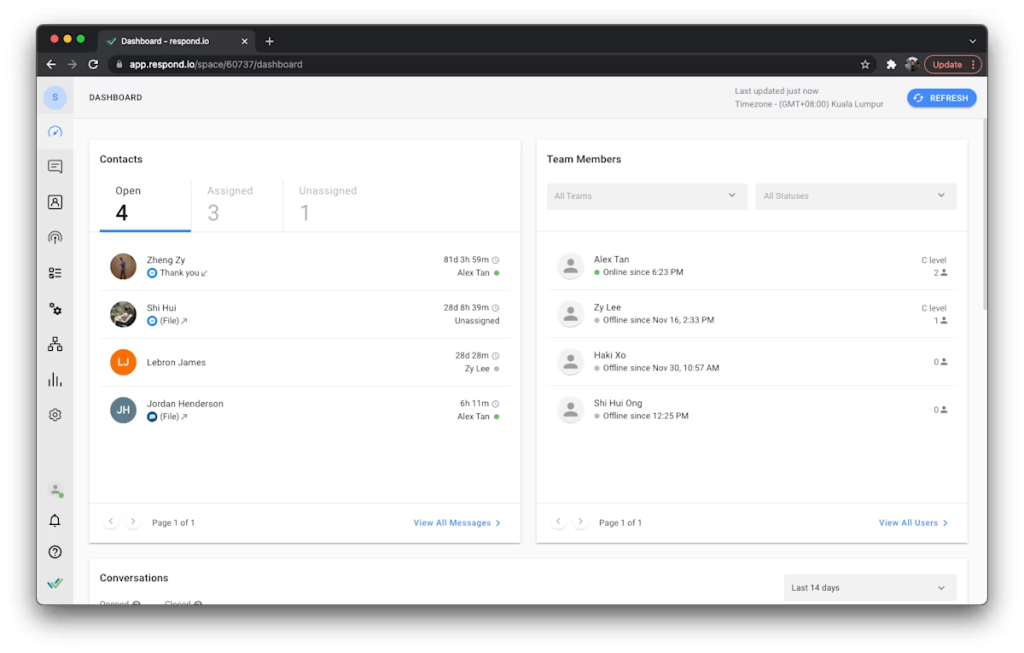
I really like Connect’s chatbot because it doesn’t just answer FAQ queries, it actively automates customer service workflows across channels with intelligent AI agents.
Built on a central knowledge base, its chatbot pulls accurate answers and can even take action (like retrieving customer info or updating records) without human intervention, which means fewer repetitive tasks for your team and faster support for your customers.
Connect also brings all messaging (web chat, WhatsApp, Instagram, email) into one place, so you’re not juggling tools.
Pros:
- Autonomous AI Agents to resolve repetitive FAQ conversations automatically
- Smart Copilot assistance to help agents respond faster with AI support
- Multichannel messaging automation to manage chat, email, and social channels in one place
- Seamless AI-to-human handoff to transfer chats smoothly when needed
Cons:
- Advanced workflows and integrations can take time to learn
- Some capabilities may require higher-tier plans depending on usage
Pricing: Starts at $100/user/month.
3. Tidio – Best for Visual FAQ Automation Flows
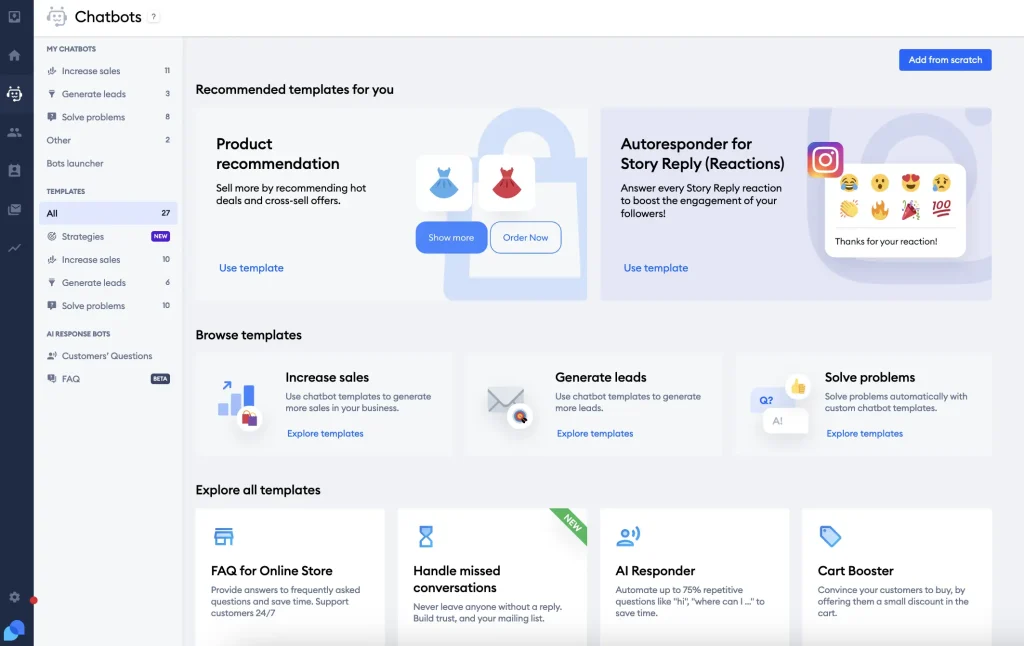
I’ve found Tidio to be a solid choice if you want an FAQ chatbot that goes beyond basic auto-replies. It combines AI chat, automation, and live support in one platform, making it easier to handle common questions without constant manual effort.
What really stands out is Tidio Flows, its drag-and-drop builder that helps you create automated FAQ journeys without coding.
You can guide visitors, collect details, and respond instantly based on what they do on your site. It also works well for teams that want AI to answer routine FAQs first, while still keeping the option to jump in with a live agent when conversations get more complex.
Pros:
- Proactive automation flows to guide visitors through FAQs and support paths
- AI-powered FAQ responses to handle repetitive customer questions instantly
- Live agent handoff to smoothly transfer complex chats to your team
- Multi-channel integrations to support customers across website and messaging apps
Cons:
- Advanced automation features are limited on lower plans
- Some integrations may feel less robust compared to dedicated helpdesk tools
Pricing: Starts at $24.17/user/month.
4. Landbot – Best for No-Code Conversational Flow Builder
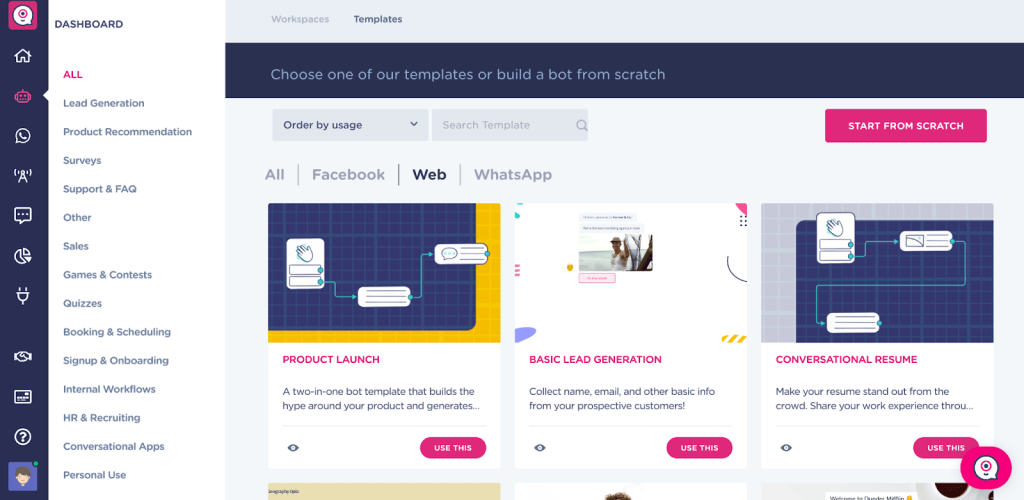
I like Landbot because it makes building an FAQ chatbot feel simple and visual. Instead of dealing with complex scripts, I can drag and drop conversation blocks to design automated FAQ flows that feel natural and engaging.
It works well for answering structured FAQs, capturing leads, and guiding visitors step by step. I can deploy it on my website or WhatsApp, which helps keep conversations consistent across channels.
What makes it powerful is the mix of logic-based flows and AI blocks. I can automate repetitive questions and still hand off to a human agent when needed, without breaking the experience.
Pros:
- No-code drag-and-drop builder to design FAQ flows easily
- AI-powered response blocks to handle flexible, natural language queries
- Multichannel deployment across website and WhatsApp
- Built-in lead capture forms to qualify and collect visitor information
Cons:
- Advanced features can get expensive as usage grows
- Complex flows may require time to optimize properly
Pricing: Starts at $45.00/user/month.
5. Intercom – Best for Unified Conversations
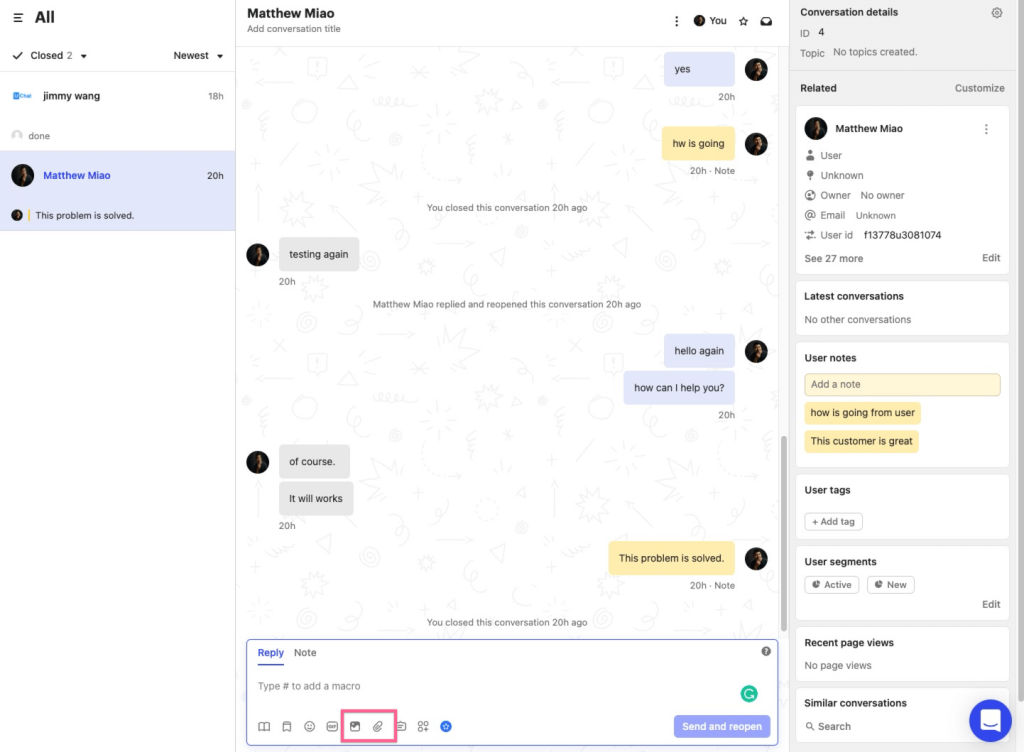
What I appreciate about Intercom is how it combines AI automation with a polished customer messaging experience. It’s not just built to answer FAQs. Its AI agent pulls responses from your help content and previous conversations, so customers receive fast and relevant answers without waiting. The replies feel natural and conversational instead of robotic.
Another thing that stands out to me is how everything sits inside one unified inbox. Live chat, automation, and proactive messages are all managed in one place, which makes handling both support and sales conversations much smoother.
It also integrates with popular CRMs and business tools, keeping customer data organized and actionable. If you’re looking for scalable automation without losing the human touch, Intercom is a strong contender.
Pros:
- AI-powered Fin chatbot for accurate, intent-based FAQ responses
- Unified inbox to manage chat, email, and messages in one place
- Proactive chat invitations to boost engagement and conversions
- Advanced reporting and automation tools to improve team efficiency
Cons:
- Setup can feel complex at first
- Advanced features may require additional configuration
Pricing: Starts at $29/user/month.
Future Trends in FAQ Chatbot Technology
FAQ chatbots are evolving rapidly. What started as simple automated responders is now becoming intelligent, context-aware digital assistants. As AI models improve and customer expectations rise, businesses can expect FAQ chatbots to become smarter, more personalized, and deeply integrated into their digital ecosystems.
Below are the key trends shaping the future of FAQ chatbot technology.
| Trend | What It Means | Business Impact |
|---|---|---|
| Generative AI-Powered Responses | Chatbots move beyond static FAQs and generate contextual answers based on large knowledge sources. | More natural conversations, higher accuracy, and better user engagement. |
| Voice-Enabled FAQ Chatbots | Integration with voice assistants and in-app voice search capabilities. | Improved accessibility and faster support for mobile and on-the-go users. |
| Advanced Personalization | Bots use browsing behavior, CRM data, and user history to tailor responses. | Higher conversion rates and more relevant customer interactions. |
| Deeper CRM and Workflow Integration | Real-time syncing with CRM, help desk, and sales tools for automated workflows. | Faster lead qualification, improved tracking, and streamlined operations. |
| Predictive Support | Chatbots anticipate user questions based on page activity or past behavior. | Reduced friction, proactive engagement, and improved customer satisfaction. |
| Multilingual AI With Context Awareness | Real-time translation that preserves meaning and tone across languages. | Seamless global customer support without expanding teams. |
| Enhanced Analytics and Sentiment Detection | Bots analyze user sentiment and intent during conversations. | Better performance optimization and early detection of dissatisfied users. |
| Secure and Compliance-Ready AI | Stronger data protection, audit trails, and compliance support for regulated industries. | Safer deployments in healthcare, finance, and enterprise environments. |
Don’t Just Answer Questions. Own the Experience
An FAQ chatbot is no longer just a support add-on. It is becoming a core part of how businesses automate service, capture leads, and deliver faster customer experiences.
If you are planning to build one, start by organizing your FAQs clearly, train the bot using real customer queries, and always enable smooth handoff to human agents. Focus on integrations, mobile performance, and continuous improvement through analytics.
If you want a simple way to launch and manage everything in one place, ProProfs Chat makes it easy to build, train, and scale your FAQ chatbot.
Ready to turn repetitive questions into growth opportunities? Start today!
Frequently Asked Questions

Will an FAQ chatbot actually reduce ticket volume and improve efficiency?
Yes. When properly trained, it can handle repetitive queries 24/7, reducing email and phone support load while freeing agents for complex issues.
How do I train an FAQ chatbot using my existing content?
You can train it using website URLs, knowledge base articles, PDFs, Word documents, and past customer conversations.
Can the chatbot automatically answer repetitive FAQs without human intervention?
Yes. AI-powered bots are designed to handle common questions instantly without requiring live agent involvement.
How do I integrate an FAQ chatbot with my website?
Most platforms provide a simple code snippet or plugin for WordPress, Shopify, or custom-built websites.
Can the chatbot transfer conversations to a live agent when needed?
Yes. Modern FAQ chatbots include seamless AI-to-human handoff to ensure complex issues are handled properly.
Can it sync leads and chat transcripts with my CRM?
Many platforms, such as ProProfs Chat, integrate with Salesforce, Zoho, MS Dynamics, HubSpot, and others to automatically create leads and store chat history.
Does it work on mobile devices for both visitors and operators?
Yes. A reliable FAQ chatbot should be fully responsive and offer operator mobile apps with real-time notifications.
Does an FAQ chatbot support multilingual conversations?
Many platforms offer real-time translation so visitors can chat in their native language while agents respond in theirs.
Can it qualify leads and capture visitor information automatically?
Yes. FAQ chatbots can collect names, emails, phone numbers, and even ask qualifying questions before routing to sales.
FREE. All Features. FOREVER!
Try our Forever FREE account with all premium features!

 We'd love your feedback!
What did you like & how can we make it even better?

 Thanks for your feedback!
 Ask Your Question
Have a question? Get expert help to make your decision easier.