
Picture this: a customer reaches out at 2 a.m. with a billing issue. No one is online. The old chatbot loops them back to a help article they already read. They churn by morning.
I’ve watched this exact scenario cost businesses real revenue, and it’s the reason customer service AI agents have become the infrastructure decision no support leader can delay.
Unlike the rigid bots that frustrated everyone three years ago, today’s agents reason through context, take action across your systems, and hand off to humans only when it genuinely matters.
If you’re figuring out what AI support agents are, how they compare to what you already have, and how to build one that actually performs, this guide covers it all.
What Are Customer Service AI Agents?
Unlike basic chatbots that follow rigid scripts, AI agents understand context, learn from past conversations, and get smarter over time. They work 24/7, scale instantly during peak loads, and hand off complex cases to human agents when needed.
And customers are ready for it. A study by IBM in 2025 found that 74% of consumers say AI agents improves their ability to get answers quickly.
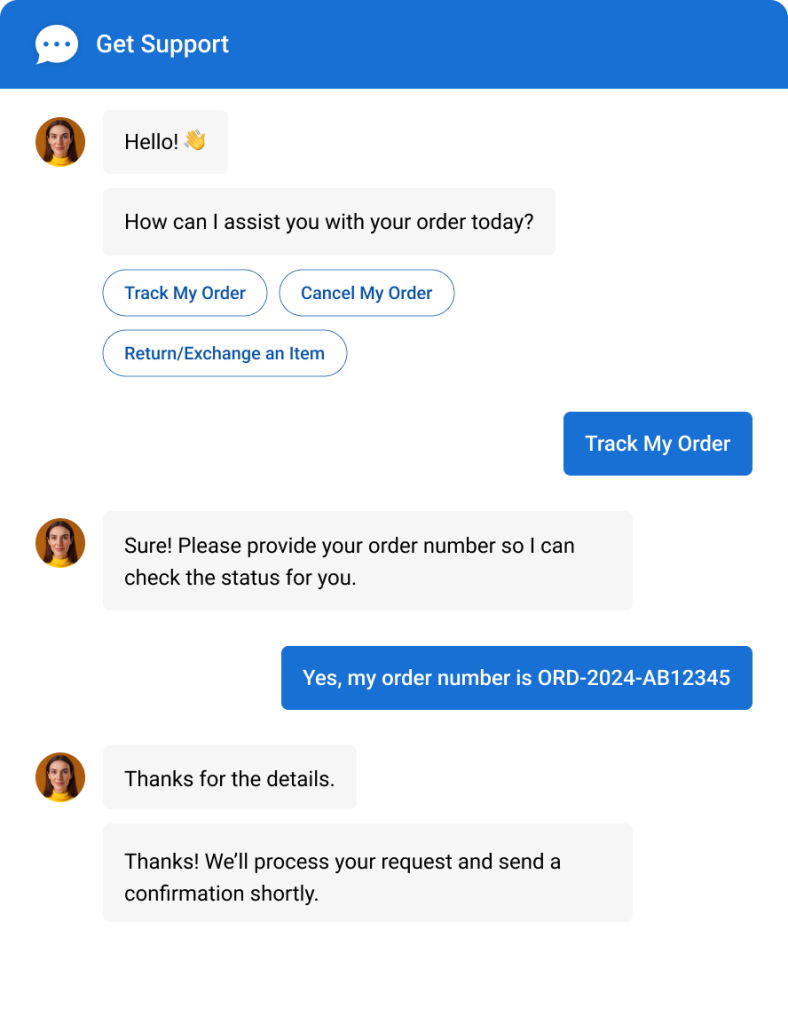
For businesses managing high support volumes, they cut costs while keeping response times near-instant and customer satisfaction high.
Key capabilities that define a true AI agent:
- Contextual understanding across multi-turn conversations
- Feed it your URLs, help docs, or files for accurate, brand-specific answers.
- Syncs with Salesforce, HubSpot, and help desks in real time.
- Seamless human handoff with full conversation context
- Works across chat, WhatsApp, Instagram, SMS, and email from one place.
What Are the Key Benefits of AI Agents in Customer Service?
Here’s what customer service AI agent benefits look like in practice, grounded in what a well-built AI agent platform actually delivers:
1. Automated 24/7 Support for Repetitive Queries
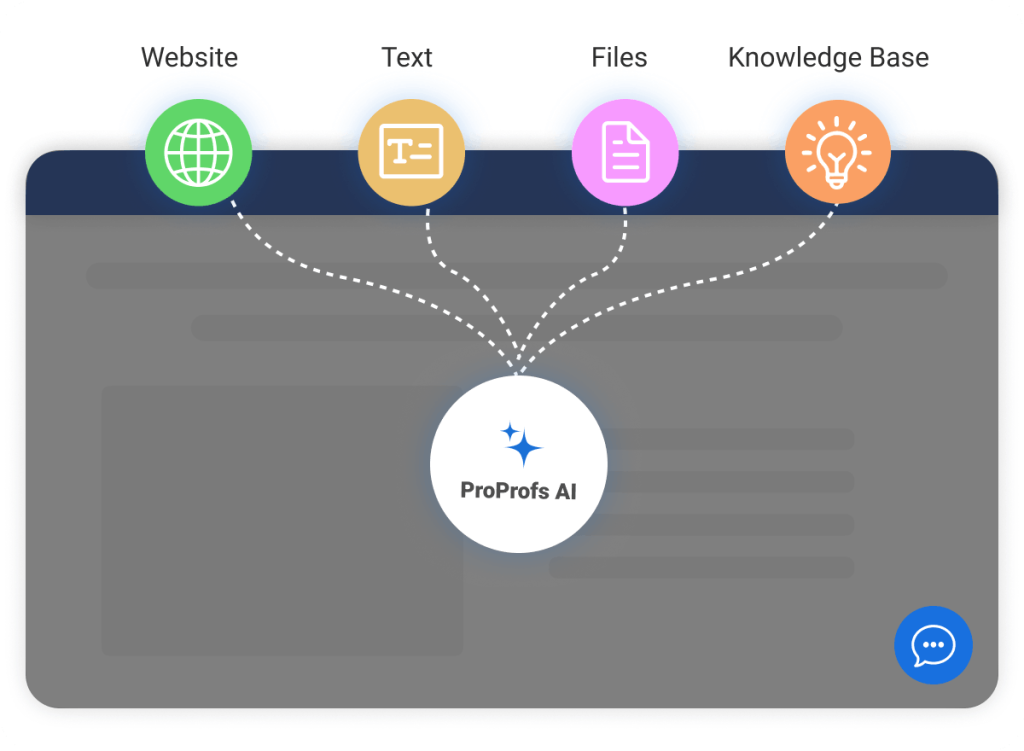
That’s Tier-1 volume, and it’s exactly what AI agents are built to absorb. AI agents can be trained on your website URL, help center articles, or uploaded documents -and once trained, it handles FAQs, product questions, order status checks, and account queries around the clock without involving a single human agent.
Your team stops doing repetitive work and starts focusing on conversations that actually need their expertise.
2. Round-the-Clock Lead Generation and Qualification
Most businesses lose a meaningful share of inbound leads simply because no one is available to respond. AI agents operate 24/7 online, offline, or both, qualifying leads, booking appointments, and capturing visitor information through multi-choice and open-response questions, even at 2 a.m.

The lead gets a response the moment they show intent. You wake up to a full pipeline, not missed opportunities.
3. Consistent, Context-Aware Customer Experience
Human agents have good days and bad days. AI agents don’t. They deliver precise, context-aware answers every time, with consistent tone, accuracy, and speed. When a conversation does need a human, the agent receives the full chat history, so the customer never has to repeat themselves.
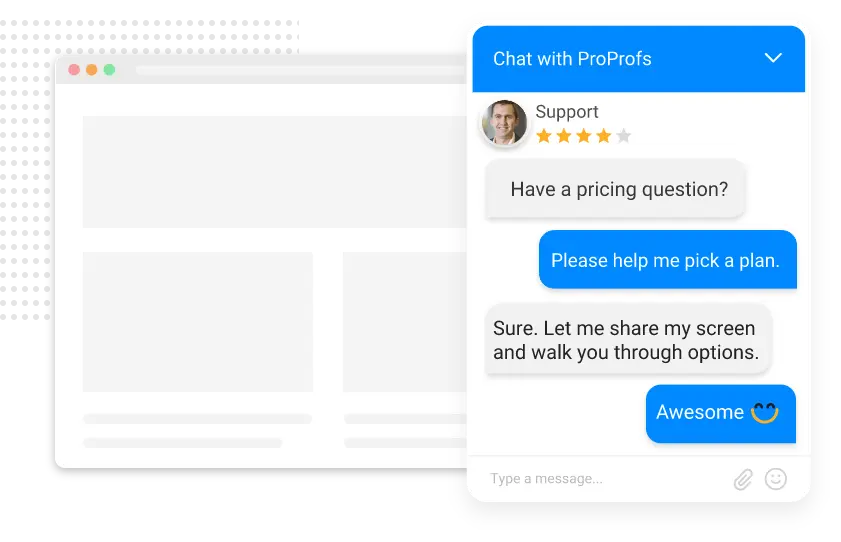
Paired with proactive chat invitations triggered by visitor behavior, you’re reaching customers at exactly the right moment rather than waiting for them to ask.
4. Omnichannel Support Across Multiple Languages
Customers don’t stay in one place. A good AI agent for customer support consolidates website chat, social media (Facebook, WhatsApp, Instagram), SMS, email, and audio/video into a single dashboard.
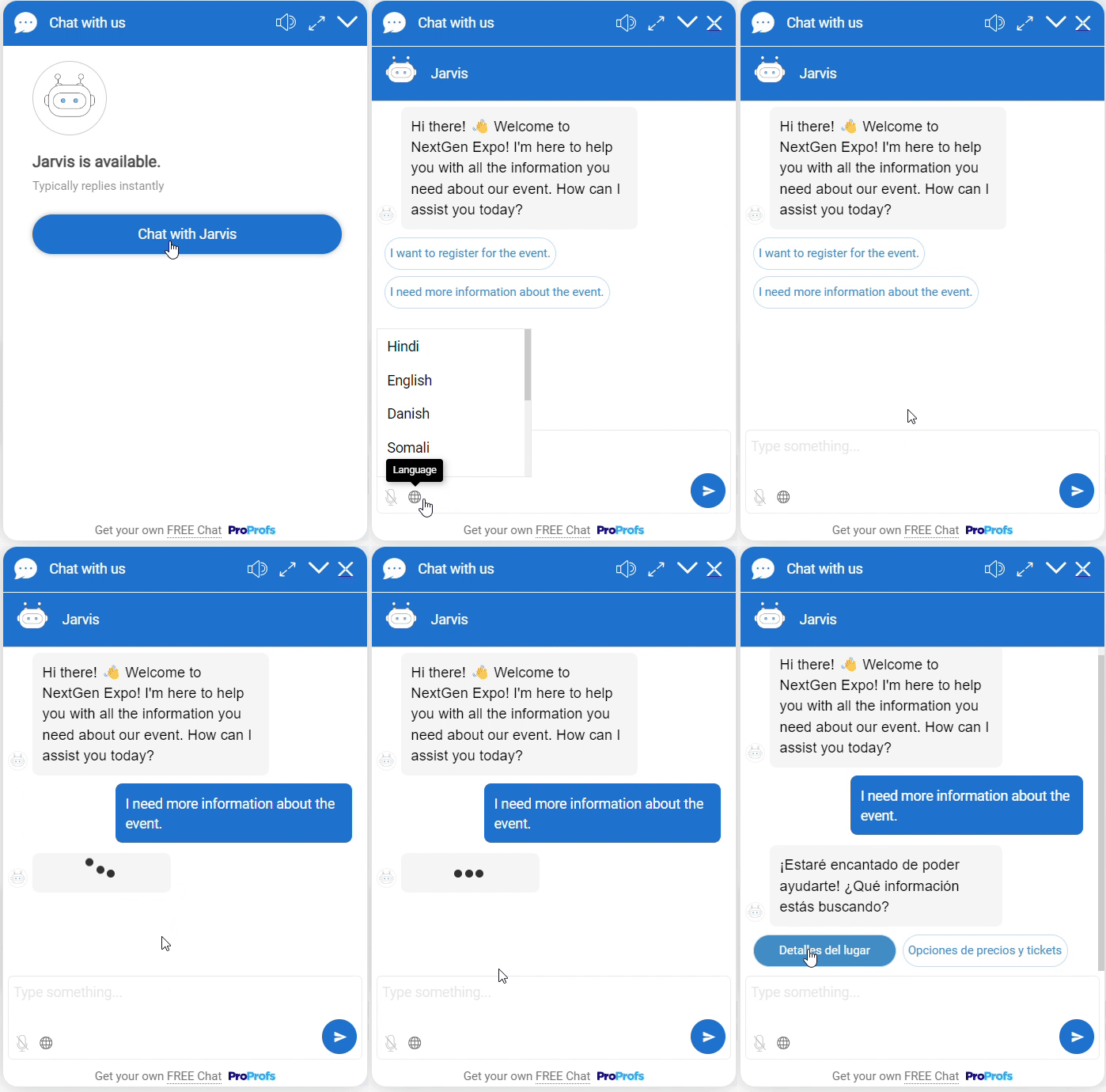
With support for multiple languages and built-in real-time translation, your team can handle global customers without needing separate regional staff or tools.
5. Real-Time Reporting and Performance Visibility
AI customer service agent tools generate data at every interaction, including what was asked, what was resolved, what escalated, and how customers rated the experience. A built-in supervisor dashboard and detailed reports give you a real-time view of chatbot performance, chat ratings, response times, and missed conversations.
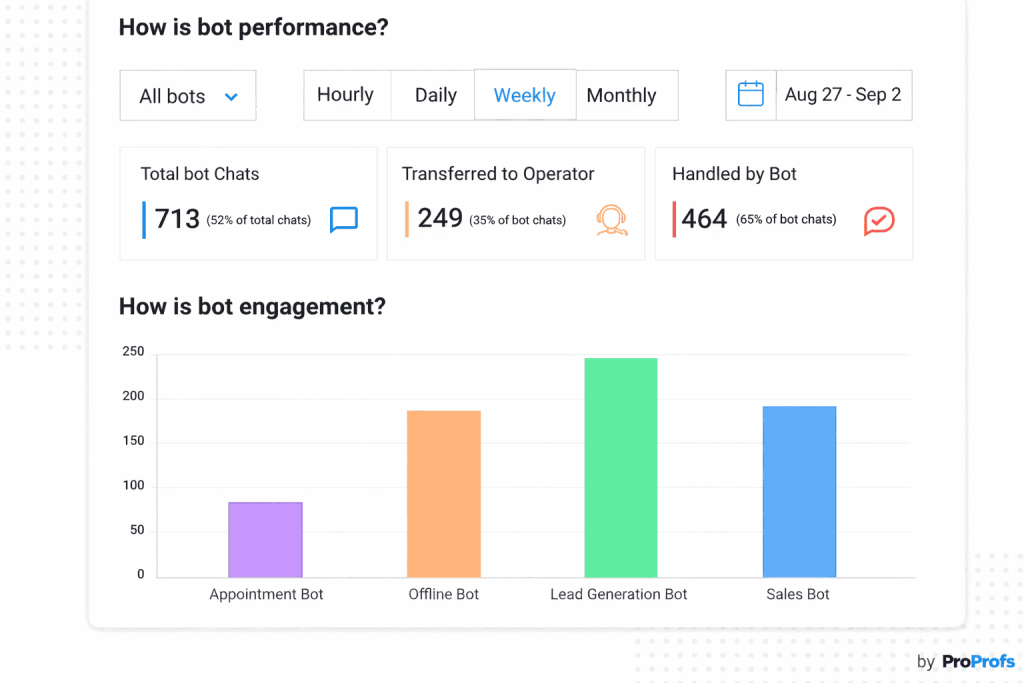
The unresolved query log shows you exactly what the bot couldn’t handle, which tells you precisely what training content to add next.
6. Reduced Ticket Volume With Smarter Escalation
AI agents reduce ticket volume by resolving routine queries before they become tickets in the first place. When a query does require escalation, the AI agent tool integrates directly with your help desk to automatically create a ticket with the full conversation context attached.
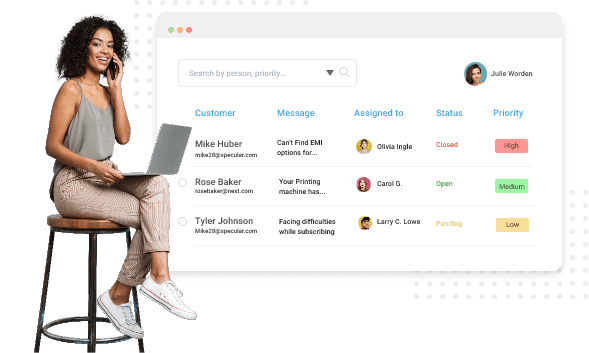
Your agents don’t start from scratch; they pick up right where the AI left off, and no query falls through the cracks.
How to Build a Customer Service AI Agent Using ProProfs Chat
Creating your own AI agent doesn’t require a big budget or coding skills. In this section, I’ll walk you through how to build a customer support AI agent for free, step by step, using ProProfs Chat.
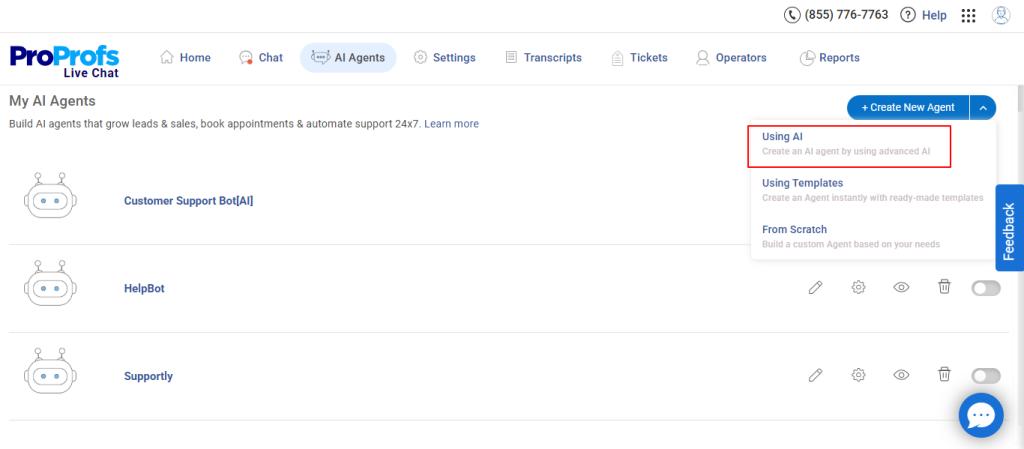
Step 1: After logging in, go to the “AI Agents” tab in the dashboard. Click “Create New Agent” and select the “Using AI” option.
Step 2: On this screen, you will see three to four options for uploading your data: website URL, uploaded files, plain text, or your Knowledge Base.
To demonstrate how it works, I will use this link as the training data source: [https://www.amazon.com/returnpolicy/]
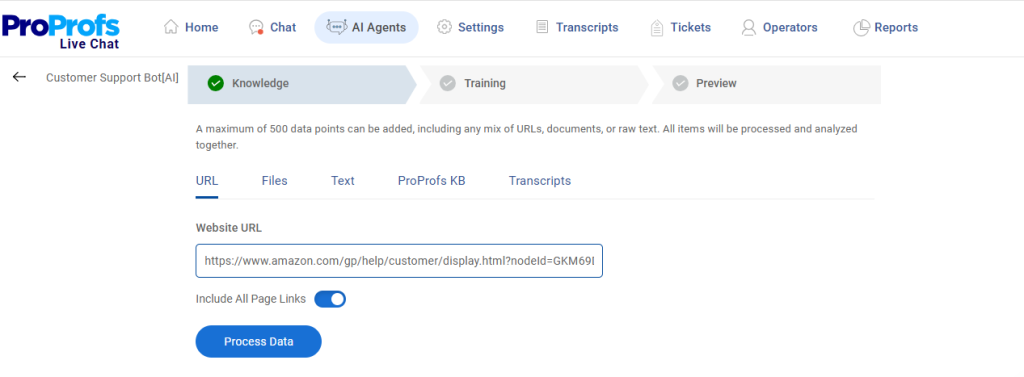
After adding your content, click “Process Data” to move ahead. Once the system finishes processing, your website content will appear like this:
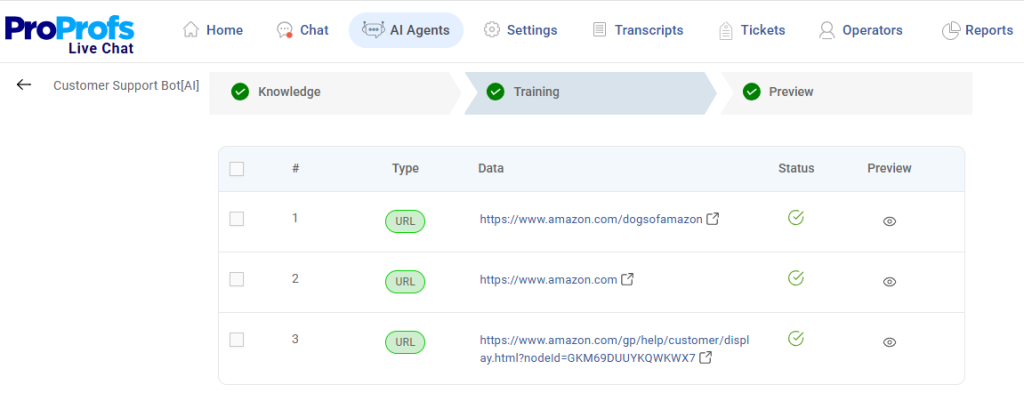
Step 3: Click “Preview” to test how your AI agent responds. Try asking a common customer question, such as, “Which items cannot be returned?”
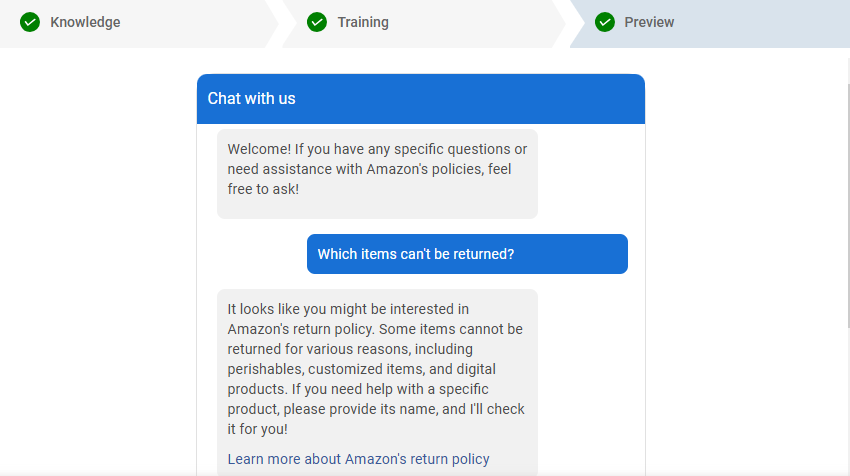
And there you have it! Your AI customer service agent is ready to provide instant, consistent support to your customers.
Where Are AI Agents Making the Biggest Impact Across Industries?
The AI agent conversation looks different depending on your industry, but the core use cases translate across verticals. Here’s where businesses are seeing measurable impact:
1. eCommerce
Order status inquiries, return and refund processing, product recommendations, and cart abandonment recovery are the highest-volume use cases. AI agents integrate with Shopify or Magento to pull live order data and resolve queries without human intervention. Proactive chat triggers reaching out to visitors who linger on a checkout page also recover lost revenue before the customer bounces.
2. Healthcare
Patient-facing AI agents handle appointment scheduling, insurance verification, pre-visit FAQs, and post-appointment follow-ups. With HIPAA-aware configurations and clear human handoff rules, healthcare organizations reduce administrative burden without compromising compliance or patient trust.
3. SaaS and Technology
Support teams at SaaS companies face a constant stream of Tier-1 tickets: “How do I reset my password?”, “Where do I find my API key?”, “Why isn’t my integration syncing?” AI agents trained on documentation and knowledge base articles resolve these instantly, freeing engineers and senior support staff for the complex, revenue-affecting issues.
4. Financial Services
Banks and fintech companies deploy AI agents for balance inquiries, transaction disputes, fraud alerts, and account management. The key here is strict escalation logic: any query involving sensitive account actions is routed immediately to a verified human agent with full context.
5. Real Estate
Lead qualification is the primary use case: AI agents pre-screen inquiries, capture buyer intent, schedule viewings, and push qualified leads into the CRM — all without the agent needing to be available after hours. Response time to inbound leads drops from hours to seconds.
6. Education
Student enrollment queries, course information, financial aid FAQs, and onboarding support are high-volume, repetitive, and time-sensitive at scale. AI agents handle the intake so admissions teams focus on the conversations that actually convert.
7. Travel and Hospitality
Booking confirmations, itinerary changes, cancellation policies, and multilingual support across 70+ languages are table stakes for travel brands competing on customer experience. AI agents handle the volume; human agents handle the exceptions.
FREE. All Features. FOREVER!
Try our Forever FREE account with all premium features!
What Are the Best Practices for Getting the Best Results From AI Agents?
Deploying an AI agent is not a “set it and forget it” decision. The companies seeing the best results share a common pattern: they start focused, measure obsessively, and iterate fast. Here’s the framework I’d recommend to anyone building an AI customer support agent today:
1. Define the Scope Before You Build
Don’t try to automate everything at once. Start with your highest-volume, lowest-complexity ticket category. For most businesses, that’s FAQs and basic account queries. Get one use case working well before expanding.
2. Train on Quality Knowledge
Your AI agent is only as good as the content it’s trained on. Before deployment, audit your knowledge base: is it accurate, current, and comprehensive? Agents trained on outdated or incomplete documentation will misdirect customers. Investing in a well-structured knowledge base before launch pays dividends for every interaction that follows.
AI agents can be trained directly on your website URL, uploaded documents, or articles, with no coding required. That knowledge-first approach is exactly what keeps response quality high from day one.
3. Map Your Escalation Logic Carefully
Not every query should be handled autonomously. Define clear rules: which intents escalate to a human, under what conditions, and with what context passed forward. A good escalation workflow means the customer never has to repeat themselves, and your human agents walk into every conversation with full context.
4. Set Expectations Transparently
Customers respond better to AI agents when they know they’re talking to one. Be transparent. Most platforms let you set a clear name and chatbot persona, so customers understand the interaction model from the start. This builds trust rather than eroding it.
5. Monitor the Unresolved Query Log
Every platform generates a log of conversations that the agent couldn’t resolve. That’s your highest-signal data source. Review it weekly. The gaps tell you exactly what training content to add, which escalation rules to refine, and where your product documentation needs work.
6. Treat the Agent Like a New Hire
The analogy that resonates most with support leaders: you coach AI agents, you don’t just code them. Review chat transcripts, give feedback, fine-tune tone, and define performance goals. The more consistently you do this in the first 90 days, the better the agent performs over the following year.
7. Integrate With Your Existing Stack
An AI agent operating in isolation is far less valuable than one connected to your CRM, help desk, and order management system. Integration means the agent can pull real data, push captured leads, create support tickets for unresolved queries, and give human agents the context they need when they take over.
Look for platforms with native integrations into the tools you already use.
8. Measure the Right KPIs
Track what actually matters: containment rate (percentage of queries resolved without escalation), first-contact resolution, CSAT scores on AI-handled interactions, and average handling time. Vanity metrics like “number of bot conversations” don’t tell you if the agent is delivering value.
AI Agents vs. Traditional Chatbots: What’s the Difference?
This is where most businesses get confused, and where they make expensive mistakes.
Traditional chatbots rely entirely on scripted flows. Someone on your team builds decision trees, writes out hundreds of utterances, and manually updates the bot every time your product changes. It’s upkeep-heavy, scales poorly, and breaks the moment a customer asks something unexpected.
Understanding what is an AI customer service agent makes this gap immediately clear: AI agents don’t follow scripts; they reason. They use large language models and contextual understanding to interpret what a customer actually means, then determine the best resolution path, and execute it.
Here’s how the two compare side by side:
| Dimension | Traditional Chatbot | AI Agent |
| Technology | Rule-based scripts, keyword matching | LLMs, NLP, contextual reasoning |
| Understanding | Keyword triggers, predefined flows | Intent, semantics, multi-turn context |
| Resolution | Points to an article | Executes the task (refund, update, check) |
| Scalability | Manual updates required | Learns from interactions, improves continuously |
| Setup | Hundreds of utterances, coded flows | Train on existing docs, no coding required |
| Handoff | Transfers blindly | Passes full context to human agent |
| Memory | Session-only | Cross-session continuity |
The practical implication? Chatbots are adequate for a small, stable FAQ set. AI agents are what you need when your support volume is growing, your queries are varied, and you can’t afford to have your team rebuilding bot flows every quarter.
Automate Support With AI Customer Service Agents
Customer service AI agents genuinely change what’s possible for support teams. They reduce costs, shrink response times, and free your people to focus on the conversations that require real judgment and empathy. But the results depend entirely on how you build and maintain them.
Start with a strong knowledge foundation. Define your escalation logic before launch. Review your unresolved query log every week. And pick a platform that connects cleanly to your existing tools rather than creating new silos.
If you want to get moving without a lengthy setup, ProProfs Chat makes it easy to build and deploy a no-code AI chatbot trained on your own content. It connects to your CRM and help desk out of the box, includes full reporting from day one, and the free plan gets you started with zero upfront cost.
Start your free AI agent today at ProProfs Chat — no credit card required.
Frequently Asked Questions
How do I train an AI agent on my company's specific products and policies?
Connect the agent to your existing content: knowledge base articles, product documentation, website pages, or uploaded PDFs. The more specific and up-to-date that content is, the more accurately the agent responds. Most no-code platforms let you point the agent at a URL or upload documents directly, without any coding.
What's the difference between a virtual agent and an AI agent?
The terms are often used interchangeably, but there's a distinction worth knowing. A virtual agent typically refers to any automated assistant handling customer interactions, including older rule-based systems. An AI agent specifically uses machine learning and large language models to understand context, reason, and take action autonomously. All AI agents are virtual agents; not all virtual agents are AI agents.
Can a small business afford to deploy an AI customer service agent?
Yes. No-code platforms like ProProfs Chat offer a free plan for a single operator, with an AI automation add-on available at a straightforward annual rate. You don't need a development team or a large budget to get started. Most small businesses see a positive return within the first few months purely from reduced ticket handling time.
Will AI agents make my human support team redundant?
No. AI agents are best at handling Tier-1 volume: FAQs, status checks, standard account requests. They free your human team from repetitive work so they can focus on complex, sensitive, or high-value conversations that require empathy and judgment. The most effective support teams pair AI coverage with a skilled human layer, not replace one with the other.
What types of tasks can an AI customer service agent actually perform autonomously?
Beyond answering questions, a properly integrated AI agent can check order status, process returns, update account details, schedule appointments, capture lead information, create support tickets, recommend products, and send follow-up messages. The range of tasks it can handle autonomously depends on how deeply it's connected to your backend systems.
How do AI agents stay accurate as my product or policies change?
They rely on the quality and freshness of their training content. Connect your agent to a living knowledge source -- a knowledge base your team actively maintains -- so updates flow through to responses automatically. Review your unresolved query log regularly to spot gaps where new content is needed.
Can customers tell they're talking to an AI agent?
Sometimes, and that's fine. Transparency about AI is better for trust than trying to pass as human. Most platforms let you give the agent a persona and name. Being upfront about the AI while making it easy to request a human resolves most customer concerns before they escalate.
What's the risk of an AI agent giving wrong information?
The main risk is hallucination -- where the agent generates a plausible-sounding but inaccurate response. This is mitigated by grounding the agent in your own verified content rather than letting it rely on general knowledge, by reviewing transcripts regularly, and by setting escalation rules for queries the agent can't confidently resolve. Platforms that let you review and retrain based on unresolved queries reduce this risk over time.
How does an AI agent handle multiple languages?
Modern AI agent platforms support a wide range of languages through natural language processing and real-time translation. Some platforms, like ProProfs Chat, support 70+ languages and can adapt to the visitor's browser language settings automatically. This makes multilingual support achievable for global teams without hiring separate regional staff.
Do I need technical skills to build a customer service AI agent?
Not with a no-code platform. You provide the content, configure the conversation flows through a visual interface, and set your escalation rules. Platforms like ProProfs Chat are specifically built so business owners and support managers can deploy and maintain an AI agent without writing a single line of code.
FREE. All Features. FOREVER!
Try our Forever FREE account with all premium features!

 We'd love your feedback!
What did you like & how can we make it even better?

 Thanks for your feedback!
 Ask Your Question
Have a question? Get expert help to make your decision easier.