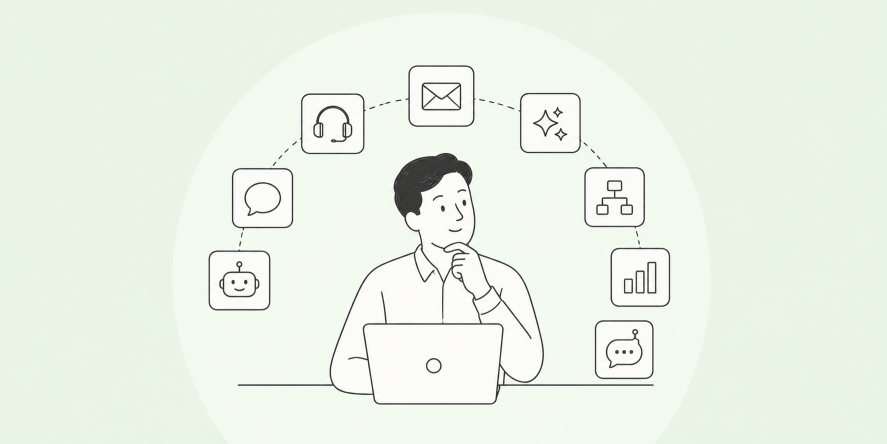

I’ve seen this pattern repeat across growing teams. Zendesk works well early on, but as support volume increases, the platform can start to feel heavier than expected. Simple workflows turn complex, costs creep up, and personal responses become harder to maintain at scale. That’s often when Zendesk Alternatives naturally enter the discussion, not because something is broken, but because priorities change.
From my experience, modern support teams need flexibility more than structure. When tools slow teams down or limit how conversations flow, customers feel it. Speed and personalization matter more than ever, especially as expectations continue to rise.
In this guide, I am sharing the top 10 Zendesk competitors that make switching easier and smarter. These tools help teams respond faster, keep conversations human, and support customers without friction as the business grows.
Why Businesses Are Looking for Zendesk Alternatives
Once teams outgrow their initial support setup, the conversation often shifts from “Is it working?” to “Is it still the right fit?” This is where many businesses begin reassessing Zendesk Chat, not because it failed, but because their needs have evolved.
What usually triggers the search for alternatives is a combination of practical considerations:
- The need for faster setup and easier day-to-day management
- More flexibility in how chats, bots, and workflows are configured
- Better alignment between pricing and actual usage
At this stage, teams start comparing software similar to Zendesk that offers a more streamlined experience without sacrificing core support capabilities. The goal is to move toward tools that feel easier to operate, adapt faster to change, and support more natural customer conversations as expectations continue to rise.
Top 10 Zendesk Alternatives to Improve Customer Satisfaction
Over the past few months, I explored dozens of live chat tools to identify the best Zendesk alternatives for 2026. I reviewed real user feedback, compared use cases, and tested multiple platforms to understand how they perform in real support environments. The result is a carefully curated list of 10 tools that stand out for their features, flexibility, and overall value.
Each option on this list solves a different support challenge, whether it is faster response times, simpler workflows, or better scalability.
Before diving into detailed reviews, here is a quick snapshot of the top 10 alternatives to Zendesk.
| Zendesk Alternative | Best For | Pricing | User Rating |
|---|---|---|---|
| ProProfs Chat | Easy Live Chat & AI Customer Service Agent for Instant, Automated Support | A free plan is available for growing teams. Paid plan starts at $19.99/user/month. | 4.8 (Capterra) |
| Zoho Desk | Multi-channel customer support | Starts at $14/user/month | 4.4 (G2) |
| Help Scout | Shared inbox and human-centric customer support | Starts at $25/user/month | 4.6 (Capterra) |
| LiveAgent | Feature-rich live chat with agent gamification | Starts at $15/user/month | 4.5 (G2) |
| HelpCrunch | Real-time visitor monitoring and proactive chat | Starts at $15/user/month | 4.7 (Capterra) |
| Freshchat | Teams using the Freshworks ecosystem | Starts at $19/user/month | 4.4 (G2) |
| HappyFox | Customer support and IT help desk teams | Starts at $19/user/month | 4.5 (G2) |
| LiveChat | Boosting sales and customer engagement via chat | Starts at $19/user/month | 4.5 (G2) |
| Tidio | Live chat with built-in ticketing | Starts at $24.17/month | 4.7 (Capterra) |
| Intercom | Omnichannel messaging with in-app support | Starts at $29/user/month | 4.5 (G2) |
1. ProProfs Chat – Easiest Live Chat & AI Customer Service Agent for Instant, Automated Support
I started using ProProfs Chat when I needed a live chat tool that could keep customers engaged around the clock without adding pressure on my team. The AI Support Agent feature has been a big win for me. It handles common questions instantly, even after business hours, which helps maintain a consistent and friendly customer experience.
I can simply enter my website URL, and ProProfs creates the AI agent from my existing content.
Advanced AI agent training trains the AI agent on your website, help center, and FAQs, so AI-generated answers always pull from your actual data with the source cited. Resolution overviews summarize how each conversation ended, while AI agent performance reports help me spot areas where customer experiences can improve.
Once live, action-based AI agents complete tasks like updating orders and scheduling meetings directly from chat. Sentiment analysis detects emotions in real time and feeds into risk prediction, which assigns churn scores so your team knows who needs attention. Resolution overviews and AI agent performance reports, then continuously track satisfaction.
ProProfs Chat also brings mobile access, and multilingual support in one dashboard. It also connects with ProProfs Knowledge Base and ProProfs Help Desk for 360° support. With GDPR compliance, SSL encryption, and flexible customization, it feels like a dependable solution that genuinely helps improve customer satisfaction as my business grows.
Pros:
- Action-based AI agents that update orders, schedule meetings, and trigger notifications
- Sentiment analysis and risk prediction to flag frustrated or at-risk customers early
- Resolution overviews and AI performance reports to track and improve chatbot quality continuously
- Smart chat routing that seamlessly connects customers to human agents when needed
Cons:
- Cloud-only – no offline access
- No dark theme
How ProProfs Chat Compares to Zendesk:
Compared to Zendesk, ProProfs Chat feels much lighter and easier to use, especially for teams that want quick setup and AI-powered chat without heavy configuration. While Zendesk is built for complex enterprise workflows, ProProfs Chat focuses on real-time engagement, automation, and simplicity, making it a better fit for teams prioritizing fast, friendly customer interactions.
User Rating: 4.8 (Capterra)
Pricing: A free plan is available for growing teams. Paid plan starts at $19.99/user/month
2. Zoho Desk – Best for Multi-channel Support
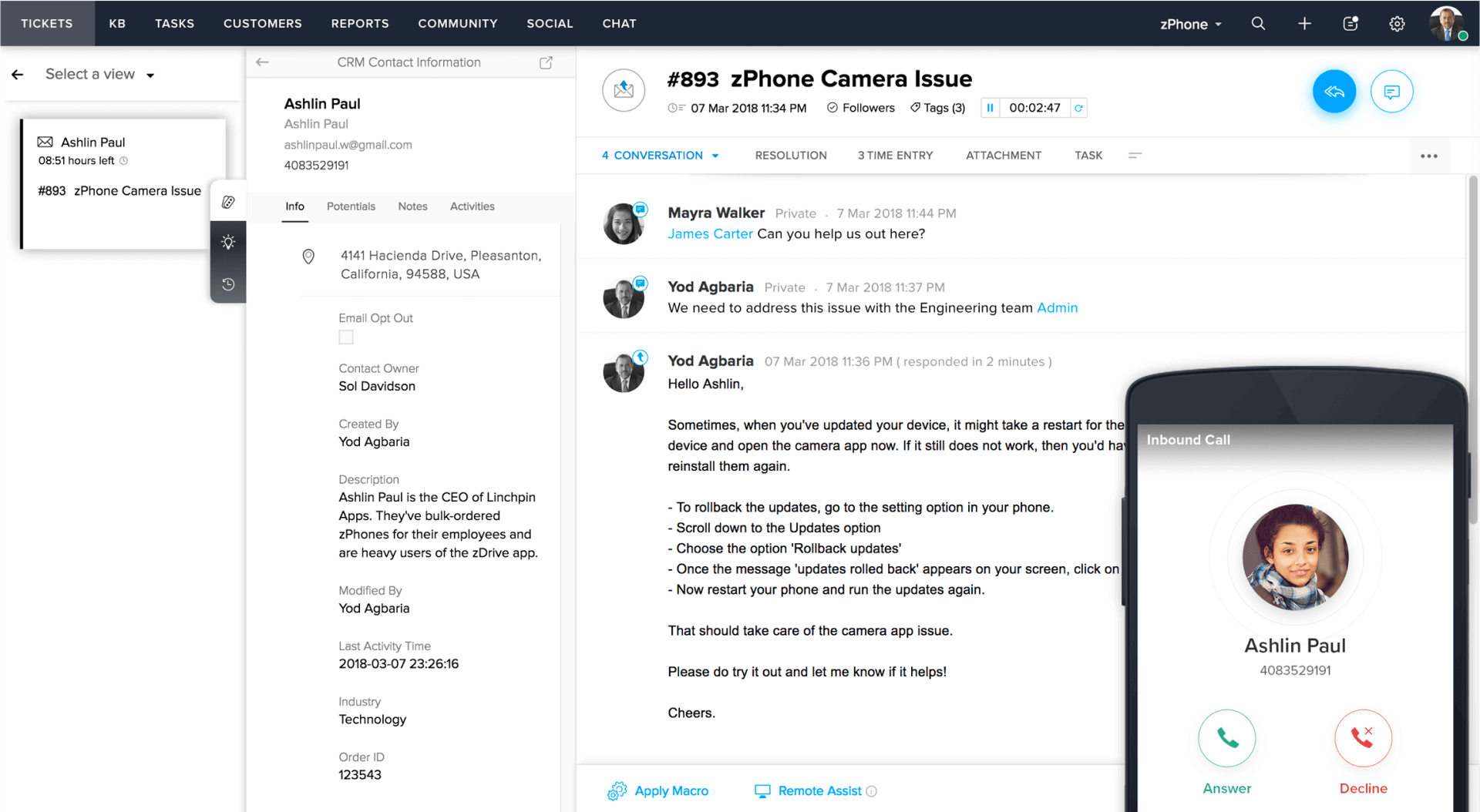
Zoho Desk stands out as a strong Zendesk alternative when customer conversations are coming in from everywhere. I have seen teams struggle when email, chat, social media, and phone support live in separate tools. Zoho Desk consolidates all these channels into a single, clean dashboard, making it easier to respond quickly and prevent customers from repeating themselves.
What I like about Zoho Desk is how well it adapts to different support setups. Whether a team is handling a few dozen tickets a day or scaling into higher volumes, the platform stays organized. Features like ticket automation, SLA tracking, and context-rich customer views help support agents stay on top of issues without feeling overwhelmed.
Another reason Zoho Desk works well for improving customer satisfaction is visibility. Managers can identify where tickets get stuck, track agent performance, and pinpoint which channels require attention. That kind of insight makes it easier to identify and resolve problems early, delivering more consistent support across every channel.
Pros:
- Supports email, live chat, phone, social media, and web forms in one place
- Strong automation rules for routing, prioritizing, and escalating tickets
- Built-in SLA management to maintain response and resolution standards
- Detailed reporting and dashboards for team performance tracking
Cons:
- Initial setup can feel complex for smaller teams
- Some advanced features are locked behind higher plans
How Zoho Desk Compares to Zendesk:
Zoho Desk offers a similar multi-channel support experience to Zendesk, but at a more accessible price point. It covers email, chat, social, and phone support well, though Zendesk still feels more polished at scale. Zoho Desk works better for teams that want structured ticketing and automation without paying enterprise-level costs.
User Rating: 4.4 (G2)
Pricing: Starts at $14/user/month.
3. Help Scout – Shared Inbox & Customer Support
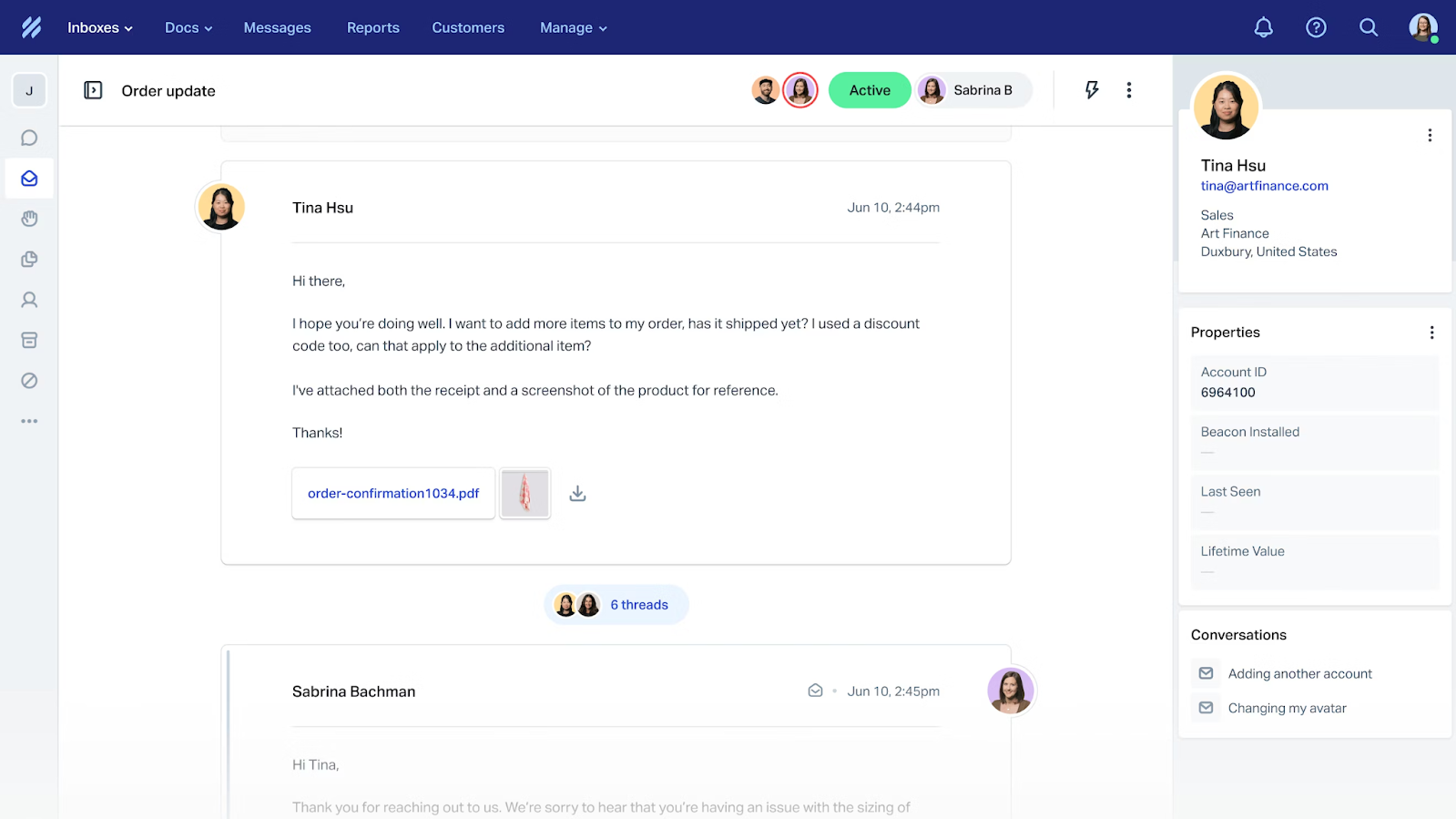
I usually recommend Help Scout to teams that want customer support to feel calm, organized, and genuinely human. It is especially strong when multiple people need to collaborate on customer emails without stepping on each other’s toes. The shared inbox keeps conversations clear, assigned, and easy to track, which makes a big difference for response quality.
What stands out to me is how little friction there is for agents. The interface is clean, simple, and easy to learn, even for non-technical teams. Instead of forcing complex workflows, Help Scout focuses on helping teams respond faster and with more context, which directly improves customer satisfaction.
Help Scout also does a solid job of scaling with growing teams. Features like collision detection, internal notes, and saved replies help support teams stay consistent while still sounding personal. It feels built for teams that care deeply about quality conversations, not just ticket volume.
Pros:
- Shared inbox that keeps customer conversations organized and visible
- Built-in knowledge base to reduce repetitive questions
- Internal notes and @mentions for smooth team collaboration
- Saved replies to help agents respond faster
Cons:
- Limited advanced automation compared to enterprise-heavy tools
- Live chat features are more basic than dedicated chat platforms
How Help Scout Compares to Zendesk:
Help Scout takes a much simpler, more human approach than Zendesk. While Zendesk focuses on powerful workflows and automation, Help Scout prioritizes shared inboxes and calm, organized conversations. It is a better choice for teams that value personal support experiences over complex reporting, customization, and enterprise-grade tooling.
User Rating: 4.6 (Capterra)
Pricing: Starts at $25/user/month.
4. LiveAgent – Best for Simple and Feature-Rich Live Chat With Gamification for Agent Motivation
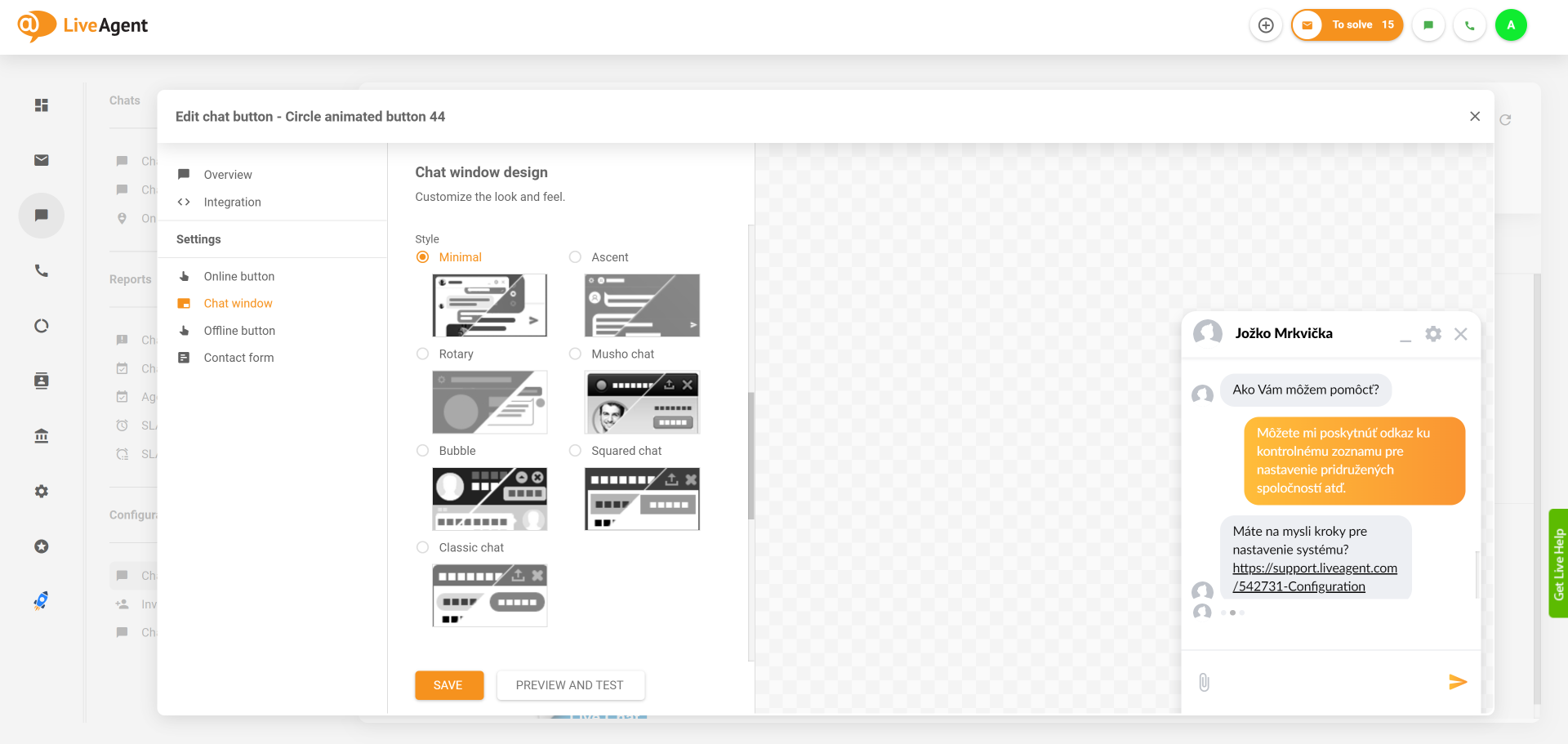
I see LiveAgent as a solid choice for teams that want to improve customer satisfaction without adding complexity. As a Zendesk alternative, it strikes a nice balance between being easy to use and offering enough features to support growing support teams. The live chat experience feels fast and reliable, which is exactly what customers expect today.
One thing I genuinely like about LiveAgent is its built-in gamification. Features like badges, rankings, and performance scores help keep agents motivated, especially during busy support hours. It adds a subtle layer of competition that encourages faster responses and better engagement without feeling forced.
LiveAgent also works well for teams that want a feature-rich live chat setup without spending weeks on configuration. It covers the essentials, scales reasonably well, and keeps the focus on delivering quick, human support.
Pros:
- Ticketing system to convert chats into organized tickets for proper follow-ups
- SLA rules and monitoring to help teams meet response and resolution targets
- Customizable chat widgets for branding consistency
- Useful chat analytics to track response time and agent performance
Cons:
- User interface feels a bit outdated in places
- Fewer native integrations compared to larger platforms
How LiveAgent Compares to Zendesk:
LiveAgent offers many core Zendesk features like ticketing, SLAs, and live chat but with a simpler setup and lower pricing. Zendesk is more flexible for large-scale operations, while LiveAgent feels more approachable for small to mid-sized teams. Its gamification features also add a motivational layer Zendesk does not emphasize.
User Rating: 4.5 (G2)
Pricing: Starts at $15/user/month.
5. HelpCrunch – Best for Real-Time Visitor Monitoring
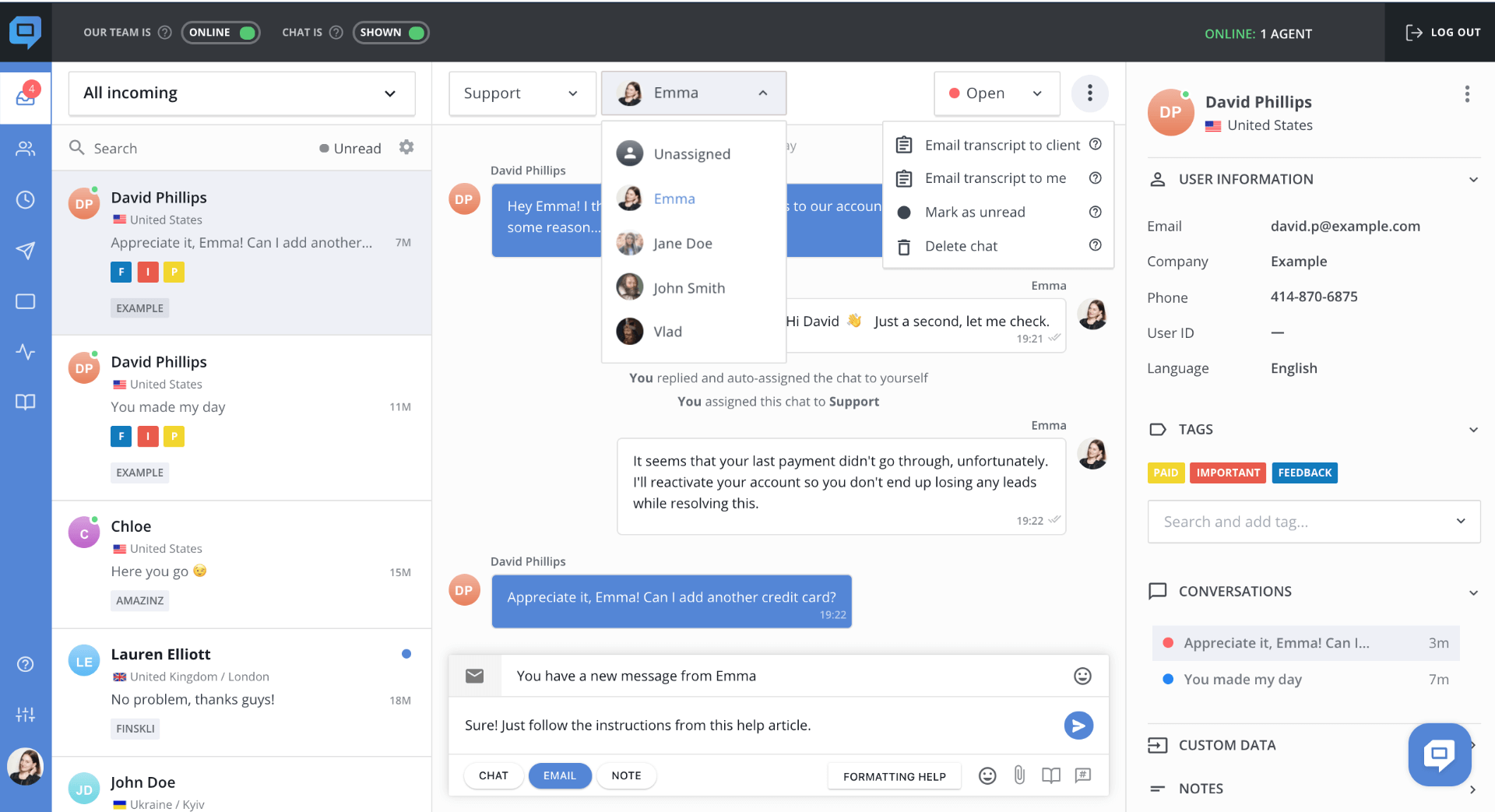
HelpCrunch caught my attention because of how clearly it shows visitor activity in real time. I could see who was online, which page they were viewing, and how long they had been there. This level of visibility makes it easier to start conversations at the right moment instead of waiting for users to reach out.
As a live chat tool, HelpCrunch feels well-suited for teams that want to be proactive without being pushy. I liked how quickly chats load and how simple it is to manage conversations from a single inbox. It works especially well for businesses that value context and timing in customer interactions.
Beyond live chat, HelpCrunch also supports email messaging and light automation, which helps keep conversations organized. For teams focused on improving customer satisfaction through real-time engagement, it fits naturally among strong Zendesk alternatives.
Pros:
- Conversation tagging to organize chats and track common customer issues
- Proactive chat triggers to start conversations at the right moment
- Centralized inbox for chat and email conversations
- Chat transcripts history to maintain context for follow-ups and future interactions
Cons:
- Limited advanced automation features
- Reporting and analytics may feel basic for larger teams
How HelpCrunch Compares to Zendesk:
HelpCrunch focuses more on real-time visitor monitoring and proactive chat than Zendesk. While Zendesk excels at structured ticket management and enterprise workflows, HelpCrunch works better for teams that want visibility into user behavior and timely engagement. It is a solid alternative when improving response timing matters more than advanced automation.
User Rating: 4.7 (Capterra)
Pricing: Starts at $15/user/month.
6. Freshchat – Best for Freshworks Suite Users
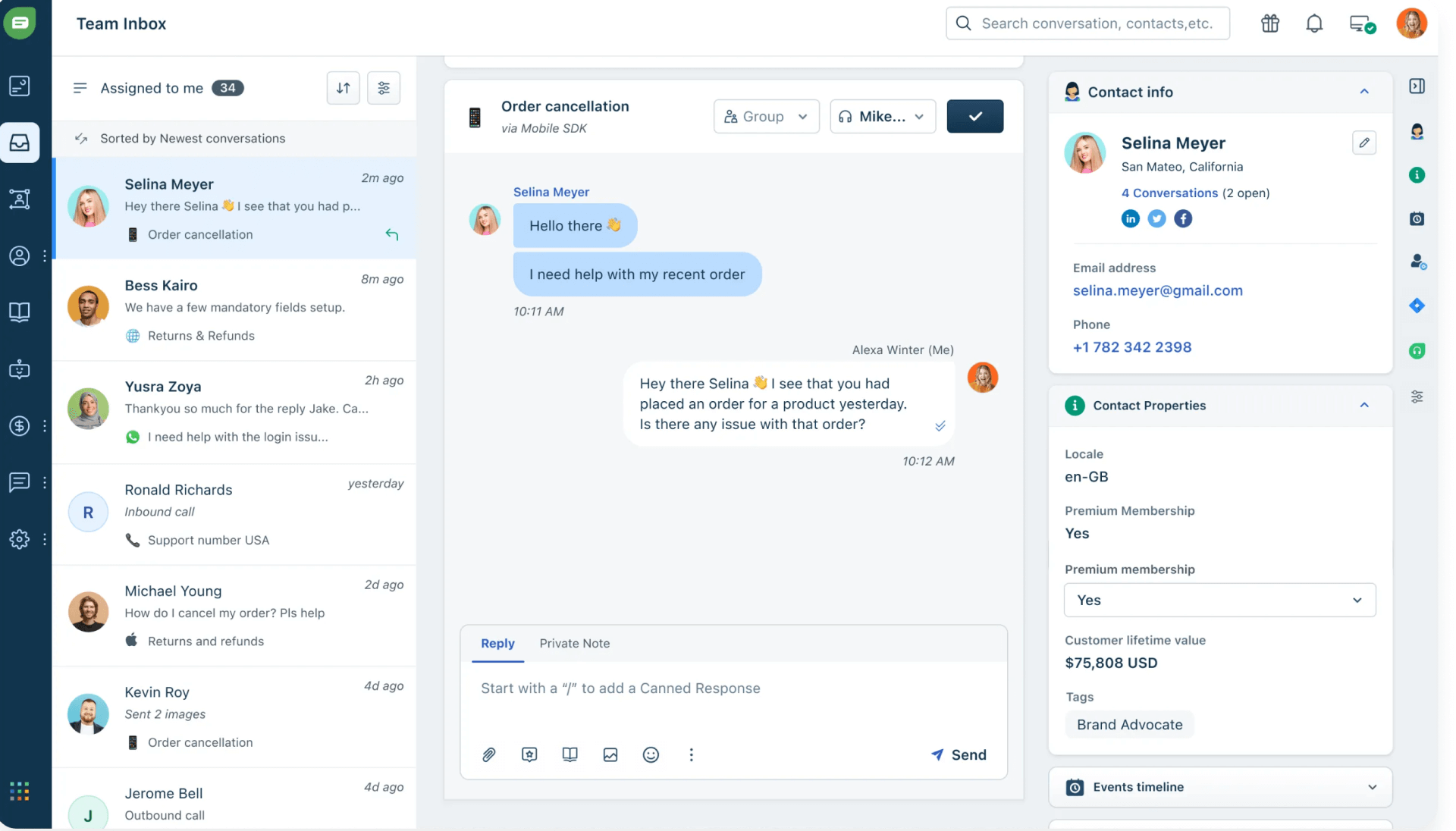
Freshchat is a strong option if you are already using the Freshworks suite and want your live chat to stay tightly connected with the rest of your support stack. From my experience, it feels less like adding a new tool and more like extending what is already in place. For teams invested in Freshdesk or other Freshworks products, that continuity matters.
What I appreciate most is how chat conversations automatically turn into tickets with full context. Agents can see past interactions, customer details, and open issues without switching screens. This makes responses quicker and more thoughtful, which goes a long way in improving customer satisfaction.
As support needs grow, Freshchat holds up well. It handles higher chat volumes, supports team collaboration, and keeps everything organized. It is clearly designed for businesses that want structure, consistency, and a unified support experience.
Pros:
- Built-in analytics to track chat performance and customer satisfaction
- Unified inbox that keeps conversations, tickets, and customer data together
- AI-powered chatbots for instant replies and reduced agent workload
- Smart routing and automation to assign chats to the right team
Cons:
- Delivers the most value only if you are already using Freshworks products
- Can feel complex for smaller teams with simple chat needs
How Freshchat Compares to Zendesk:
Freshchat is comparable to Zendesk when it comes to structured support, especially for teams already using the Freshworks ecosystem. Zendesk offers broader customization, but Freshchat feels more unified when paired with Freshdesk. It works best for teams that want chat, tickets, and automation tightly connected without introducing a separate support stack.
User Rating: 4.4 (G2)
Pricing: Starts at $19/user/month.
7. HappyFox – Best for Customer Support and IT Help Desk
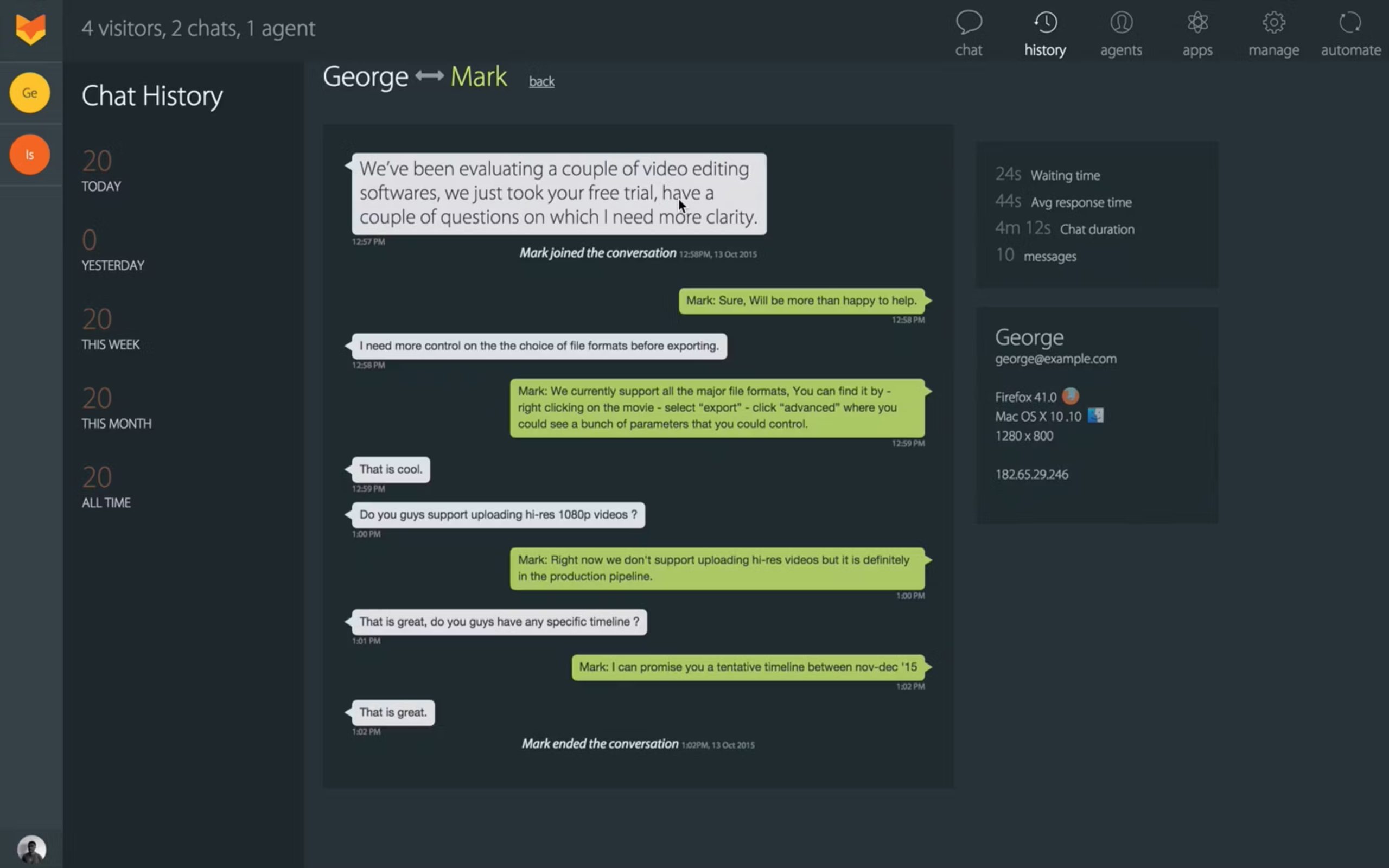
HappyFox is a strong option for improving customer satisfaction across both customer support and IT help desk teams. I found it especially useful for businesses that want more structure without making support feel rigid or impersonal. It brings tickets, live chat, and automation together in a way that keeps agents focused and customers well-informed.
What I liked most is how smoothly HappyFox blends live chat with help desk workflows. Conversations stay organized, and agents get full context without switching between multiple tools. This helps reduce back-and-forth and makes it easier to resolve issues quickly, especially for repeat requests or internal IT support.
For teams supporting customers and employees at the same time, HappyFox fits naturally into everyday operations. It works well for scaling support, standardizing responses, and maintaining consistent service quality while still keeping interactions personal.
Pros:
- Canned responses to maintain consistency and speed up replies
- Role-based access controls to manage permissions across support teams
- Context-rich ticket views to give agents complete customer and request history
- SLA tracking and reporting to measure support performance
Cons:
- Initial setup can take time for complex workflows
- Live chat customization options are somewhat limited
How HappyFox Compares to Zendesk:
HappyFox delivers a similar help desk experience to Zendesk, but with a stronger balance between customer support and IT help desk use cases. Zendesk offers deeper customization, while HappyFox feels more straightforward once set up. It is a good alternative for teams that want structured workflows without Zendesk’s complexity or cost overhead.
User Rating: 4.5 (G2)
Pricing: Starts at $19/user/month.
8. LiveChat – Best for Boosting Sales & Customer Engagement With Live Chat
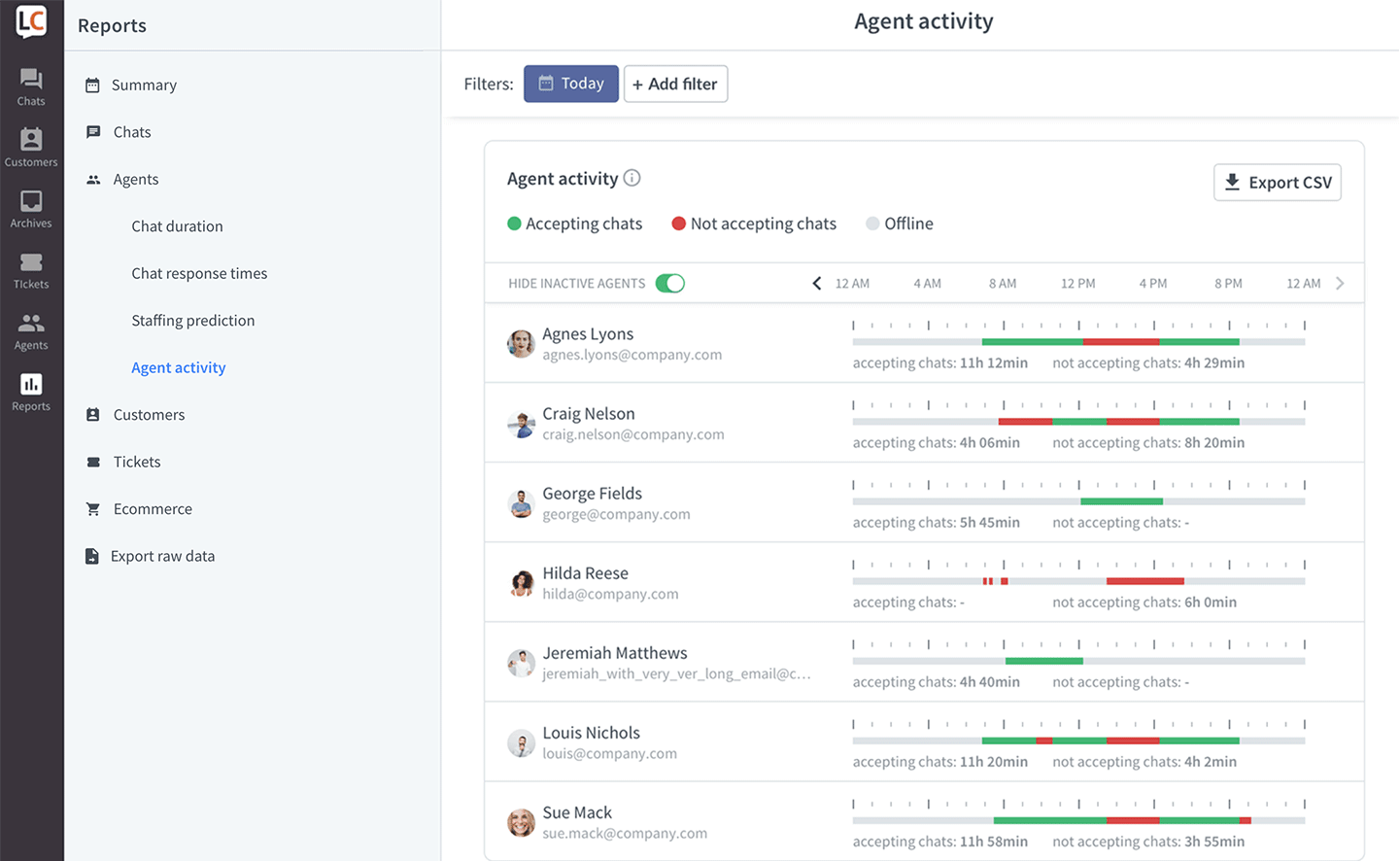
I have used LiveChat in scenarios where customer conversations directly impact sales, and it performs exceptionally well in that role. It feels built for speed. Chats load instantly, agents can respond without friction, and conversations feel natural instead of scripted. For teams that care about first impressions, this makes a real difference.
What I like most is how LiveChat helps turn support into an engagement channel. Sales teams can proactively reach out based on visitor behavior, while support teams handle questions without breaking flow. It works especially well for ecommerce and SaaS businesses where timing and personalization matter.
From an integration standpoint, LiveChat fits easily into existing workflows. Connecting it with CRMs or ecommerce tools is simple, and the chat widget is easy to customize. If improving customer satisfaction also means boosting conversions, LiveChat is a strong Zendesk alternative to consider.
Pros:
- Chat notifications to ensure no customer message is missed
- Visitor insights that help personalize conversations in real time
- Smooth integrations with CRMs, helpdesks, and sales tools
- Conversation tags to organize chats and spot common customer issues
Cons:
- Automation options are limited compared to some newer tools
- Reporting is solid but not very deep for advanced analytics needs
How LiveChat Compares to Zendesk:
LiveChat differs from Zendesk by leaning more toward real-time engagement and sales-driven conversations. Zendesk shines in ticket-heavy environments, while LiveChat feels faster and more conversational. It is a better choice when chat is used to boost engagement and conversions rather than manage complex support operations.
User Rating: 4.5 (G2)
Pricing: Starts at $19/user/month.
9. Tidio – Best for Live Chat With Ticketing Functionality
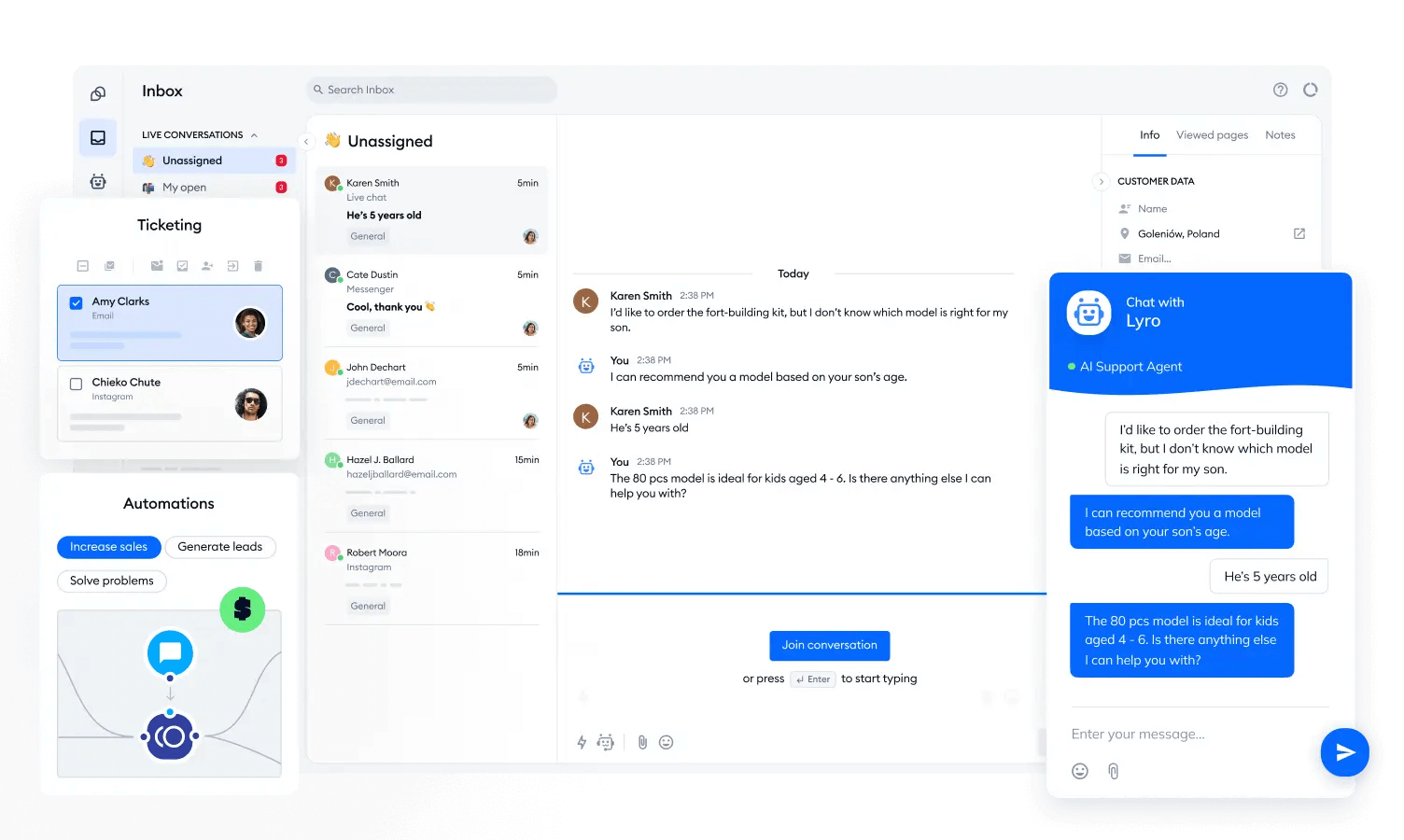
Tidio is a strong option for teams that rely heavily on live chat and still need proper ticketing in place. What I appreciate most is how naturally it connects real-time conversations with longer support workflows. When a chat requires follow-up, it seamlessly transitions into a ticket, preventing it from getting lost.
I found the balance between speed and structure especially helpful. Teams can respond instantly through live chat while keeping everything organized behind the scenes. This makes it easier to manage quick questions and ongoing issues without switching between tools.
Tidio also does a good job of supporting customer satisfaction at scale. Conversations feel personal, response times stay fast, and tickets ensure nothing falls through the cracks. For businesses with light ticketing needs that focus on live chat, it fits well.
Pros:
- Chatbots to handle FAQs and after-hours conversations
- Multi-language support to assist customers across regions
- Visual chatbot builder to create automated flows without coding
- Typing preview to see messages before customers send them
Cons:
- Reporting features are fairly basic
- Not designed for complex enterprise support environments
How Tidio Compares to Zendesk:
Tidio offers a simpler live chat and ticketing experience compared to Zendesk’s enterprise-focused platform. While Zendesk handles complex workflows and large teams better, Tidio works well for businesses that want live chat, basic ticketing, and automation without a steep learning curve or high starting costs.
User Rating: 4.7 (Capterra)
Pricing: Starts at $24.17/month.
10. Intercom – Omnichannel Platform With Messenger and App
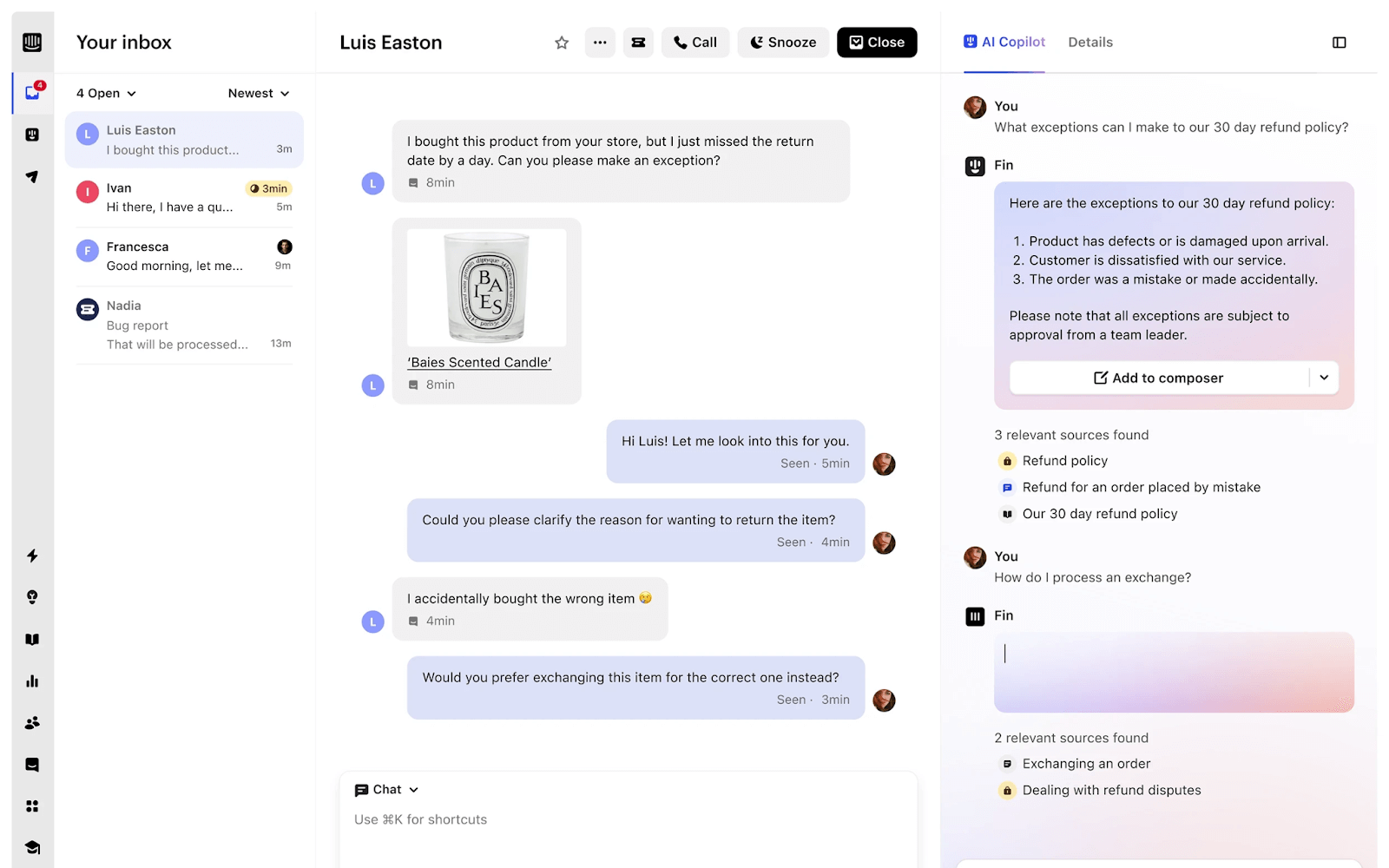
Intercom stands out as a strong option when the goal is to improve customer satisfaction through real, connected conversations. I like how it brings live chat, in-app messaging, email, and help center support into one omnichannel platform. This makes it easier for teams to stay consistent across touchpoints without losing conversation history.
What really works for me is Intercom’s Messenger and in-app experience. Customers can reach out right when they are stuck inside a product, and support teams can respond with context instead of starting from scratch. That alone removes a lot of back-and-forth and frustration.
Intercom also feels well-suited for growing teams that want more than basic chat. It balances automation with human support nicely, helping teams stay responsive while still keeping conversations personal and relevant.
Pros:
- Internal notes to enable private team collaboration within conversations
- Targeted messages based on user behavior and activity
- Workflow automation to reduce manual effort for support teams
- Conversation assignment rules to ensure faster ownership and responses
Cons:
- Pricing can increase quickly as contacts and usage grow
- Initial setup takes time to configure properly
How Intercom Compares to Zendesk:
Intercom focuses more on conversational, in-app, and omnichannel messaging than Zendesk’s traditional help desk model. Zendesk excels at structured ticket management, while Intercom feels stronger for product-led support and real-time engagement. It suits growing teams that want customer conversations embedded directly into the product experience.
User Rating: 4.5 (G2)
Pricing: Starts at $29/user/month.
Zendesk Alternatives: My Top 3 Picks You Can Trust
Looking for a quicker answer? These three picks deserve a closer look.
1. ProProfs Chat
ProProfs Chat is built to support round-the-clock customer engagement without increasing team workload. Its AI chatbot handles common questions instantly, even after business hours, ensuring consistent support. The platform offers quick setup, easy customization, reporting, mobile access, and multilingual support, along with strong security and compliance features to support growing businesses.
2. Fresh Chat
Fresh Chat is a customer support platform designed to keep live chat closely connected with the broader help desk experience. It brings conversations, tickets, and customer context into one unified system, helping teams stay organized and respond efficiently. Built to scale, it handles higher chat volumes, supports team collaboration, and keeps support workflows consistent.
3. LiveChat
LiveChat is designed for fast, real-time conversations that support both customer engagement and sales. It offers quick chat loading, smooth agent workflows, and natural interactions that create strong first impressions. With proactive outreach, easy integrations, and customizable chat widgets, it works especially well for e-commerce and SaaS teams focused on conversions and customer satisfaction.
Finding the Right Zendesk Alternative: A Quick Checklist
Choosing a Zendesk alternative is easier when the decision is based on real needs, not just feature counts. With so many tools promising better support, a clear checklist helps focus on what will actually improve customer experience and team efficiency.
Use the points below to evaluate options quickly and confidently.
| What to Evaluate | Why It Matters |
|---|---|
| Ease of setup and use | Ensures your team can start quickly without long onboarding or training |
| AI and automation | Helps reduce response times while handling repetitive queries efficiently |
| Customization and branding | Keeps the chat experience aligned with your brand’s look and tone |
| Scalability and pricing | Prevents unexpected costs as your support volume or team grows |
| Integrations | Allows smooth workflows with CRMs, help desks, and other tools you already use |
| Reporting and analytics | Provides insights into performance, response times, and customer satisfaction |
| Security and compliance | Protects customer data with features like GDPR compliance and SSL encryption |
| Customer support quality | Ensures reliable help from the vendor when issues or questions arise |
FREE. All Features. FOREVER!
Try our Forever FREE account with all premium features!
Customer Support Has Evolved. Your Tools Should Too!
Customer expectations for speed and personalization keep rising, and slow support tools no longer work. Many businesses that once depended on tools like Zendesk are now rethinking how customer conversations should feel as expectations evolve. The Zendesk alternatives covered in this list reflect a clear shift toward faster, more personal support without added complexity.
When choosing an alternative, focus on ease of use, automation that genuinely helps, and pricing that scales comfortably with growth. It is also important to evaluate integrations, reporting, and the quality of vendor support before making a decision.
For teams looking to balance AI-powered automation with real human interaction, ProProfs Chat is a strong choice. It offers 24/7 support through AI chatbots, quick setup, and flexible features that help deliver consistent, satisfying customer experiences.
FREE. All Features. FOREVER!
Try our Forever FREE account with all premium features!

 We'd love your feedback!
What did you like & how can we make it even better?

 Thanks for your feedback!
 Ask Your Question
Have a question? Get expert help to make your decision easier.