If you’re staring at your support inbox, wondering whether to hire another agent or just try an AI bot, I’ve been exactly there. The truth is, most founders and support leads I talk to are stuck answering the same five questions on repeat while still needing a human for the one customer who’s genuinely upset.
That’s the tension this blog is going to solve. I’ll break down the real AI customer support agent vs live chat decision, where each one wins, where each one breaks, and how I’d combine them without overcomplicating my stack or blowing my budget.
By the end, you’ll know exactly which one fits where you are today, and how tools like ProProfs Chat let you run both without switching platforms.
Before we dive in, here’s a quick video that explains the chatbot vs. live chat debate and when each works best.
What Is Live Chat Software
This matters before you make any decision because it:
- Gives you the human judgment that no script or model can fully replace, yet
- Handles anything sensitive, like billing disputes, account issues, or a customer who’s already frustrated
- Builds trust fast because people know they’re talking to a real person, not guessing
- Works well when your ticket volume is still small enough that repeat questions aren’t eating up your agents’ entire day
What Is an AI Customer Support Agent
Here’s why I’d take this seriously even if you’re skeptical:
- Answers the same repeated question at 2 am just as well as it does at 2 pm, with zero wait time
- It’s trained specifically on your content, not a generic script, so it should already know your policies, pricing, and FAQs
- Scales without you needing to hire more people every time traffic spikes
- Frees up your live agents to spend time only on the conversations that actually need a human
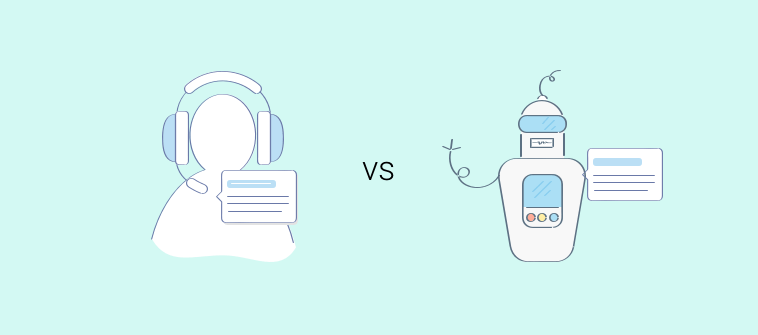
AI Customer Support Agent vs. Live Chat Software
Whenever I get asked to settle the AI support agent vs live chat debate, I want to be direct instead of dancing around it. I’m not going to tell you one replaces the other, because that’s not how I’ve seen this actually play out for growing support teams.
Here’s how I’d lay it out side by side, since this is easier to scan than to read as paragraphs.
| Factor | Live Chat Software | AI Customer Support Agent |
| Cost | Scales with headcount. Every operator is another salary or per-seat fee, and that adds up fast past a handful of agents. | Tied to conversation volume, not people, so it stays far more predictable as you grow. Watch out for per-resolution pricing models; they get unaffordable fast at scale. |
| Speed and availability | Only as available as your team’s shift schedule. Support goes offline when agents log off. | Answers instantly, any hour, any day. Matters a lot if customers are in different time zones or shopping after hours. |
| Accuracy and judgment | Strong for nuanced, emotional, or high-stakes conversations that need real judgment. | Excellent for FAQs, order status, and policy questions, but not a replacement for human judgment. In regulated industries like licensing, healthcare, or financial advice, keep AI on FAQ duty only and route account-specific queries to a human. |
| Scalability | Scaling means hiring, training, and managing more people, which takes time you may not have during a sudden spike. | Handles traffic spikes without needing more shifts scheduled. |
| Trust and transparency | Customers know upfront they’re talking to a real person. | Works best when you’re upfront that it’s a bot. Hiding that erodes trust faster than the bot giving an imperfect answer. |
When Should You Actually Use Each One
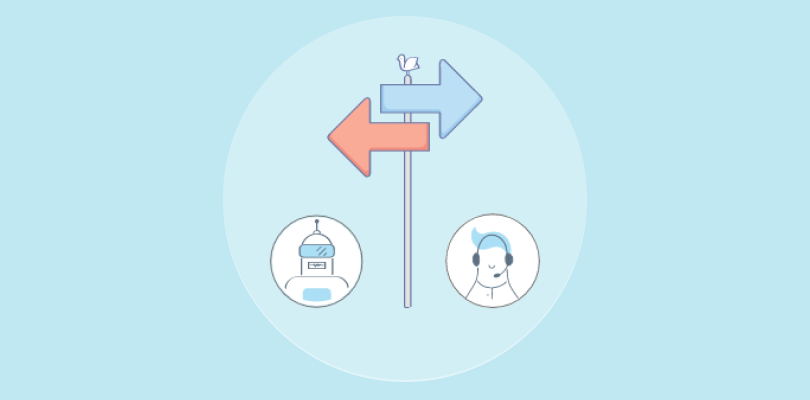
I don’t think the AI customer service agent vs live chat support decision should be based on trends. It should be based on where you actually are right now. Here’s how I’d think it through.
- Low ticket volume: If you’re getting a handful of chats a day and most of them are unique, non-repetitive questions, live chat alone is probably enough for now. Don’t add AI just because it’s available.
- Repeat question overload: If you’re seeing the same five questions daily and your agents are spending most of their time typing the same answers, this is exactly where an AI agent pays for itself almost immediately.
- Regulated or high-stakes industry: If a wrong answer could genuinely hurt a customer, like incorrect licensing info or medical guidance, keep AI limited to general FAQs and make sure every account-specific or sensitive query routes straight to a live agent.
- Growing fast: If you’re scaling traffic faster than you can hire, this is where AI keeps you from drowning without forcing you into a hiring spree you’re not ready for.
FREE. All Features. FOREVER!
Try our Forever FREE account with all premium features!
How AI Chatbots and Live Chat Work Together
I’ve sat through enough live chat vs AI agent debates to say confidently that the businesses getting the best results aren’t picking a side. They’re running both, with AI answering first and a human stepping in when needed.
How the Handoff Should Work
The AI agent should handle the first layer of a conversation, and if it can’t confidently answer, it needs to hand off to a live agent with full context, not make the customer repeat themselves from scratch.
Why This Protects Trust
A customer who gets a fast, accurate bot answer for a simple question and a smooth handoff to a human for a complex one walks away feeling like your support just works. That’s the actual goal here, not picking a favorite tool.
What Makes This Possible
This is worth knowing if you haven’t looked into it yet. ProProfs Chat runs live chat and an AI chatbot in one dashboard, so you’re not stitching together two separate platforms or migrating data between systems.
You can train the AI chatbot directly on your website URL, help center content, or uploaded files, and it’s built to hand off from bot to human seamlessly when a conversation needs a person.
If you’re just getting started, there’s a forever-free plan with a single operator and all premium features, no credit card required, and setup is three steps: brand your chat window, add the code, and you’re live in minutes.
Run AI Chat & Live Chat Together From One Dashboard
Mistakes To Avoid When Choosing Between the Two
I’ve watched businesses make the same handful of mistakes in the AI chat agent vs live chat agent decision, so let me save you the trouble.
| Mistake | Why It Hurts You | What To Do Instead |
| Going AI only too early | If your AI agent can’t handle a genuinely tricky question and there’s no human backup visible, customers notice fast and trust drops. | Keep a visible, one-click path to a live agent from day one, even if you expect most chats to be handled by AI. |
| Staying live chat only too long | If your agents are burning hours on repeat questions that a trained AI agent could answer instantly, you’re paying for headcount you don’t need to be paying for. | Pull your last 30 days of chats, tag the top repeat questions, and train an AI agent on those first. |
| No clear escalation path | A customer looping with a bot that can’t solve their problem, with no visible way to reach a person, is one of the fastest ways to lose that customer for good. | Set explicit triggers, like the word “agent,” repeated questions, or low bot confidence, that force an immediate handoff. |
| Ignoring compliance until after rollout | If you’re in a regulated industry, figure out what your AI agent can and cannot answer before you launch, not after a customer gets bad information. | Map out which topics are safe for AI and which must route straight to a human before you ever turn the bot on. |
| Comparing tools on price alone | A cheaper AI tool that gives wrong answers costs you more in the long run through lost trust and repeat contacts than a slightly pricier one that’s actually accurate. | Test the tool on your actual FAQs and edge cases during a trial before you commit, not just on its price sheet. |
How I’d Set Up a Hybrid Workflow That Actually Works
If you’ve weighed automated support vs live chat and decided a hybrid approach makes sense for you, here’s exactly how I’d roll it out.
- Audit your tickets: Pull your last 30 days of support conversations and tag the top five questions that keep repeating. This tells you exactly what your AI agent should be trained to handle first.
- Train on your real content: Don’t launch with a generic script. Train the AI agent directly on your website content, help center articles, and any internal documents, so its answers actually match your policies and pricing.
- Define your escalation triggers: Decide upfront what should immediately route to a human. Common triggers are a customer typing something like “agent” or “human,” a question the AI can’t confidently answer, or any account-specific or billing-related query.
- Keep human agents visible: Never hide the option to reach a person behind multiple bot steps. Make it obvious and easy the moment a customer wants a human.
- Review conversation logs weekly: Check what the AI agent is actually saying, especially early on, so you catch and fix wrong answers before they become a pattern that erodes trust.
Build a Support Strategy That Can Adapt
I don’t think the AI customer support vs chat support question comes down to picking one and living with that choice forever. It comes down to matching the right tool to your ticket volume, your risk level, and how fast you’re growing right now, and adjusting as those things change.
Start by auditing your repeat questions, get honest about where your risk actually sits, and don’t be afraid to run both together instead of forcing a single choice.
If you want to try this without overhauling your current setup, ProProfs Chat lets you start with live chat on a forever-free plan and turn on the AI chatbot the moment your repeat questions start piling up, all from one dashboard.
Frequently Asked Questions
Do customers know if they're talking to a bot or a human?
Not always, and that's exactly why I'd be transparent about it. Letting customers know upfront when they're chatting with an AI agent, and making the handoff to a human obvious, protects trust far more than hiding it does.
Can I run live chat and an AI agent at the same time on the same platform?
Yes, and I'd actually recommend it over stitching two separate tools together. Platforms like ProProfs Chat let you run both live chat and an AI chatbot from a single dashboard, so agents and the bot are working from the same conversation history.
How long does it take to set up an AI customer support agent?
With ProProfs Chat, it's a three-step process: brand your chat window, add the code to your site, and you're live in minutes, since the AI chatbot trains directly on your website URL, help center, or uploaded files.
What happens to my existing live chat setup if I add an AI agent later?
If you're on a platform that already supports both, like ProProfs Chat, you're not migrating anything. You're simply turning on the AI chatbot alongside the live chat you already have running.
Does adding an AI agent mean I need fewer support staff?
Not necessarily fewer, but it does mean your existing team spends less time on repeat questions and more time on conversations that actually need their judgment.
FREE. All Features. FOREVER!
Try our Forever FREE account with all premium features!

 We'd love your feedback!
What did you like & how can we make it even better?

 Thanks for your feedback!
 Ask Your Question
Have a question? Get expert help to make your decision easier.