If you’re evaluating Chaport alternatives, you’ve probably already hit the same wall I keep hearing about from small support teams: the free plan caps out at two operators, and every automation feature worth having sits behind the pricier tier.
I’ve set up and tested more than a dozen live chat tools for small support and marketing teams, and this list only includes tools that fix a real Chaport limitation, not ones that just look good on a review site.
This guide covers why small teams are moving away from Chaport, the top ten tools worth trialing, how I evaluated them, and my top three picks. Read it end to end, or jump to the tool that matches your biggest pain point.
Why Small Teams Look for Chaport Alternatives
Chaport gets the basics right: a clean widget and an easy setup. But once you’re running real support volume with one to five operators, a few gaps push most teams toward alternatives to Chaport pretty quickly.
- Tight free cap: The free plan stops at two operators and only keeps 60 days of chat history, so you outgrow it the moment support becomes a real job, not a side task.
- Automation behind paywall: Chatbots, the knowledge base, FAQ bot, and team assignment rules only unlock on the priciest Unlimited plan, so mid-tier teams can’t automate or route chats at all.
- Scripted bot, not AI: Chaport’s chatbot follows fixed flows instead of understanding real questions, and some users report it giving inaccurate or made-up answers when it guesses outside its script.
- Weak high-volume automation: Reviewers say the built-in automation isn’t good enough once an operator is juggling several chats at once, which is exactly when small teams need it most.
- Basic reporting: Downloading a chat only gives you a plain text file, with no contact details or notes carried over, so you can’t easily push that data anywhere else.
- Limited widget customization: Branding options for the chat widget feel basic next to newer tools, which matters if the chat window is a visible part of your site.
- No built-in hybrid model: There’s no native way to run a scripted bot for routine FAQs alongside an AI bot for nuanced questions and a human for the rest, so you end up doing more manual triage than you should.
10 Best Chaport Alternatives for Growing Support Teams
Here’s a quick look at the ten tools I tested against Chaport, each with what it’s best for, its real G2 rating, and honest starting pricing, so you can shortlist two or three to trial this week.
| Tool | Best For | User Rating | Starting Price |
| ProProfs Chat | Live chat & AI customer service automation | 4.5/5 (G2) | Free plan available; paid from $19.99/user/month |
| Tidio | AI chatbot automation for small online stores | 4.6/5 (G2) | Free plan; paid from $24.17/month |
| LiveAgent | Live chat with built-in ticketing & call center | 4.5/5 (G2) | Free plan; paid from $15/agent/month, billed annually |
| Intercom | Advanced customer messaging with AI resolution | 4.5/5 (G2) | 14-day free trial; starts at $19/seat/month |
| Crisp | Affordable omnichannel chat for lean teams | 4.5/5 (G2) | Free shared inbox; paid from $45/month/workplace |
| Zendesk | Live chat inside a full customer support suite | 4.3/5 (G2) | 14-day free trial; starts at $19/agent/month, paid yearly |
| Freshchat | AI-enhanced chat for product-led SaaS | 4.4/5 (G2) | Free for up to 10 agents; starts at $19/agent/month |
| Olark | Simple, human-first live chat with reporting | 4.3/5 (G2) | Free plan with 20 chats/month; starts at $29/agent/month |
| tawk.to | Free live chat with unlimited agents | 4.5/5 (G2) | Free forever; optional paid add-ons |
| HubSpot Service Hub | CRM-connected chat and ticketing | 4.4/5 (G2) | Free for up to 2 users; starts at $7/month/seat |
1. ProProfs Chat: Easiest Live Chat & AI Customer Service Agent for Instant, Automated Support
I’ve been using ProProfs Chat across multiple sites, and what I like most is how little effort it takes to get the AI agent running. I just added the website URL and connected our help center and FAQs. The AI customer support agent started answering customer questions using that content and also cited the source with each response, which made it easier for me to check accuracy.
I also use it for more than basic FAQs. The AI can handle tasks like order updates and meeting scheduling directly in the chat. ProProfs Chat also connects with ProProfs Knowledge Base and ProProfs Help Desk, so I can manage self-service, live conversations, and tickets as part of the same support setup.
When the AI needs to hand a conversation over, my team gets the complete chat history along with visitor details and sentiment information. I also find the free plan useful for testing the platform properly before moving to a paid plan.
Pros:
- AI trains on your website, PDF, or raw text in one click, so setup takes minutes
- Sentiment analysis flags frustrated customers early and feeds into risk prediction, so agents know who needs attention first
- Resolution overviews and AI performance reports track satisfaction and accuracy continuously
- Proactive triggers fire on exit intent or high cart value, catching hesitant buyers before they leave
- Multi-channel coverage across WhatsApp, Instagram, and Facebook Messenger keeps every conversation in one inbox
- Live chat customization lets you match widget color, logo, and position to your site without developer help
Cons:
- Cloud-only, no offline access
- No dark theme
How ProProfs Chat Compares With Chaport: Chaport’s chatbot runs on fixed scripts and keeps its automation behind the priciest plan. ProProfs Chat’s AI agent trains on your own website, help center, and documents from day one, cites its source on every answer, then hands off to a human with full context instead of a plain “connecting you” message.
User Rating: 4.5/5 (G2)
Pricing: A free plan is available for growing teams. Paid plan starts at $19.99/user/month.
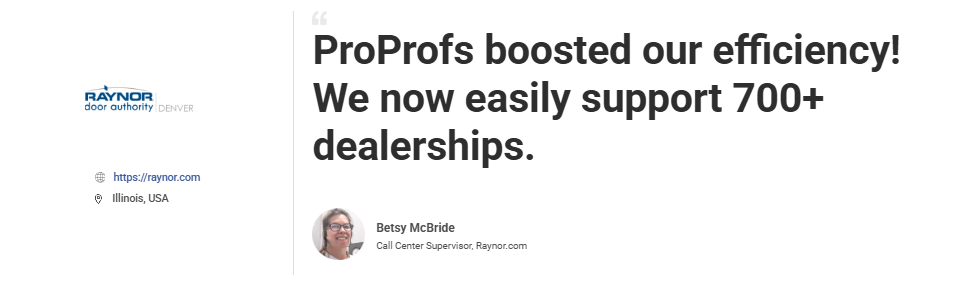
ProProfs Chat helped Raynor Garage Doors support 700+ dealerships more efficiently through faster chat responses, simple file sharing, easy access to transcripts, and clearer reporting. It also improved team accountability, streamlined communication, and made the support experience smoother for both dealers and agents.
2. Tidio: Best For AI Chatbot Automation on Small Online Stores
Tidio was the tool a friend running a small Shopify store switched to when she realized nobody on her three-person team had time to answer live chat all day. Its Lyro AI chatbot understands full questions instead of matching keywords, and it’s built to resolve a large share of routine queries automatically once it learns from your knowledge base and FAQ pages.
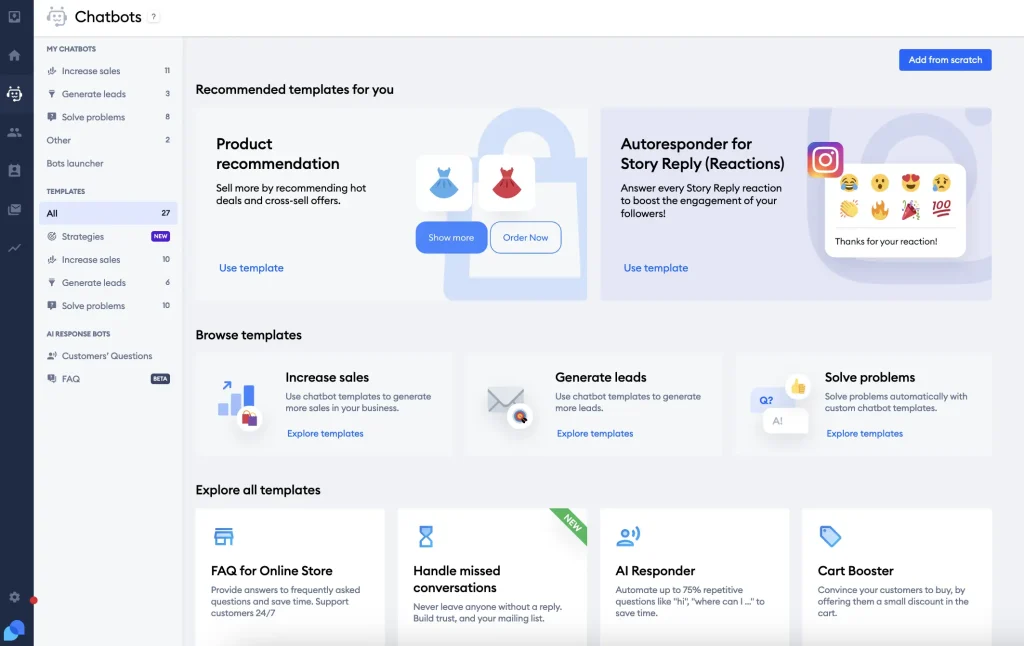
It connects directly with Shopify and WooCommerce, so order status and cart abandonment questions get handled before a human ever sees them. The free tier is genuinely usable rather than a stripped-down teaser, which matters when you’re still figuring out real support volume.
She had the widget live within an afternoon, no developer involved. Where it starts to feel tight is once you want deeper reporting or more advanced automation rules, since those live behind the higher-priced plans rather than the entry tier she started on, and things get pricier as the team grows.
Pros:
- Lyro AI chatbot understands full questions instead of just matching keywords
- Direct Shopify and WooCommerce integration for order and cart questions
- Free tier is usable for real support, not just a limited trial
- Quick setup, widget goes live without developer help
- Learns from your existing knowledge base and FAQ pages automatically
Cons:
- Deeper reporting and advanced automation rules sit behind higher-priced plans
- Pricing climbs as your team and chat volume grow
How Tidio Compares With Chaport: Chaport’s chatbot follows fixed scripts. Tidio’s Lyro AI understands natural language questions from the start and plugs straight into Shopify and WooCommerce, which suits a small store more directly than a general-purpose widget.
User Rating: 4.6/5 (G2)
Pricing: Free plan for up to 50 billable chat conversations per month. Starts at $24.17/month
3. LiveAgent: Best For Live Chat With Built-In Ticketing and Call Center
LiveAgent came up constantly when I compared free-agent live chat tools, mostly because it’s one of the few platforms that keeps its free plan open to unlimited agents instead of capping you at two seats. That alone makes it a fit for a growing team that doesn’t want to renegotiate pricing every time someone new joins the support rotation.
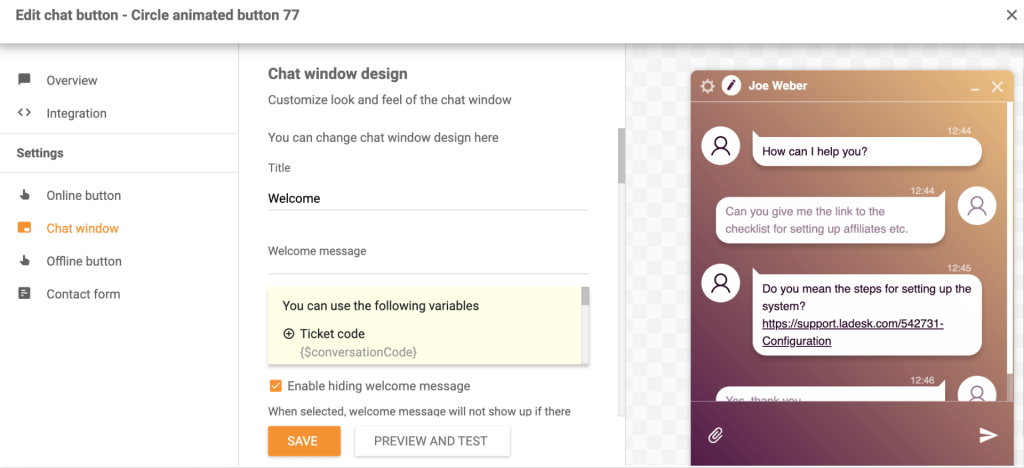
It folds email, live chat, and social messages into one shared queue, and ticket tagging keeps a small team from losing track of repeat issues. Its AI layer runs through a FlowHunt integration, so the assistant can look up real data like CRM records or order status instead of only answering from a script, and it hands off to a human the moment a question falls outside what it can resolve.
Built-in call center features are a genuine extra if phone support still matters to your customers. The tradeoff is that configuring the AI and call center pieces takes more setup time than a plain chat widget.
Pros:
- Free plan keeps unlimited agents instead of capping the team size
- Ticketing and call center features live in the same platform as chat
- AI agent can query real business tools and data through FlowHunt, not just scripted replies
- Full conversation history and context carry over when a chat escalates to a ticket
- Multichannel queue keeps email, chat, and social messages together
Cons:
- Configuring the AI and call center features takes more setup time than a simple chat widget
- The interface has more going on than teams need if all they want is basic live chat
How LiveAgent Compares With Chaport: LiveAgent gives small teams unlimited free seats, where Chaport caps out at two operators, and its AI agent pulls from real business data instead of running on fixed scripts.
User Rating: 4.5/5 (G2)
Pricing: Free plan limited to 1 email address. Starts at $15/agent/month, billed annually
4. Intercom: Best For Advanced Customer Messaging With AI Resolution
Intercom is the name that came up most when I asked SaaS support leads what they’d choose if budget wasn’t the deciding factor. Every conversation arrives loaded with user history, plan data, and behavior, so agents never start a chat cold the way they sometimes do in lighter tools.
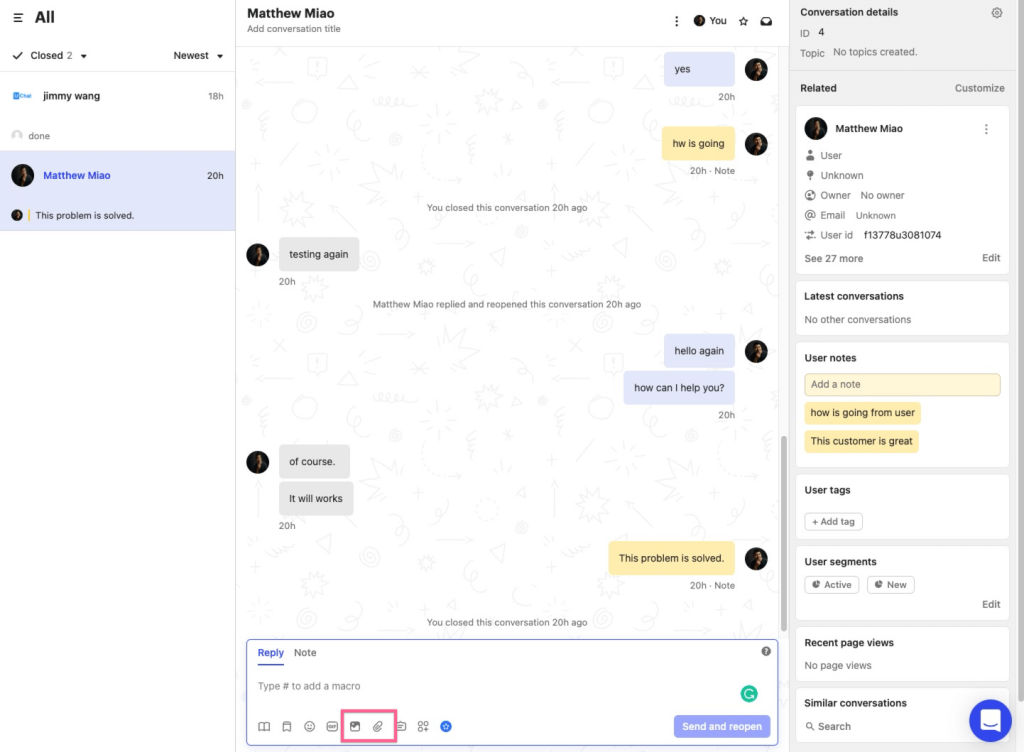
Its Fin AI agent resolves common tickets on its own and routes the rest to a person, and the escalation itself is considered some of the most sophisticated on the market, with full context following the conversation. Integrations run deep into the standard SaaS stack, covering Salesforce, HubSpot, Slack, and Stripe, so customer data doesn’t live in a separate silo.
Where it gets hard to justify for a small team is cost. The AI features sit behind an add-on that starts around $99 a month on top of your base plan, and advanced automation is generally locked behind higher tiers, which is a real jump from Chaport’s pricing.
Pros:
- Every conversation shows full user history, plan data, and behavior before an agent replies
- Fin AI resolves common questions and escalates the rest with full context attached
- Deep native integrations with Salesforce, HubSpot, Slack, and Stripe
- Proactive, behavior-triggered messaging for onboarding and retention, not just reactive chat
- Detailed analytics on response times, resolution rates, and bot performance
Cons:
- AI features run as a paid add-on on top of the base subscription
- Advanced automation sits behind higher priced tiers, which adds up fast for a small team
How Intercom Compares With Chaport: Chaport’s automation is locked behind one plan tier. Intercom goes further with AI-driven resolution and deep SaaS integrations, but that depth comes at a price point most small teams have to budget for carefully.
User Rating: 4.5/5 (G2)
Pricing: 14-day free trial. Starts at $19/seat/month
5. Crisp: Best For Affordable Omnichannel Chat for Lean Teams
A two-person customer success team I know switched to Crisp mainly because they wanted one flat-rate tool instead of paying per seat as they added help. Its free plan covers two agents with unlimited conversations, permanently, not just as a trial window.
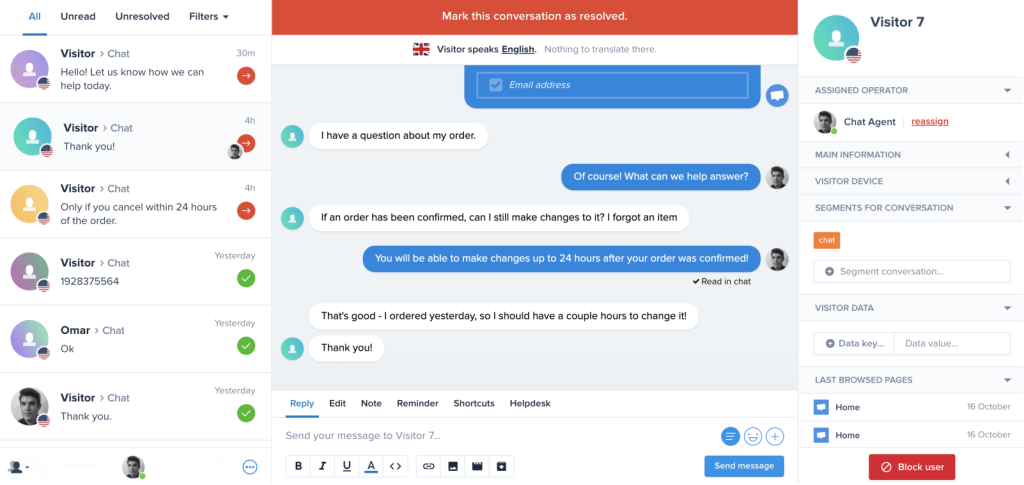
Crisp bundles live chat with its own AI chatbot called Hugo, a shared inbox, a knowledge base, and even drip campaigns, so a small team gets more than a chat widget without buying separate tools. Live chatbot translation means the widget can serve visitors in different languages automatically, which matters for a team fielding questions from customers outside the US.
The interface is clean, and most people I’ve shown it to figure out the basics without a walkthrough. It’s not built for teams that need deep helpdesk ticketing or complex routing rules, since those needs are better served by more support-focused platforms, but for a lean team wanting chat plus a bit of automation, it’s hard to beat on value.
Pros:
- Free plan covers two agents with unlimited conversations, permanently
- Bundles live chat, an AI chatbot, a shared inbox, and a knowledge base together
- Built-in chatbot translation serves visitors in their own language automatically
- Drip campaigns and CRM basics come with the platform instead of needing a separate tool
- Clean interface that’s easy for new team members to pick up
Cons:
- Deep helpdesk ticketing and complex routing rules aren’t its strength
- Some advanced automation still needs a bit of configuration to set up well
How Crisp Compares With Chaport: Chaport keeps its chatbot and automation behind its top plan. Crisp includes an AI chatbot and knowledge base even on its free tier, so a two-person team gets more out of the box.
User Rating: 4.5/5 (G2)
Pricing: The first shared inbox is free forever. Starts at $45/month/workplace
6. Zendesk: Best For Chat Inside a Full Support Suite
Zendesk is usually the tool I point support team leads toward once they’ve outgrown a standalone chat widget and need chat to sit inside a real ticketing system instead of running separately. Every chat automatically becomes a ticket with full context attached, so nothing gets lost between a live conversation and the follow-up email thread.
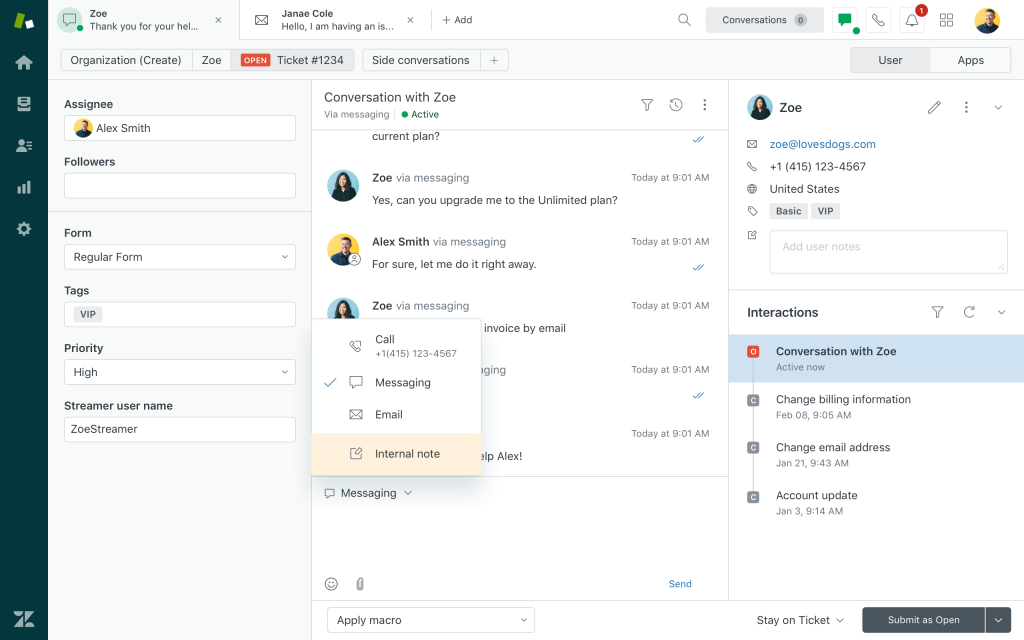
Its AI-driven escalation is considered one of the strongest in the category for handing off complex issues, with the full transcript and any relevant account data following the conversation to the human agent. It covers omnichannel support out of the box, so chat, email, and social messages land in one shared workspace instead of scattered inboxes.
The tradeoff is that Zendesk is built for a support operation, not just a chat widget, so a very small team might find themselves paying for helpdesk depth like SLAs, advanced routing, and reporting that they don’t fully use yet. It’s the right move once support volume genuinely justifies a full suite.
Pros:
- Every chat becomes a ticket automatically, with full context carried over
- AI-driven escalation preserves the transcript and account data for the human agent
- Omnichannel workspace brings chat, email, and social messages into one place
- Built-in SLA tracking and reporting for teams that need to prove response times
- Scales cleanly as support volume grows past a single chat widget
Cons:
- Built for a full support operation, so a very small team may pay for depth they don’t need yet
- Initial setup and configuration take longer than a standalone chat tool
How Zendesk Compares With Chaport: Chaport works as a standalone widget. Zendesk turns every chat into a ticket inside a full support suite, which suits teams that have outgrown a simple chat-only setup.
User Rating: 4.3/5 (G2)
Pricing: Free 14-day trial. Starts at $19/agent/month, paid yearly
7. Freshchat: Best For AI-Enhanced Chat for Product-Led SaaS
Freshchat kept surfacing in conversations with SaaS founders who wanted AI chat without moving their entire support stack onto a brand new platform, since it’s part of the wider Freshworks ecosystem many of them already use.
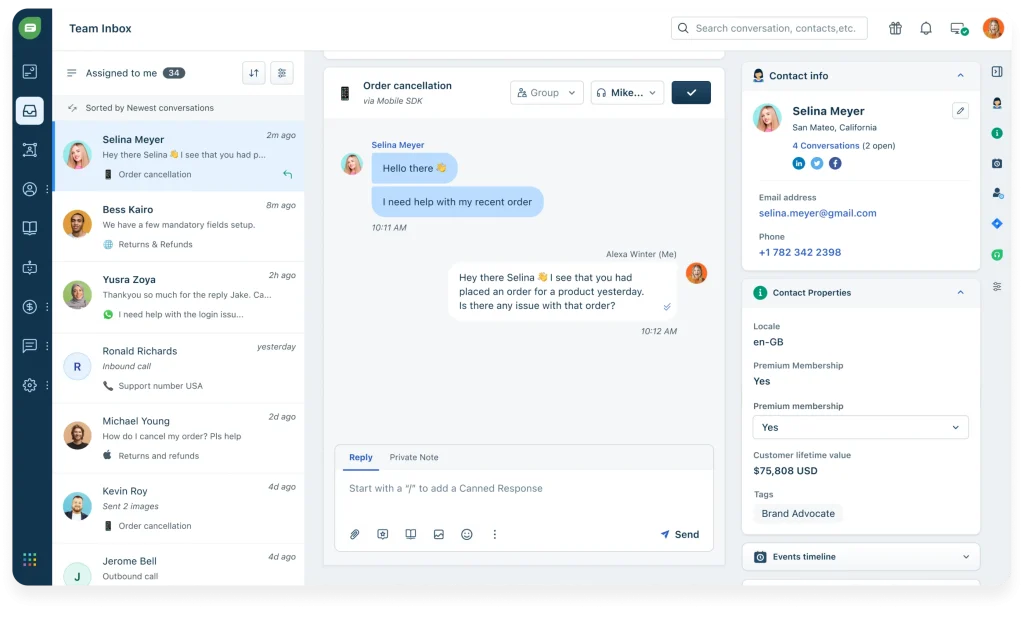
Proactive messages and AI bots handle a good chunk of first-touch conversations across the website, in-app, and mobile, which matters for a product-led team trying to engage users the moment they hit a snag. Entry-level plans are priced reasonably for what you get, and the automation reduces manual support load noticeably compared to a plain chat widget.
Where teams run into friction is configuring more complex bot workflows or getting deeper analytics set up correctly the first time, since that takes a bit of learning compared to Chaport’s simpler flows. It’s not as rich in enterprise-grade reporting as some pricier suites, but for a small team already inside the Freshworks world, it’s a natural next step.
Pros:
- Proactive, behavior-triggered messaging engages users across web, in-app, and mobile
- AI bots handle first-touch conversations and reduce manual support load
- Affordable entry-level plans relative to what’s included
- Fits naturally if you already use other Freshworks products
- Covers real-time engagement across multiple channels from one platform
Cons:
- Complex bot workflows take some learning to configure well
- Enterprise-grade reporting isn’t as deep as some higher-priced suites
How Freshchat Compares With Chaport: Chaport’s automation is locked to one plan. Freshchat spreads AI and proactive messaging across every tier, which gives a growing SaaS team more room to automate early.
User Rating: 4.4/5 (G2)
Pricing: Free for up to 10 agents. Starts at $19/agent/month
8. Olark: Best For Simple, Human-First Live Chat With Reporting
Olark is the tool I’d point a team toward if what they actually want is a straightforward way to talk to visitors, not a chatbot-first platform dressed up as live chat. It’s built around targeted chats, customer feedback reports, and CRM integrations, with custom CSS if you want the widget to match your brand exactly.
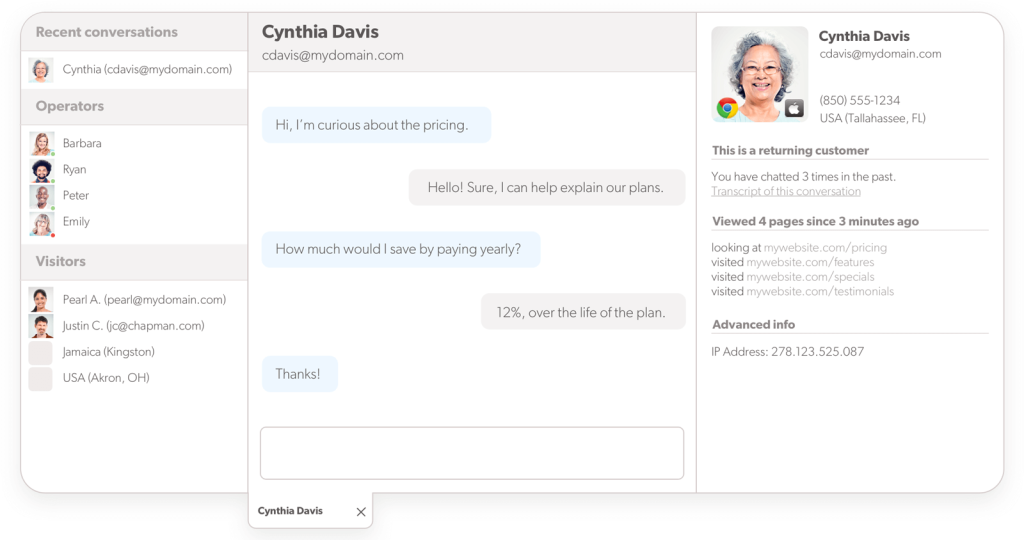
Shortcuts for common replies keep a small team from retyping the same answer all day. Reporting is a genuine strength here, giving a clearer read on what’s working than the plain text export Chaport hands you.
The free plan is limited to one operator and a small number of chats a month, so most small teams will move to a paid seat fairly quickly, but the entry price stays reasonable as you add operators. It’s a good match if your priority is a fast, human-answered chat experience with solid analytics behind it, rather than deep AI automation.
Pros:
- Custom CSS lets you match the widget exactly to your site’s branding
- CRM integrations keep visitor data connected to your existing sales tools
- Reporting gives a clearer read on chat performance than a plain text export
- Shortcuts for common replies speed up repetitive conversations
- Straightforward setup that doesn’t require configuring bot flows first
Cons:
- The free plan is limited to one operator and a capped number of chats
- AI automation isn’t the focus here compared to newer AI-first chat tools
How Olark Compares With Chaport: Chaport and Olark both keep things simple, but Olark’s reporting and CRM integrations give a small team a clearer view of chat performance without needing the top-tier plan.
User Rating: 4.3/5 (G2)
Pricing: Free plan with 20 chats per month. Starts at $29/agent/month
9. tawk.to: Best For Free Live Chat With Unlimited Agents
tawk.to is usually the first tool I mention when someone tells me their budget for live chat is basically zero. It’s free with unlimited agents, not just a limited number of seats, which is rare in this category and genuinely useful for a solo founder or a very small team just getting started with chat.
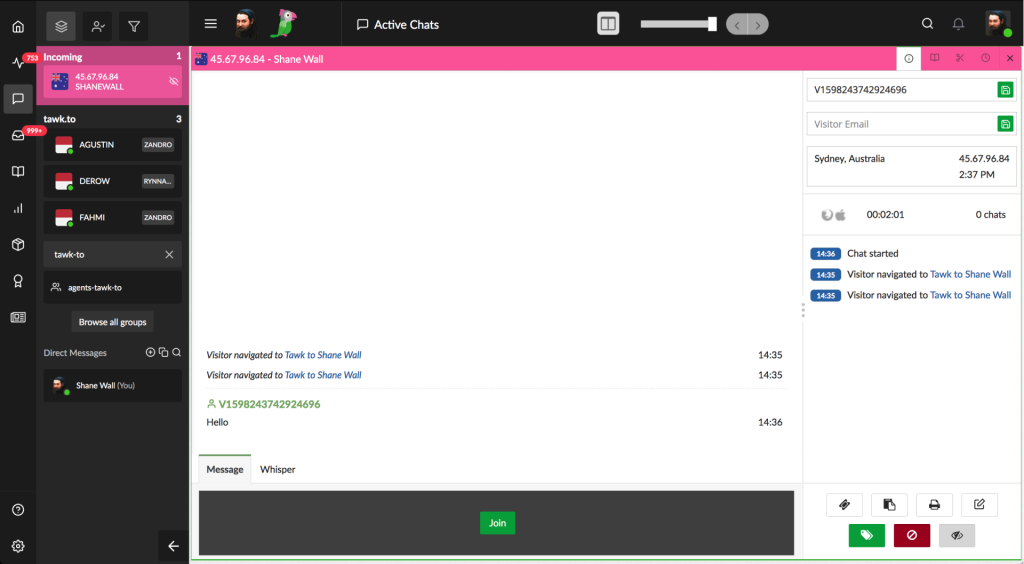
You get visitor monitoring, a customizable widget, and enough basics to answer questions on your website without paying anything unless you want to remove branding or add extra properties. The honest tradeoff is that AI capabilities are minimal and the automation you’d get from an AI-first tool isn’t really here.
The widget also feels a bit dated next to newer, more polished tools. For a business that mainly needs a working chat box on the website today, with no real budget, tawk.to gets the job done. Once you need real automation or a bot that understands more than simple triggers, you’ll likely outgrow it.
Pros:
- Free plan includes unlimited agents, not a capped number of seats
- Visitor monitoring and a customizable widget come standard
- No cost barrier for a solo founder or very small team to start with chat
- Multiple properties can run on the same account
- Simple enough to set up without any technical help
Cons:
- AI capabilities are minimal compared to AI-first chat tools
- The widget and interface feel dated next to newer platforms
How tawk.to Compares With Chaport: Chaport’s free plan stops at two operators. tawk.to keeps agents unlimited on its free plan too, but trades away the AI automation that tools like ProProfs Chat build in from the start.
User Rating: 4.5/5 (G2)
Pricing: Free forever; optional paid add-ons remove branding or add properties.
10. HubSpot Service Hub: Best For CRM-Connected Chat and Ticketing
HubSpot Service Hub tends to come up for teams that already run their marketing or sales on HubSpot and don’t want chat living in a totally separate system. It ties live chat directly to your CRM records, so an agent sees the same contact history, deal stage, and past emails a salesperson would see, without switching tools.
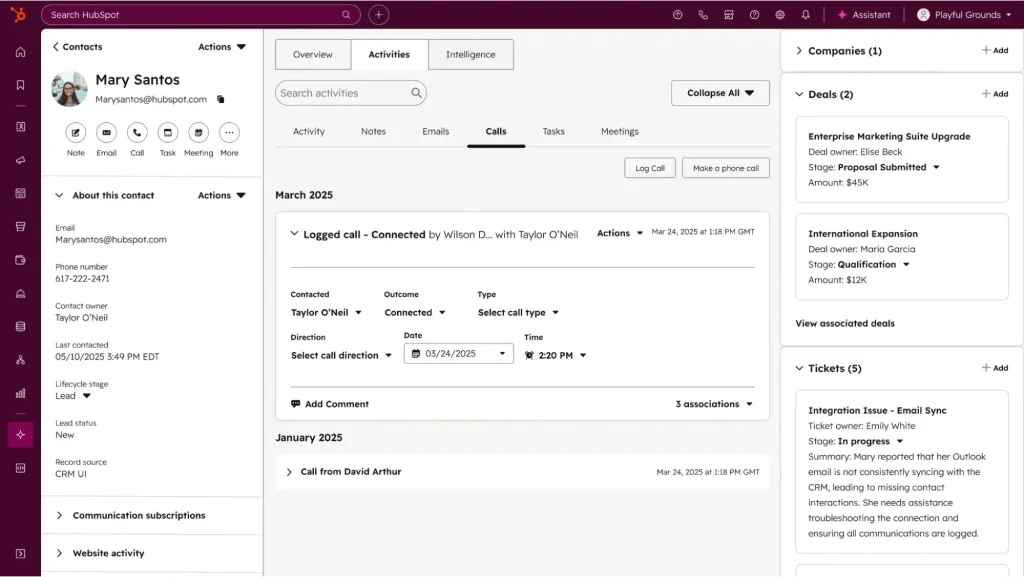
Ticketing, inbound call tracking, and a GPT-powered chatbot are part of the package, along with SLA management if you need to track response commitments formally. The free tier gives smaller teams a real starting point with unlimited agents and a working CRM underneath the chat, which is more than most free plans offer.
Customization options are on the lighter side compared to more design-focused chat tools, and pricing climbs noticeably once you need the advanced automation and reporting features. It’s the strongest pick here specifically for a team that wants chat and CRM data living in one place from day one.
Pros:
- Live chat ties directly into HubSpot CRM records and contact history
- Free tier includes unlimited agents with a working CRM behind it
- GPT-powered chatbot and ticketing come bundled with the platform
- SLA management helps formally track response time commitments
- Inbound call tracking sits alongside chat and ticketing in one system
Cons:
- Customization options are more limited than dedicated chat-widget tools
- Pricing increases substantially once you need advanced automation and reporting
How HubSpot Service Hub Compares With Chaport: Chaport keeps chat separate from any CRM. HubSpot Service Hub connects chat directly to contact records and deal history, which matters if your team already lives inside HubSpot.
User Rating: 4.4/5 (G2)
Pricing: Free for up to 2 users. Starts at $7/month/seat
How I Chose These Chaport Alternatives
When I evaluate live chat software for a list like this, I don’t just rely on feature lists or marketing claims. I look at how these tools actually perform in real support scenarios, especially against Chaport competitors that claim to fix the same gaps. Here’s the framework I used to make sure every recommendation is practical, reliable, and worth considering:
- User Reviews / Ratings: I start by looking at real user feedback from platforms like G2 and Capterra. This gives me a clear picture of how teams actually experience the tool day to day, what they love, and where it falls short.
- Core Features & Functionality: I focus on what truly matters in live chat software. This includes AI chatbot quality, human handoff, visitor tracking, multichannel coverage, and integrations. If a tool can’t handle these well, it doesn’t make the cut.
- Ease of Use: I pay close attention to how intuitive the platform feels. A tool might be powerful, but if a small team struggles to set it up, it defeats the purpose. Clean interface, simple navigation, and quick onboarding are non-negotiable for me.
- Customer Support: From my experience, implementation is where many chat tools fail. I evaluate how responsive and helpful the support team is, especially during setup and ongoing use. Fast, reliable support makes a big difference in adoption.
- Value for Money: I compare pricing with what the tool actually delivers. This isn’t about picking the cheapest option, but about whether the features, flexibility, and automation justify the cost as your team grows.
- Personal Experience / Expert Insights: Wherever possible, I rely on my own hands-on experience with these tools. I also factor in patterns from support leads and marketing owners who run real chat volume day to day, going beyond surface-level reviews to highlight what actually works.
Top 3 Chaport Alternatives
After comparing all ten platforms against each other, three consistently came out on top for different reasons among the competitors of Chaport. The right one for you depends on where Chaport has been letting you down.
1. ProProfs Chat
My top overall pick because it solves the broadest set of problems small teams hit with Chaport. The AI agent trains on your own website, help center, and documents from day one, then hands off to a human with the full chat history and visitor context attached. Knowledge Base and Help Desk integration means you’re not stitching together three separate tools.
2. LiveAgent
The right call if unlimited free agents and built-in ticketing matter more than anything else. You get chat, email, and social messages in one shared queue without paying per seat from day one, and its AI layer can pull real data through FlowHunt instead of only running scripted replies, then hand off cleanly when a question needs a human.
3. Tidio
The best fit if you run a small online store and want AI chat that plugs straight into Shopify or WooCommerce without a long setup process. Its Lyro AI chatbot understands full questions instead of matching keywords, resolves routine queries automatically once trained on your knowledge base and FAQs, and the free tier is genuinely usable while you figure out real support volume.
FREE. All Features. FOREVER!
Try our Forever FREE account with all premium features!
Give Your Support Team a Tool They’ll Actually Use
Switching away from Chaport doesn’t mean losing the simplicity you liked about it. It means getting an AI bot that actually understands your customers, a handoff that keeps full context, and integrations that fit how your team already works.
Whether you need deeper AI resolution, unlimited free seats, or tighter CRM integration, there’s a stronger fit among these ten tools.
If an AI bot trained on your own content, full-context handoff, and multichannel support matter most, start with ProProfs Chat. Train it on your website and a few PDFs, run it alongside your current setup for a week, then decide.
Frequently Asked Questions
Can I migrate my old Chaport chat history to a new tool?
Most platforms support importing contacts and past conversations through a CSV export or an API, but the depth varies. Confirm before switching whether the new tool can pull in your saved replies and chat transcripts, not just your visitor list, so your team isn't starting from zero.
Which tool works best if I run more than one website?
ProProfs Chat, LiveAgent, Tidio, and Zendesk all support running chat across multiple sites or properties from a single account. Check whether adding sites is included or priced separately before you commit.
How risky is it to run Chaport and a new tool at the same time during a transition?
The safer approach is running both for one to two weeks: keep Chaport live for existing conversations while you train your new AI bot on your content and test it on a portion of your traffic. Confirm data accuracy and agent comfort before fully switching over.
Do these tools support WordPress and Wix installs?
Yes. ProProfs Chat, Tidio, LiveAgent, and HubSpot Service Hub all have direct WordPress plugins, and most modern chat tools, including these, work with Wix through a simple embed code rather than custom development.
How do I judge an AI chatbot's claims without falling for marketing language?
Ask for a live demo using your own website content or a sample PDF during the sales process. Watch specifically for how it handles a question it can't answer, since that handoff moment tells you more about the tool than any resolution-rate number on a pricing page.
FREE. All Features. FOREVER!
Try our Forever FREE account with all premium features!

 We'd love your feedback!
What did you like & how can we make it even better?

 Thanks for your feedback!
 Ask Your Question
Have a question? Get expert help to make your decision easier.