Your Kustomer renewal is coming up, and you are searching for Kustomer alternatives that cost less, resolve more, and do not take months to set up.
I know that pressure, because the same questions keep repeating: Is the seat minimum worth it? What will AI really cost on top? Is there something lighter that still hands off to humans cleanly?
I compared ten platforms on G2 ratings, entry pricing, AI depth, ecommerce fit, and how hard each one is to move to. You will find honest reasons teams leave, a top-three shortlist, a migration plan, and a proof-of-concept checklist you can run on your own tickets.
Why Are Support Teams Leaving Kustomer?
If you are reading this, you have probably felt a few of these already. I am laying them out so you can check your own frustration against what other teams report, because many Kustomer competitors market against these exact gaps. Kustomer is well-liked for its unified timeline, so the goal here is to find your real reason, not to bash a good tool.
- Seat minimums: Entry pricing sits around $89 per seat per month with an eight-seat minimum, so a smaller desk can pay for seats it never fills.
- AI add-ons: AI is billed on top of seats, which makes the real monthly total hard to forecast before you see usage.
- Setup effort: The CRM-style data model needs real configuration and admin time before agents feel the benefit, and reviewers mention a steep early learning curve.
- Assistive AI: Kustomer IQ suggests replies and routes work, but many teams now want a bot that resolves chats on its own.
- Reporting gaps: Some teams say they export data to get insights that the built-in reports do not give them, so test your key reports before you renew.
- Shopify depth: Some ecommerce teams report workarounds for order lookups, refunds, and cancellations, though Shopify app reviewers praise the integration, so run this check on your own store.
- Ownership changes: Kustomer was acquired by Meta and later spun back out as an independent company, which leads some buyers to ask about the roadmap and pricing stability.
Top 10 Kustomer Alternatives for B2C and Ecommerce Support Teams
I put this list together using G2 ratings, vendor listings, product documentation, and what support teams report on review sites. Every tool here fixes at least one of the problems above.
Ratings and starting prices come from G2 and vendor listings captured in 2026, so confirm current numbers on each vendor’s pricing page before you buy.
| Tool | Best For | Starting Price | User Rating |
| ProProfs Chat | Easiest Live Chat & AI Customer Service Agent for Instant, Automated Support | Free for 1 operator; paid from $19.99/operator/month | 4.5/5 (G2) |
| Zendesk | Mature Ticketing at Enterprise Scale | $19/agent/month | 4.3/5 (G2) |
| Gorgias | Shopify & Ecommerce Support | $40/month | 4.6/5 (G2) |
| Intercom | AI-First Messaging With Fin | $19/seat/month | 4.5/5 (G2) |
| Gladly | Customer-Centric B2C Support | Custom quote | 4.7/5 (G2) |
| Freshdesk | Flexible Omnichannel Ticketing & Automation | $19/agent/month | 4.4/5 (G2) |
| Zoho Desk | Value-Focused Teams & Zoho Users | $7/agent/month | 4.4/5 (G2) |
| HubSpot Service Hub | Teams Running HubSpot CRM | Free tools available; paid from 7–20/seat/month | 4.4/5 (G2) |
| Front | Collaborative Shared Inbox | $25/seat/month | 4.7/5 (G2) |
| Salesforce Service Cloud | Salesforce-Based Enterprises | $25/user/month | 4.4/5 (G2) |
1. ProProfs Chat: Best for Easiest Live Chat & AI Customer Service Agent for Instant, Automated Support
The first thing I tested in ProProfs Chat was how fast it could answer real customer questions, so I pasted in my website URL and the AI agent started replying within minutes. The AI agent trains on a help center URL or uploaded files, which keeps answers tied to your own content.
What I liked next is that the AI support agent does more than answer. It updates orders and schedules meetings right inside the chat window. When a conversation needs a person, the bot hands it to an operator with the full chat history, so shoppers never repeat themselves.
Sentiment analysis flags frustrated customers early, which tells me who to pick up first. It also connects with ProProfs Knowledge Base and ProProfs Help Desk, so unresolved chats can turn into tickets automatically. For a team leaving Kustomer, that mix is simple to run, easy to trust, and quick to roll out.
Pros:
- Proactive triggers launch on exit intent or high cart value, catching hesitant buyers instantly
- Intelligent routing sends chats to the least busy operator or to groups like sales, support, and billing
- Facebook, WhatsApp, Instagram, and SMS conversations land in one centralized dashboard
- Resolution overviews and AI agent performance reports help you keep improving answer accuracy
- Integrations with Shopify, Magento, BigCommerce, Salesforce, Microsoft Dynamics 365, and Zoho CRM
Cons:
- Cloud-only, so there is no offline access
- No dark theme
How ProProfs Chat Compares With Kustomer: Kustomer is a CRM-style platform built around a unified customer timeline, and its AI mostly assists reps. ProProfs Chat is chat-first, with an AI agent that answers, takes action, and hands off with full context. Pair it with ProProfs Help Desk and Knowledge Base when you also need tickets and self-service.
User Rating: 4.5/5 (G2)
Price: Forever free for a single operator. Paid starts at $19.99/operator/month
2. Zendesk: Best for Mature Ticketing at Enterprise Scale
Most support leaders I know already have a Zendesk story, and mine began when I wanted a proven system that could serve several teams at once. The marketplace has more than 1,800 apps, so connecting a storefront, CRM, and survey tool rarely turns into a custom project.
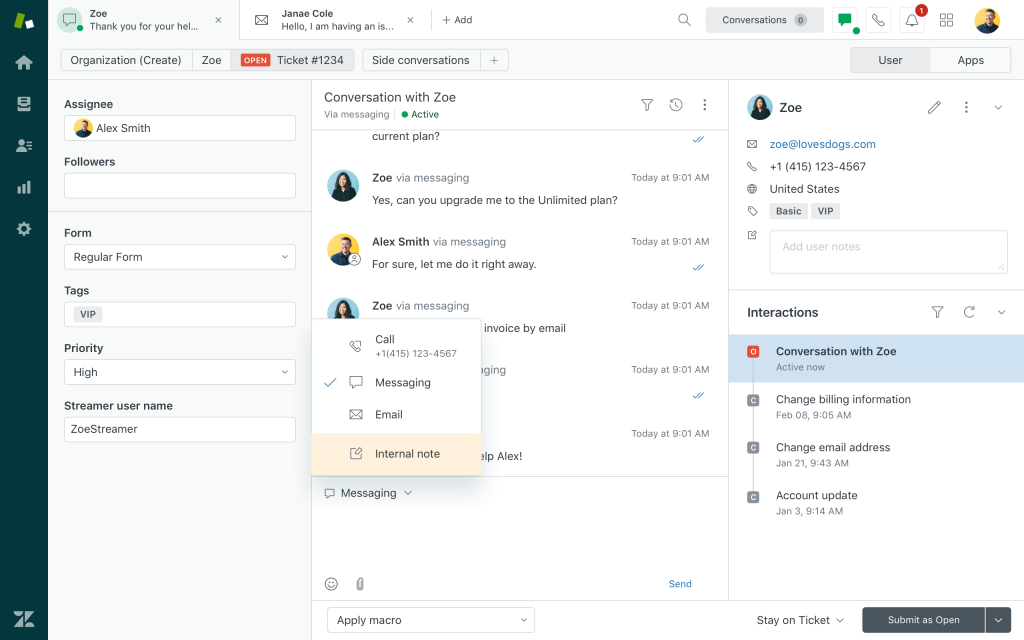
Email, social messaging, and phone all land as cases, and automation rules sit on top to cut manual triage. When the team grows, Zendesk QA reviews agent conversations, and workforce management helps plan shifts around busy periods. I also like that reporting lives in the same workspace that agents already use every day.
Agents get context across all channels, and AI workflows speed up routing in busy queues. The trade-off I felt was weight. Setup takes real admin time, and smaller teams can feel buried in options. If you want mature ticketing with deep reporting, it is a safe move away from Kustomer’s timeline.
Pros:
- Skills-based routing matches each case with the agent who has the right expertise
- Extensive customization of fields, views, and workflows fits complex support processes
- Knowledge base and community forums give customers more ways to find answers alone
- Explore dashboards, turn ticket data into reports managers can share
- Marketplace apps connect storefronts, CRMs, and survey tools without custom builds
Cons:
- Implementation complexity rivals Kustomer’s, so plan for admin time
- Voice and QA are separate products, so evaluate each one on its own
How Zendesk Compares With Kustomer: Kustomer treats the customer as one profile with a single timeline, while Zendesk treats work as tickets inside a much bigger app ecosystem. Zendesk is easier to start with and flexible at scale. Choose Kustomer only if one relationship view across a huge volume is the whole point.
User Rating: 4.3/5 (G2)
Price: Starts at $19/agent/month
3. Gorgias: Best for Shopify & Ecommerce Support
If your storefront runs on Shopify, Gorgias is the one I would test first. Order data sits right beside the conversation, so an agent can look up an order, then cancel or refund it without hopping between tabs.
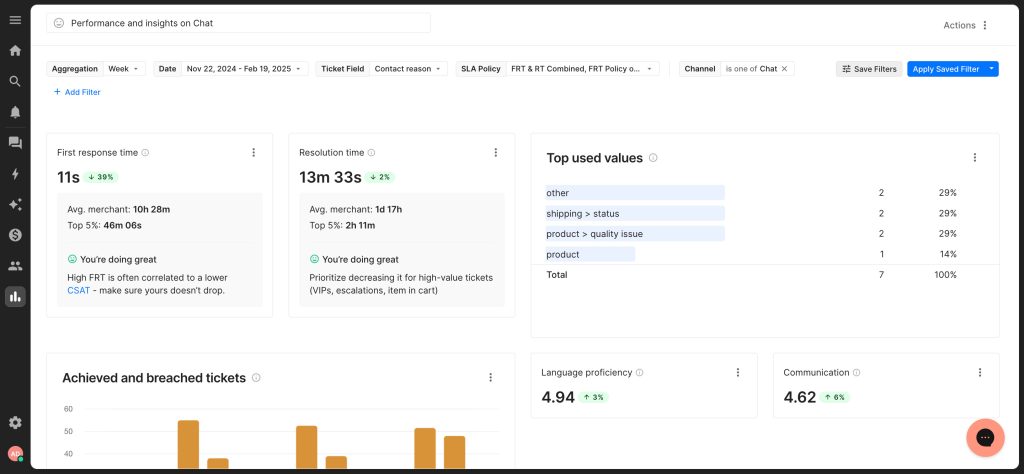
That matters if your team has been working around tab switching for refunds. An AI Agent is built in and answers order-status questions on its own, which clears out the repetitive tickets that fill a retail queue. I also like that revenue attribution shows which conversations lead to sales, so support can prove its value to leadership.
The automations are tailored to online retail rather than general service desks, and the order workflows are built around online stores, so retail agents feel at home quickly in practice. Reporting stays focused on store numbers. Outside of e-commerce, it feels narrow, so I would not choose it for a mixed B2B and B2C support desk.
Pros:
- Omnichannel inbox brings email, chat, and social messages into one place
- Native Shopify and Magento integrations pull storefront data into every ticket
- Order actions such as edits, cancellations, and refunds happen from the ticket view
- Revenue attribution reporting shows which conversations lead to sales
- Built-in AI Agent handles routine order-status questions before an agent steps in
Cons:
- Smaller ecosystem and less enterprise depth than Kustomer
- Limited fit for teams whose queue is mostly non-ecommerce
How Gorgias Compares With Kustomer: Kustomer works across industries. Gorgias goes deeper on online retail with native Shopify data, order actions, and revenue tracking, at the cost of a smaller ecosystem. Pick it when your support desk is mostly an e-commerce desk and not a mixed one.
User Rating: 4.6/5 (G2)
Price: Starts at $40/month
4. Intercom: Best for AI-First Messaging With Fin
Chat is where Intercom feels most at home, and that is why I see it recommended to digital-first teams. Fin, its AI agent, reads your help center, answers in natural language around the clock, and passes the thread to a person with the conversation history intact.
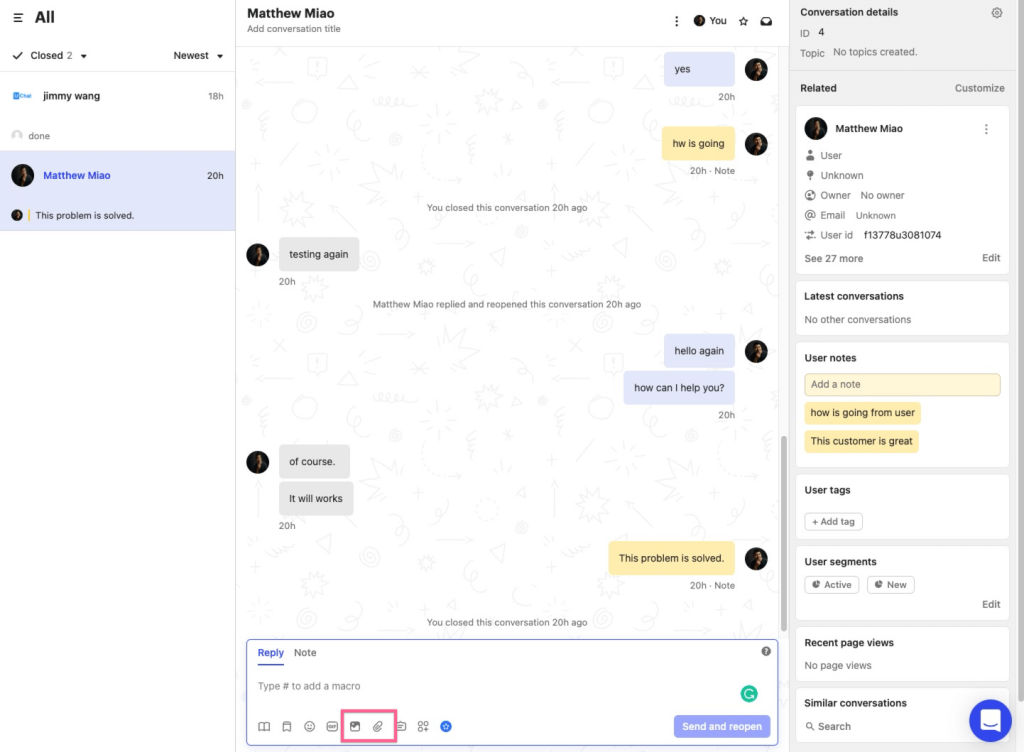
The Messenger widget looks polished and is really quick to place on a site. Behind it, a unified inbox gathers email, chat, and social messages in one place. One comparison I read calls Fin the closest like-for-like upgrade from Kustomer’s AI, because it aims to resolve conversations, not only suggest replies.
My advice is to point Fin at your own help center content first, then read the transcripts to judge accuracy before you trust it with live traffic. The part I would watch is heavy email and phone queues, since this tool leans toward conversational support. It rewards teams that already live in chat.
Pros:
- Drag-and-drop workflow builder routes, tags, and escalates conversations automatically
- Interactive product tours help new customers adopt features without contacting support
- Mobile SDK sends targeted in-app messages and surveys straight to users
- Push notifications reach customers inside your mobile app
- Proactive messaging engages customers before they ever need to reach out
Cons:
- Interface has a learning curve for teams new to workflow automation
- Less suited to heavy email and phone queues
How Intercom Compares With Kustomer: Kustomer is a CRM-style desk, while Intercom is a messaging-first platform where Fin does much of the resolving. It suits digital businesses that live in chat. Its AI is billed per resolution, so model your volume before committing, and keep Kustomer’s depth in mind for email-heavy teams.
User Rating: 4.5/5 (G2)
Price: Starts at $19/seat/month
5. Gladly: Best for Customer-Centric B2C Support
Gladly takes a different view of support, and I noticed it right away: one running conversation per customer instead of a pile of separate tickets. Agents see every chat, call, and email in a single timeline, so nobody asks a customer to repeat a story. G2 reviewers keep praising how easy it is to set up and use, and one reviewer specifically mentioned a clean design with a Shopify connection.
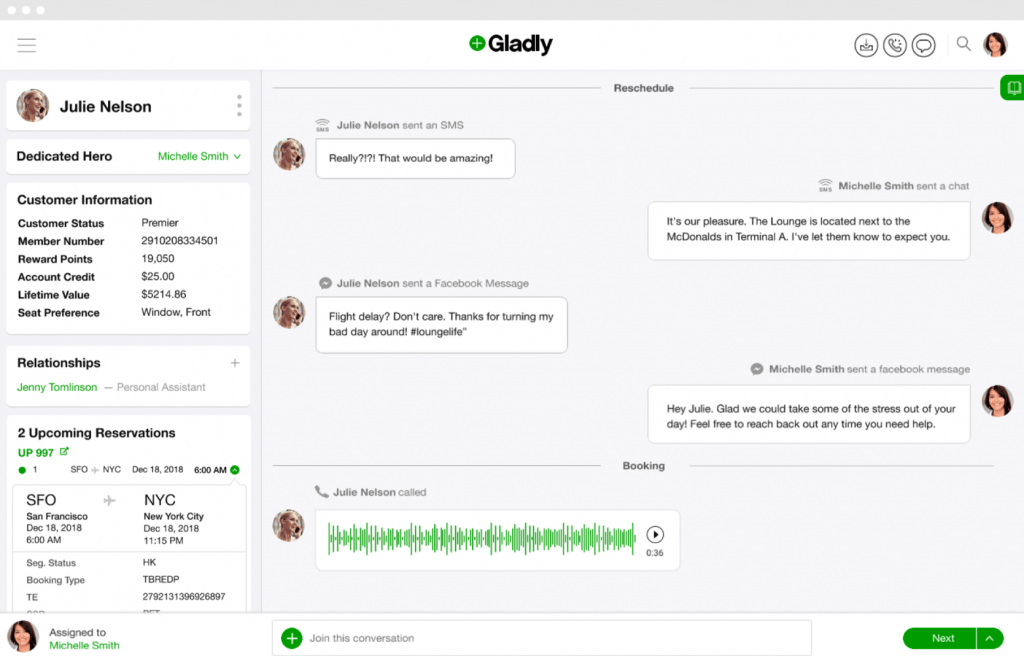
The AI side includes Sidekick, which aims to resolve questions end-to-end, while people stay close by for the tough ones. I would call it the nearest relative to Kustomer’s customer-centric idea, just with a more relationship-led and voice-forward feel.
That makes it a natural fit for retail and direct-to-consumer brands that value phone conversations. Expect a premium platform, so I suggest asking for a demo before committing, and test it with a few of your tricky customer histories.
Pros:
- Customer profiles keep contact details and past interactions in one record
- Team inbox helps agents share and pass along conversations smoothly
- Live chat support sits alongside email-to-case and a customer portal
- Built-in knowledge base supports self-service for common questions
- Reporting and administrator access controls help managers oversee the desk
Cons:
- G2 reviewers tag missing features and complexity as downsides in some workflows
- Relationship-led, voice-forward design fits B2C brands more than lean teams
How Gladly Compares With Kustomer: Both put the customer, not the ticket, at the center. Gladly is the closest relative and leans even more toward voice and relationships, but it sits at the premium end just like Kustomer. Choose it for philosophy fit and not for savings.
User Rating: 4.7/5 (G2)
Price: Custom quote
6. Freshdesk: Best for Flexible Omnichannel Ticketing & Automation
For teams that want structure without a heavy lift, Freshdesk has been a pleasant surprise in my testing. It brings email, chat, phone, and social conversations into one omnichannel ticketing workspace, and Freddy AI assists agents along the way. G2 reviewers who compared it with Kustomer say it is easier to administer and more usable, which matches how quickly I found settings.
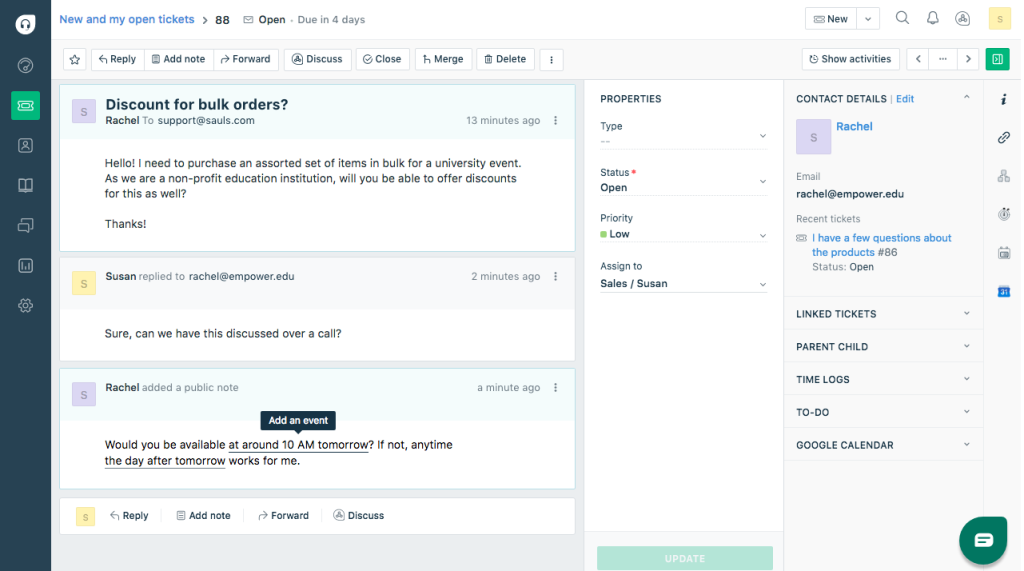
Automations handle routing and repetitive steps, and the shared inbox keeps teammates from stepping on each other’s replies. Cloud access means your people can manage things from anywhere, with shared dashboards that keep collaboration visible.
A knowledge base and customer portal let shoppers help themselves, and SLA rules keep response times in view. I recommend it when your priority is a flexible help desk with dependable ticket control. Just remember it is ticket-first, so chat feels like one channel among many and not the center of the experience.
Pros:
- Threads and tasks let agents split work and assign follow-ups inside a ticket
- Role-based access control and SSO protect sensitive customer data
- Ticket dispatch routes new tickets to the right team automatically
- Standard reports and analytics track team performance out of the box
- SMS and messaging support extends beyond the usual email and phone channels
Cons:
- Chat-native experiences feel less central than in chat-first tools
- Works as a ticket queue and not a CRM-style customer timeline like Kustomer’s
How Freshdesk Compares With Kustomer: G2 reviewers say Freshdesk is easier to administer and more usable than Kustomer. Kustomer leans into CRM-style depth, while Freshdesk gives you structured tickets and automation with less configuration, which suits teams that want a faster rollout over a unified timeline.
User Rating: 4.4/5 (G2)
Price: Starts at $19/agent/month
7. Zoho Desk: Best for Value-Focused Teams & Zoho Users
When a friend on a lean support team asked me for a Kustomer alternative that would not stretch the budget, Zoho Desk was the first tool we opened together. It pulls conversations from several channels into one clean interface, so agents work from a single place instead of switching windows.
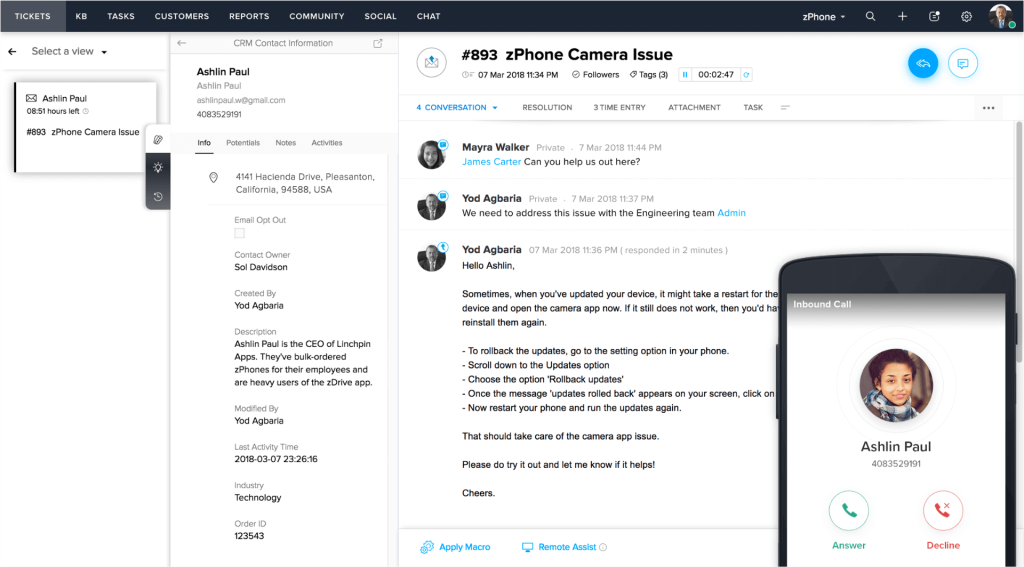
It also fits naturally with the rest of the Zoho family, particularly if Zoho CRM already holds your customer records. Reviewers on G2 have rated it highly across thousands of reviews, and that volume gave us confidence. AI features are included to speed up replies, and the feature depth surprised us for the cost.
The interface is functional rather than polished, and the full benefit really shows when your business already runs on Zoho apps. It is among the cheapest full help desks you can find today. If that sounds like your stack, I would put it on your shortlist.
Pros:
- Ticket management brings requests from every channel into one queue
- Alerts and escalations flag overdue tickets before they slip
- Built-in live chat adds real-time conversations to the desk
- Self-service portal lets customers find answers on their own
- Multi-channel communication reaches customers where they already are
Cons:
- Interface is functional rather than polished
- Full value assumes the rest of your business runs on Zoho apps
How Zoho Desk Compares With Kustomer: Kustomer is built for high-volume B2C with a unified timeline. Zoho Desk gives you a full help desk at a fraction of the entry cost, with tight Zoho integration. You trade some polish and enterprise depth for value, so it fits budget-focused teams and existing Zoho customers.
User Rating: 4.4/5 (G2)
Price: Starts at $7/agent/month
8. HubSpot Service Hub: Best for Teams Running HubSpot CRM
Think of HubSpot Service Hub as the pick for anyone whose sales and marketing teams already live in HubSpot. Tickets, a help desk, a knowledge base, and AI all sit on the same customer record, so support sees the full story without asking another department.
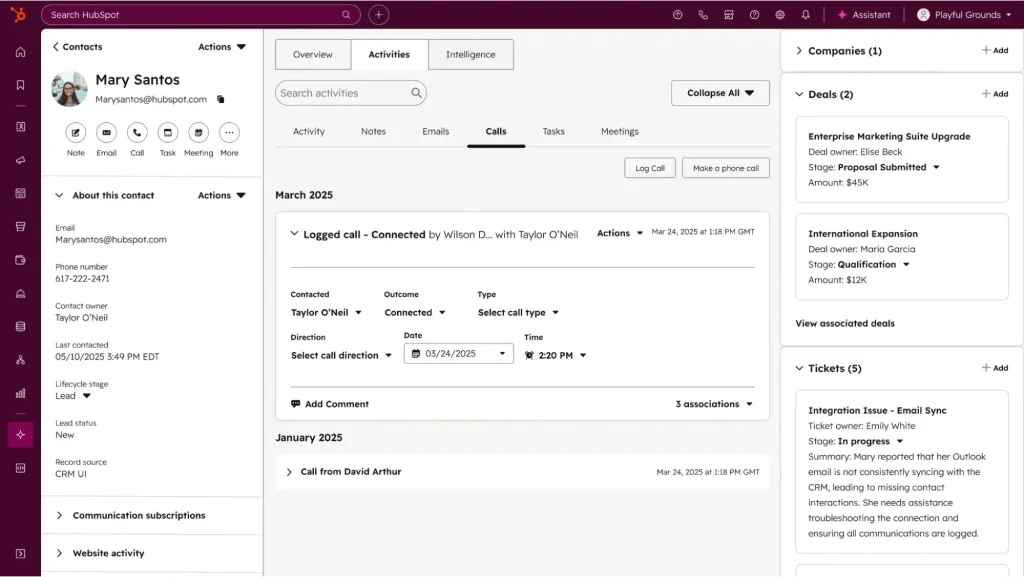
I like the clean interface and the reporting, which made weekly reviews with leadership far less painful. There is a free option, so you can try the basics with your own conversations before deciding. For a Kustomer team, this feels like keeping the unified-view benefit while adding marketing and sales context to it.
The catch is that it works best when HubSpot CRM is already your system of record. If your customer data lives somewhere else, much of that advantage fades quickly. Everything there shares one set of customer data, so handoffs between agents stay clean, and connected pieces mean less hunting for context elsewhere.
Pros:
- Ticketing with custom support form fields captures the right details upfront
- Live chat on your site connects visitors to agents in real time
- Conversational bots answer common questions before a person steps in
- Team email keeps shared inbox messages visible to everyone
- Reporting dashboards make it easy to share support results with leadership
Cons:
- Value drops if your customer data lives outside HubSpot
- Broad suite can feel like more than a team needs if support is the only goal
How HubSpot Service Hub Compares With Kustomer: Kustomer is a support-first unified timeline. Service Hub spreads the unified view across marketing, sales, and support, so it makes the most sense when HubSpot already owns your customer data. If support is your only system, Kustomer’s depth may still feel richer.
User Rating: 4.4/5 (G2)
Price: Free tools available. Paid starts at $7–$20/month per seat
9. Front: Best for Collaborative Shared Inbox
Front began as a shared inbox, and that origin still shapes how I use it today. Email, chat, and social messages feel like one collaborative workspace, so teammates work on replies together instead of passing them around. G2 reviewers who compared it with Kustomer say it is easier to administer, easier to do business with, and more usable, and its 4.7 rating backs that up.
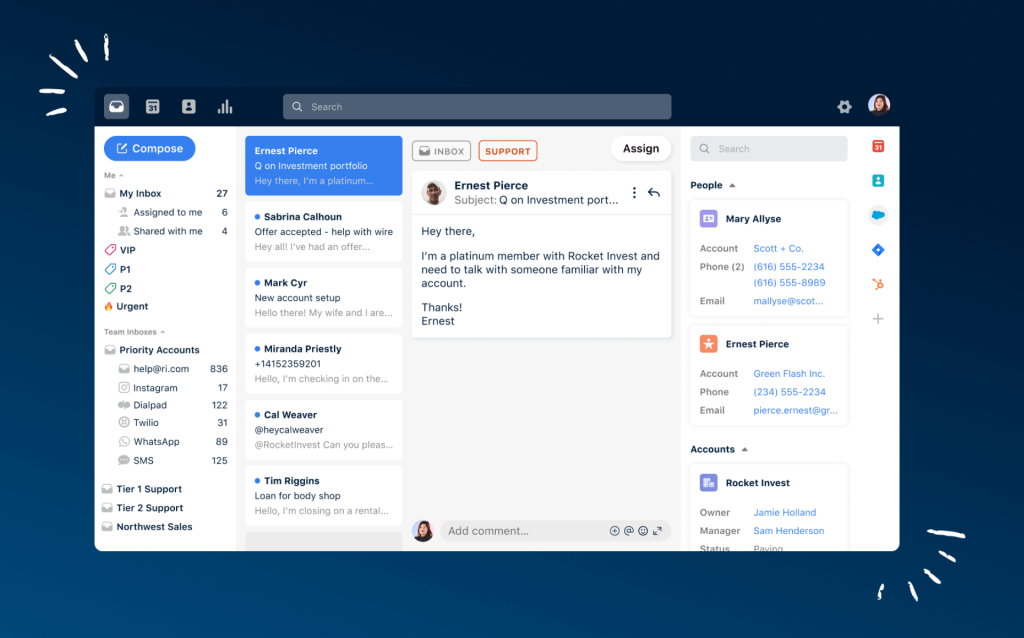
Helpdesk workflows sit on top of the inbox, so conversations become structured work without losing the human feel. That makes handoffs between support, account managers, and operations feel natural, since everyone works in the same thread. In my view it fits teams where support is a shared job, not a single department.
Replies stay consistent across the team. It suits B2B and operations-heavy teams best. If you need a deep knowledge base engine or the newest AI, you may want something more specialized alongside it.
Pros:
- Shared inbox and ticketing sit side by side for email, chat, and social messages
- AI Topics help sort incoming conversations so triage moves faster
- Up to ten automation rules handle routine routing and repetitive steps
- Basic analytics show how the team is handling its workload
- No-code public knowledge base gives customers a place to self-serve
Cons:
- Less of a traditional knowledge base powerhouse than larger suites
- AI features are newer than those of AI-first competitors
How Front Compares With Kustomer: G2 reviewers rate Front as easier to administer and more usable than Kustomer. Kustomer is a CRM-style timeline, while Front is a shared inbox with helpdesk workflows, so it suits teams that collaborate on conversations more than teams that need deep customer profiles.
User Rating: 4.7/5 (G2)
Price: Starts at $25/seat/month
10. Salesforce Service Cloud: Best for Salesforce-Based Enterprises
Service Cloud is the heavyweight I reach for when a company already runs on Salesforce and wants support attached to the same CRM. Agentforce adds the AI layer for assisting agents and resolving conversations, and I like that it works from the customer data already sitting in your CRM. What impressed me most is the customization.
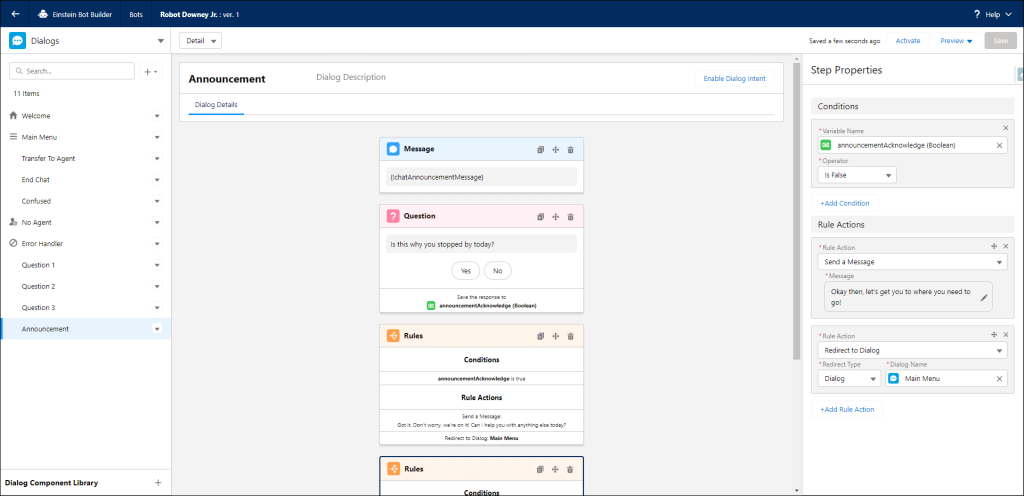
Nearly every field, workflow, and routing rule can be shaped around how your organization works, and governance controls make it suitable for large operations. Because customer data lives natively in the CRM, sales and support finally read from the same record, which cuts the back-and-forth between departments.
The price of that power is effort. Implementation is complex, and you will want admin resources or a partner to get it right. I would pilot one queue first, because the platform rewards careful planning over quick experiments. Smaller teams may find it more than they need.
Pros:
- Case management tracks every issue from the first message to resolution
- Knowledge management helps agents find and publish answers quickly
- Customizable reports and dashboards give supervisors a clear view of the desk
- Task management and activity feeds keep follow-ups visible to the team
- Salesforce mobile app keeps agents connected on the go
Cons:
- Implementation complexity calls for admin resources or a partner
- Likely more platform than lean teams need
How Salesforce Service Cloud Compares With Kustomer: Both put the customer record at the center. Service Cloud offers far greater scalability and customization, but with enterprise-level setup. Kustomer is lighter to run, so choose Salesforce when your CRM is already Salesforce and you have the admin team to support it.
User Rating: 4.4/5 (G2)
Price: Starts at $25/user/month
How I Chose These Kustomer Alternatives
When I evaluate competitors of Kustomer for this list, I do not just rely on feature lists or marketing claims. I look at how these tools actually perform in real-world scenarios. Here is the framework I used to make sure every recommendation is practical, reliable, and worth considering:
- User Reviews / Ratings: I start by looking at real user feedback from platforms like G2. This gives me a clear picture of how support teams actually experience the tool day to day, what they love, and where it falls short.
- Core Features & Functionality: I focus on what truly matters in Kustomer alternatives. This includes a unified customer view, omnichannel inbox, AI resolution, bot-to-human handoff, ecommerce and CRM integrations, and reporting. If a tool cannot handle these well, it does not make the cut.
- Ease of Use: I pay close attention to how intuitive the platform feels. A tool might be powerful, but if agents struggle to adopt it, it defeats the purpose. Clean interface, simple navigation, and quick onboarding are non-negotiable for me.
- Customer Support: From my experience, implementation and migration are where many tools fail. I evaluate how responsive and helpful the support team is, especially during setup and ongoing use. Fast, reliable support makes a big difference in adoption.
- Value for Money: I compare pricing with what the tool actually delivers. This is not about picking the cheapest option, but about whether the features, flexibility, and performance justify the cost once seat minimums, AI fees, and channel add-ons are counted.
- Personal Experience / Expert Insights: Wherever possible, I rely on my own hands-on experience with these tools. I also consider insights from support managers, CX leaders, and ecommerce operations teams who use these platforms in real environments. This helps me go beyond surface-level reviews and highlight what actually works.
Top 3 Kustomer Alternatives
After comparing all ten platforms against each other, three consistently came out on top for different reasons. The right one for you depends on why you are leaving Kustomer.
1. ProProfs Chat
ProProfs Chat is my top overall pick because it addresses many of the concerns teams may have when moving away from Kustomer. Its AI agent can train on your website, help center, or uploaded files, answer customer questions, update orders, and schedule meetings. When human support is needed, it transfers the conversation with full chat history. It also integrates with ProProfs Help Desk and Knowledge Base for ticketing and self-service support.
2. Gorgias
Gorgias is my top choice for Shopify-first and ecommerce brands that want support workflows closely connected to store operations. Order information appears alongside customer conversations, and agents can edit, cancel, or refund orders without constantly switching between tools. Its built-in AI Agent can handle routine order-status questions, while revenue attribution helps teams understand which support interactions contribute directly to sales.
3. Gladly
Gladly stands out for teams that like Kustomer’s customer-centric approach but want an even more relationship-focused support experience. Instead of treating every interaction as a separate ticket, Gladly maintains one continuous conversation for each customer across chat, email, and phone. This gives agents more context during every interaction and reduces the need for customers to repeat information when switching channels or speaking with different representatives.
FREE. All Features. FOREVER!
Try our Forever FREE account with all premium features!
How Do I Switch Without Disrupting Support?
A smooth move comes down to testing before you commit and keeping Kustomer running until the new tool proves itself. This is the checklist I use when I test alternatives to Kustomer, from pilot to full cutover.
- Export data: Request exports of customer records, conversation history, tags, and macros before you give notice, and ask each vendor which of these they can import.
- Map workflows: List every macro, automation, routing rule, and integration you use today, including Shopify, CRM, and voice, then mark which ones the new tool must replace.
- Ask timelines: Get a written setup and migration timeline from each vendor, and ask who does the work, you or their team.
- Pick a pilot: Start with one queue or one channel, such as website chat, and run it for 30 days before you expand.
- Set thresholds: Agree on targets for resolution rate, escalation rate, first response time, and CSAT before the test begins.
- Test real tickets: Run your last month of top questions through the AI and note every wrong or missing answer.
- Test handoff: Ask the bot something it cannot answer and check that the full chat history reaches the agent.
- Judge agent UX: Have two or three agents work a full shift in the new tool and count the clicks for common tasks.
- Run in parallel: Keep Kustomer live for one full cycle, then cut over only after the numbers match your thresholds.
Pick the Kustomer Alternative That Fixes Your Real Problem
Leaving Kustomer does not mean settling for less. It means finding a platform your team can afford, run, and trust to resolve conversations. Name your one big problem, score the shortlist against it, and prove the winner on your own tickets before the renewal date.
If you want the easiest live chat and AI customer service agent for instant, automated support, start with ProProfs Chat. It trains on your website, help center, or files, hands off with full chat context, connects with Knowledge Base and Help Desk, and offers a forever-free plan for one operator.
Start free with ProProfs Chat this week and put your top ten customer questions through it.
Frequently Asked Questions
When should I start evaluating before my Kustomer renewal?
I would start well before your cancellation window closes. Check your contract for the notice period, then leave enough time for a 30-day pilot and a parallel run.
Do I need a full help desk, or is live chat with an AI agent enough?
It depends on your queue. If most volume comes through chat, an AI-first tool can carry it. If email and phone tickets dominate, I would add a help desk, and ProProfs Chat connects with ProProfs Help Desk for that.
Can I keep WhatsApp, Instagram, and Facebook in one inbox after I switch?
Yes, but confirm it during the demo. ProProfs Chat brings Facebook, WhatsApp, and Instagram messages into one dashboard, and it manages SMS chat from the same place.
How do I cover nights and weekends without hiring more agents?
I let the AI agent handle the first layer around the clock. With ProProfs Chat, you can also schedule callbacks when operators are offline and choose when the bot shows.
How do I get my agents comfortable with a new tool quickly?
I run a short shadow week where agents handle real chats with a lead nearby. ProProfs Chat supports operator training through chat monitoring, so leads can review conversations.
What security checks should I run before I switch?
I ask about SSO, data encryption, IP restrictions, and GDPR or CCPA compliance. ProProfs Chat offers SSL encryption, SSO, IP restriction and spam blocking, and GDPR and CCPA compliance.
Which CRMs can I keep connected to my chats?
I always confirm that the tool creates leads and not only contacts. ProProfs Chat integrates with Salesforce, Microsoft Dynamics 365, Zoho CRM, SugarCRM, and more, so ask for a live sync demo.
How do I measure customer satisfaction after the move?
I send a post-chat survey and track operator ratings. ProProfs Chat includes both, and you can export reports as CSV to compare against your Kustomer baseline.
FREE. All Features. FOREVER!
Try our Forever FREE account with all premium features!

 We'd love your feedback!
What did you like & how can we make it even better?

 Thanks for your feedback!
 Ask Your Question
Have a question? Get expert help to make your decision easier.