Every minute a visitor sits on your website without getting help, you are losing them. Customer service chat solves that.
I have worked with enough small business owners to know this pattern: they know they need better support, but they assume live chat is either too expensive, too technical, or just for enterprise teams. That is not the case anymore.
Tools like ProProfs Chat now let any business go live with a full chat + AI customer service agents setup in minutes, no developers, no monthly budget shock, no complex configuration. Just real-time conversations that feel more personal than ever.
But before I get into what works and what to watch out for, let me explain exactly what customer service chat is and why it matters more than ever in 2026.
What Is Customer Service Chat?

The core format is simple: a visitor clicks the chat widget, types a question, and gets a response from a human agent, an AI bot, or a combination of both.
What makes it powerful is the context it captures. Unlike a phone call, chat gives agents full visibility into what the visitor browsed, how long they spent on a page, what they clicked, and what they already asked. That context turns a reactive support moment into a proactive conversation.
In fact, according to a survey by Gartner in 2025, live chat and self-service will overtake phone and email by 2027, making it essential to ensure your documentation meets users where they are.
Why Customer Service Chat Has Become Non-Negotiable
This isn’t about trends. It’s about what customers expect today. Email takes hours. Calls take effort. Chat takes seconds. Businesses still relying on contact forms are quietly losing customers to faster competitors. Here’s why customer service chat is no longer optional.
1. Customers Expect Instant Responses
The expectations bar has shifted permanently. Today’s customers are used to real-time updates and fast service. When they have a question, they expect an immediate answer. Chat delivers that speed. When responses are delayed, it often results in lost interest, abandoned carts, and missed opportunities.
2. Chat Directly Drives More Revenue
Chat is not just a support channel. It plays a direct role in conversions. When a visitor gets an answer instantly while exploring pricing or features, they are more likely to move forward. If they are asked to wait or fill out a form, they often leave. The impact on revenue is clear when chat is used effectively.
3. Lower Costs, Handle More Volume
Scaling traditional support requires more people. Chat works differently. One agent can manage multiple conversations simultaneously. When a chatbot handles repetitive questions, teams can focus on more complex issues. This improves efficiency while keeping costs under control.
4. Chat Provides Better Customer Context
Every chat interaction captures useful context. You can see what the visitor viewed, how they navigated the site, and what they asked. This helps agents respond with better accuracy and relevance. Over time, this data becomes a valuable source of insight for improving support and product decisions.
5. Customers Prefer Chat Over Channels
Customer behavior has shifted toward faster, more convenient communication. Chat fits naturally into how people interact online today. If your business does not offer it, users may feel friction and seek alternatives that offer a smoother experience.
How Does Customer Service Live Chat Work
Understanding the mechanics helps you set up chat properly, rather than just slapping a widget on your homepage and hoping for the best.Here is how a typical live customer service chat flow works:
1. Visitor Arrives on Your Website
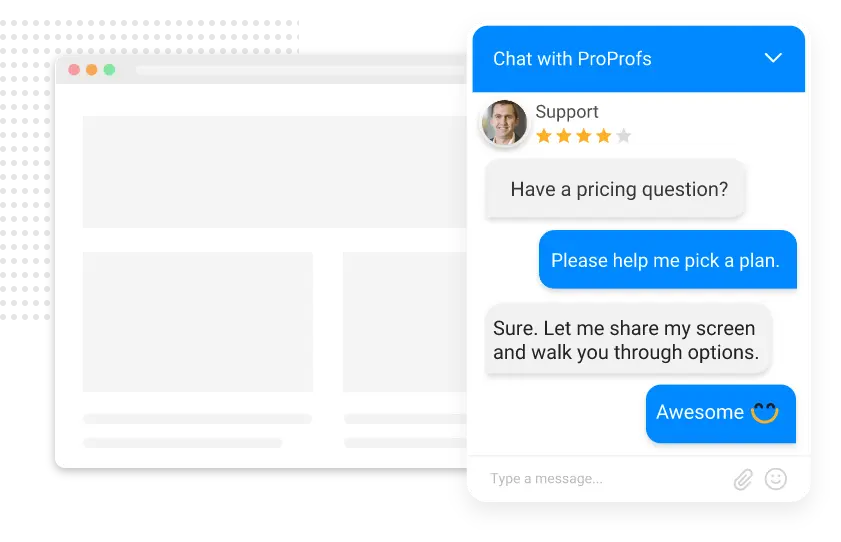
The chat widget loads automatically. If you have behavior-based triggers configured, a proactive chat invitation can appear after a visitor spends a defined amount of time on a page or shows exit intent.
2. Pre-Chat Form (Optional But Recommended)
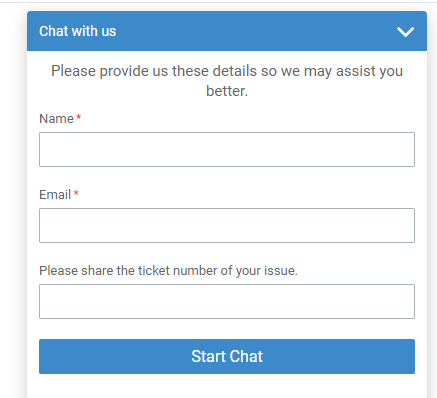
Before the conversation starts, visitors can enter their name, email address, and reason for contact. This qualifies them upfront and saves agents from having to ask the same questions every session.
3. Chat Routing
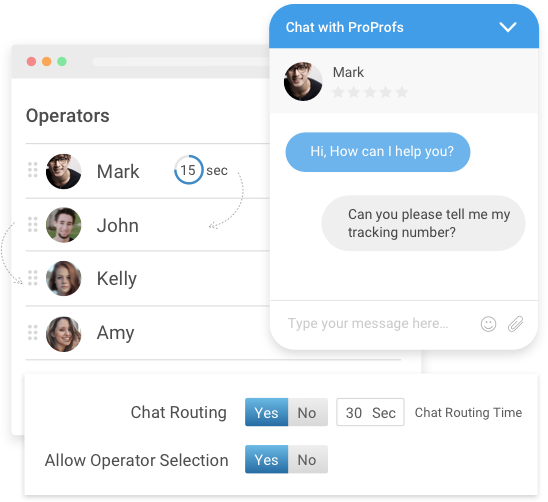
The system routes the chat to the right agent or department, support, sales, or billing, based on rules you set. If no agent is available, the AI bot takes over.
4. Conversation and Resolution
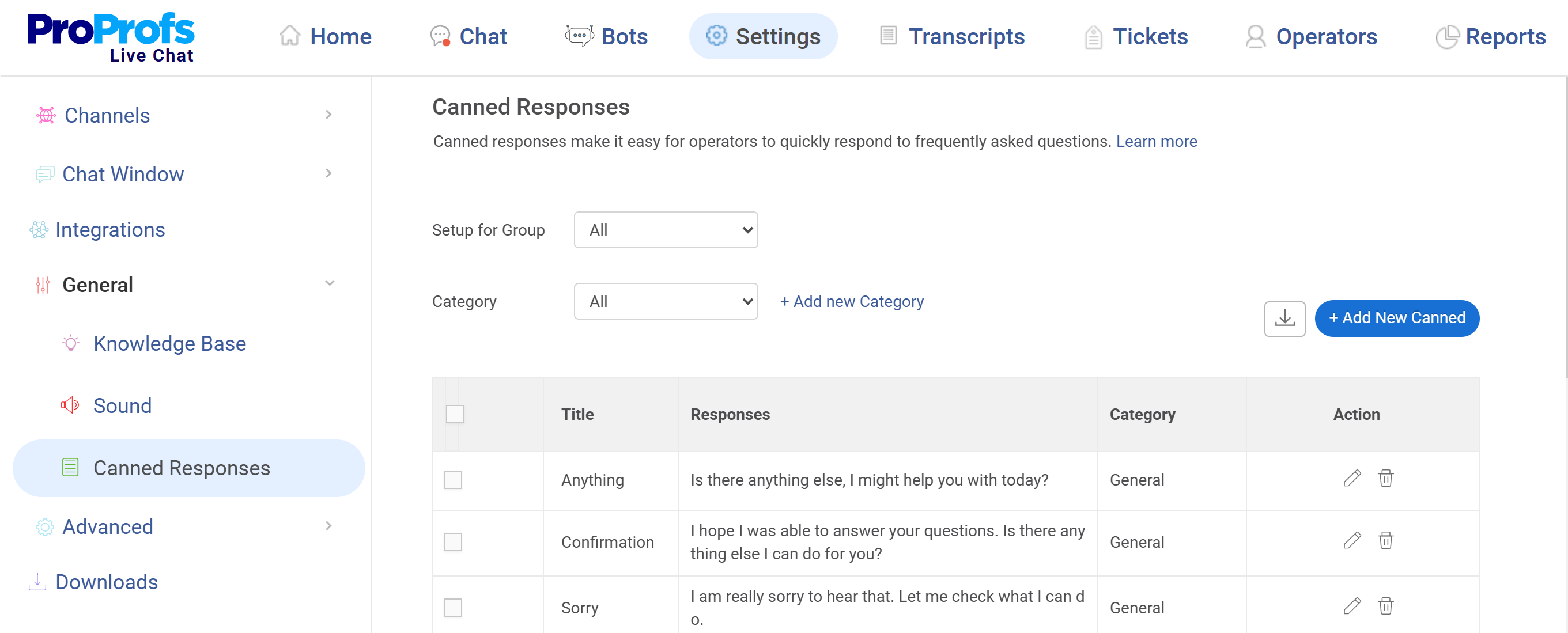
The agent or bot responds in real time. Agents can use canned responses for common questions, transfer chats between teammates, share files, and view full visitor details while the conversation is live.
5. Post-Chat Survey
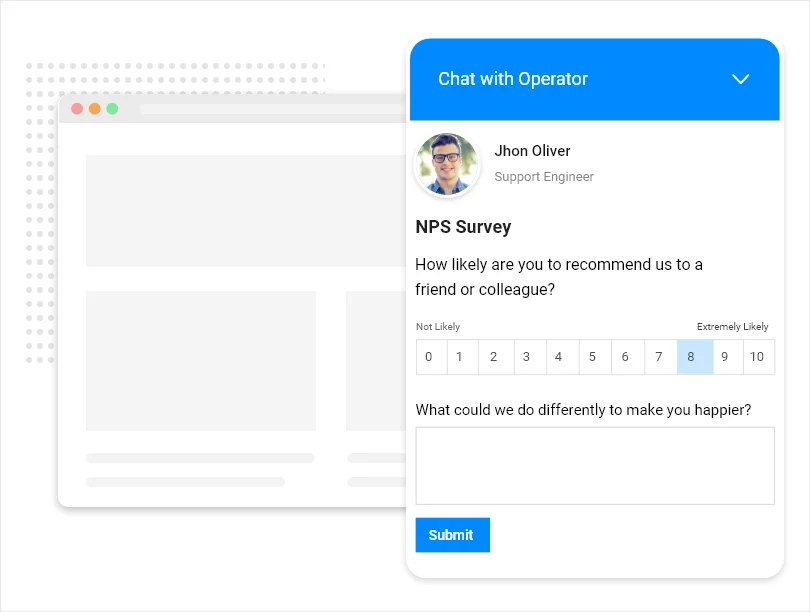
Once the conversation ends, a short CSAT survey fires. This is where you capture honest feedback while the experience is still fresh.
6. Transcript and CRM sync
The full chat transcript gets saved. With the right integrations, it automatically pushes to your CRM, help desk, or email marketing tool.
ProProfs Chat handles all of these steps out of the box, including CRM sync with Salesforce, HubSpot, Zoho, and ActiveCampaign, where most basic chat tools fall flat.
How to Add Live Chat to Your Website in Simple Steps
Adding live chat to your website does not require complex coding. Here is how to do it using ProProfs Chat, with two simple ways to get started.
Option 1: Use a Code Snippet
Step 1: Log in to your ProProfs Chat account and head to: Settings > Channels > Website
You’ll see a code snippet. Copy it.
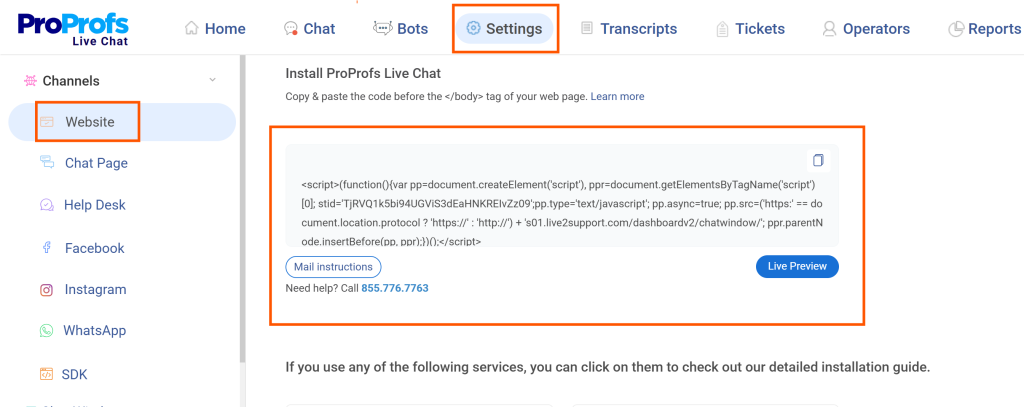
Step 2: Paste that snippet just before the </body> tag in your website’s code. That’s it!
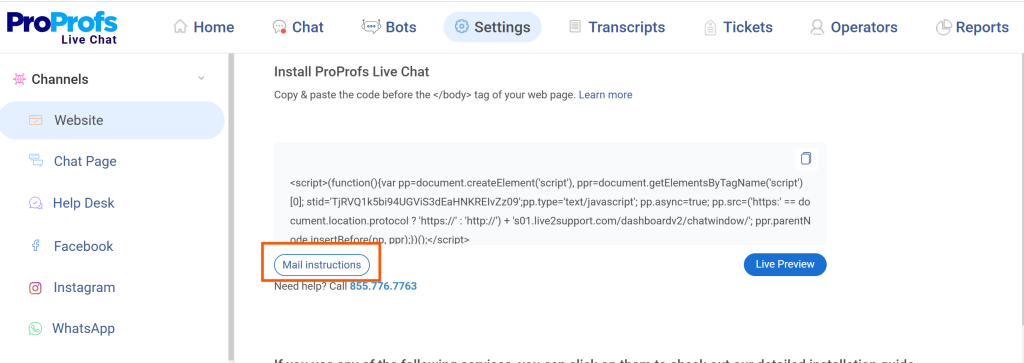
Step 3: If you want your developer to handle it, simply click ‘Mail instructions’ to send setup details directly from your dashboard.
Option 2: Use Google Tag Manager (GTM)
Step 1: Log in to your ProProfs Chat account. Click ‘Install Chat’ or go to:
Settings > Channels > Website
Step 2: Choose ‘Install via Google Tag Manager’.
Step 3: A Google Sign-In popup will appear. Enter your GTM account credentials.
Step 4: Once connected, installation starts automatically. You’ll see a confirmation message once it’s done.
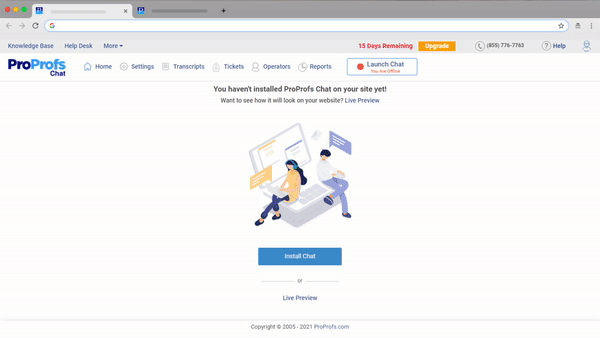
And that’s all it takes! You’ve just added customer service chat to your website.
FREE. All Features. FOREVER!
Try our Forever FREE account with all premium features!
What to Look for in a Customer Service Chat Tool
Not all chat platforms are built the same. Before you commit to any tool, run it through this checklist:
Core capabilities to verify:
- Does it offer both live chat and an AI chatbot in one platform?
- Can the AI be trained on your actual website, knowledge base, or uploaded documents?
- Is there a seamless bot-to-human handoff when the AI cannot answer something?
- Does it support proactive chat invitations triggered by visitor behavior?
- Can you route chats to specific departments or agents based on custom rules?
Integration depth:
- Does it connect to your CRM natively, and does it create leads, not just contacts? (This is where tools like Tidio fail Salesforce users)
- Does it sync with your eCommerce platform (Shopify, Magento, BigCommerce)?
- Does it integrate with your help desk or ticketing system?
Scalability and pricing:
- Does the price stay predictable as your chat volume grows?
- Are AI features locked behind expensive premium tiers?
- Is there a free plan that gives you real functionality to test with?
Reporting:
- Can you monitor agent performance in real time?
- Are chat ratings, missed chats, and response time metrics visible in one dashboard?
This checklist is not theoretical. I have spoken to business owners who switched platforms because pricing became unpredictable at scale or key features required costly upgrades. Knowing what to ask before you commit can save you from a painful migration later.
Customer Service Online Chat vs. Phone vs. Email: A Direct Comparison
There is no shortage of support channels. Here is where customer service online chat wins, and where it has limits.
| Channel | Average Response Time | Cost Per Interaction | Customer Satisfaction | 24/7 Availability |
|---|---|---|---|---|
| Live Chat | Under 2 minutes | Low | High | Yes (with AI bot) |
| Phone | 8–10 minutes (hold) | High | Moderate | Limited |
| 12–17 hours | Moderate | Low | Yes (delayed) | |
| Social Messaging | Varies (minutes to hours) | Low | High | Partial |
Phone support still works for complex, emotionally sensitive issues. Email still has a place for formal documentation. But for everything in between, FAQs, order status, pricing, and account questions, live chat handles it faster, cheaper, and with better satisfaction scores.The real unlock is combining live chat with an AI chatbot that handles the first layer. When the AI resolves 60–70% of incoming questions automatically, your human agents focus only on the conversations that actually need them.
How AI Is Changing Customer Service Chat
The AI chatbot conversation has matured. It is no longer about whether to use a bot; it is about how to use one without losing the human connection that builds trust.
The businesses getting the most value from AI-powered chat in 2026 are doing three things right:
1. Training AI on Real Data, Not Generic Templates
Bots that hallucinate or give wrong answers quickly destroy customer trust. The right approach is training your AI chatbot on your actual website content, knowledge base articles, and uploaded product documents.
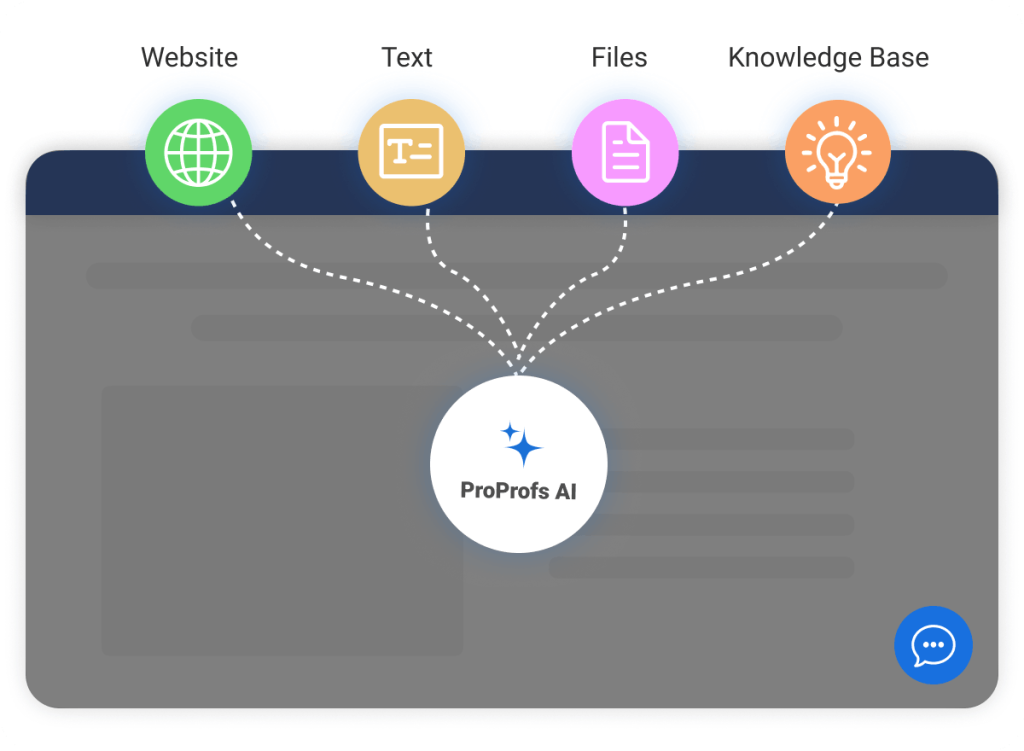
ProProfs Chat’s AI does exactly this: train it on a URL or file, and it starts answering accurately within seconds.
2. Using Hybrid Flows (Bot First, Human When it Matters)
The bot handles tier-one questions: hours, pricing, return policies, and FAQs. The moment a visitor asks something outside the bot’s training or signals frustration, the handoff to a live agent kicks in automatically.
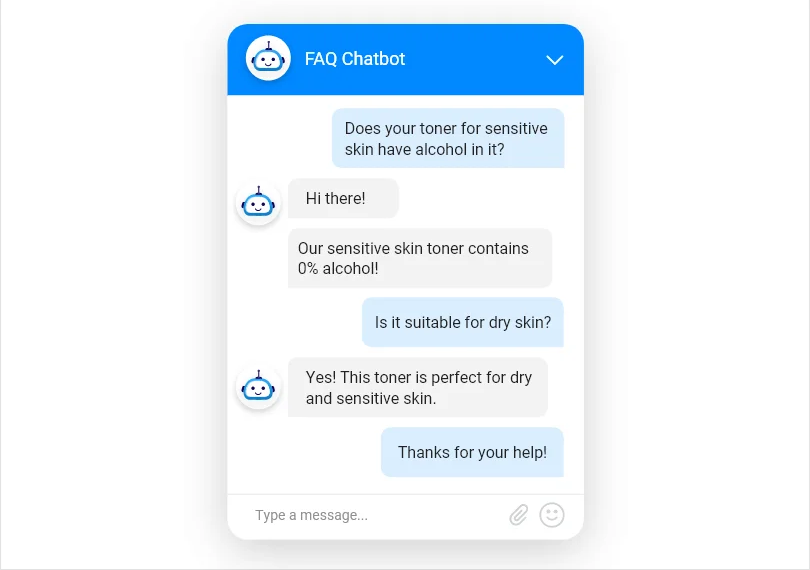
This model reduces tickets while maintaining high customer satisfaction.
To see how bot-to-human handoff works in practice, watch this short video:
3. Using AI for Proactive Engagement, Not Just Reactive Support
Smart chat tools now trigger automated conversations based on visitor behavior. A visitor who has been on your pricing page for 90 seconds without taking any action receives a chat pop-up offering to answer questions. That one behavior-based trigger can meaningfully increase demo bookings and trial signups.
Which Industries Benefit Most from Customer Service Chat?
Customer service chat adapts to different industries but serves one core purpose: faster conversations that move customers forward. Here’s how key industries use it.
1. eCommerce
For eCommerce businesses, chat directly impacts sales. It helps answer product questions, suggest alternatives, and guide buyers in real time. Common uses include order tracking, returns, and checkout support. Proactive chat on high-intent pages helps reduce drop-offs and recover abandoned carts before customers leave.
2. Automotive
In automotive industry, chat supports buyers during long decision cycles. It answers questions about models, pricing, financing, and availability. Dealerships use it to qualify leads early and route them to sales teams. It also helps with service bookings, maintenance queries, and follow-ups without overloading phone lines.
3. Education
Education providers use chat to simplify admissions and support. It answers questions about courses, fees, deadlines, and eligibility instantly. For students, it helps with IT support and administrative queries. Chat ensures consistent support across time zones while reducing email and call volumes for staff.
4. Healthcare
Healthcare providers use chat to streamline patient communication. It handles appointment booking, insurance queries, and basic instructions before visits. Patients can quickly clarify concerns, improving follow-through. More complex or sensitive queries are passed to staff, while routine questions are handled automatically to reduce workload.
5. Real Estate
Real estate teams use chat to engage prospects instantly. It answers questions about listings, pricing, and availability. Chat captures visitor details and turns inquiries into leads. It also helps property managers handle tenant requests, maintenance issues, and lease queries without constant phone calls.
6. Travel
Travel businesses use chat to assist customers before and after booking. It answers questions about destinations, policies, and pricing in real time. After booking, it helps with itinerary changes and support during travel. Multilingual chat also improves the experience for international customers.
FREE. All Features. FOREVER!
Try our Forever FREE account with all premium features!
Make Every Conversation Count for Your Business
Customer service chat isn’t just a support add-on. It’s where customer experience actually happens. When done right, it helps you capture leads, close deals, and keep customers coming back.
Start by checking your response times. If you rely on email or calls, think about how faster chat replies could impact conversions. Add proactive chat to key pages, train a chatbot on common queries, and ensure every conversation flows into your CRM. Keep tracking CSAT to improve over time.
ProProfs Chat covers all of this in one place, with live chat, an AI chatbot, integrations, and feedback tools. You can even start for free with a single operator and see how it works before scaling.
Frequently Asked Questions

Can small businesses afford live chat software?
Yes. Several live chat platforms offer free plans for small teams with no credit card required. The key is choosing software where pricing stays predictable as your chat volume grows, rather than tools that lock essential AI features behind expensive higher tiers.
Is customer service chat suitable for mobile users?
Yes. Modern chat widgets are fully responsive and work seamlessly on mobile browsers without any extra configuration. For businesses with their own mobile apps, many live chat platforms also offer an SDK that lets you embed chat natively — so the experience is consistent whether customers are on desktop or phone.
What is the difference between customer service chat and social media messaging?
Customer service chat lives on your own website or app and is built for structured support workflows — routing, queuing, transcripts, and CRM sync. Social messaging happens on third-party platforms like WhatsApp, Facebook, or Instagram. The best chat platforms unify both channels into a single agent dashboard so nothing falls through the cracks.
What is first contact resolution (FCR) in chat?
FCR means a customer's issue is fully resolved in a single session without needing a follow-up contact. It is one of the most important chat quality metrics because it reflects both efficiency and customer effort. AI chatbots trained on accurate, up-to-date data significantly improve FCR rates for routine tier-one queries.
Can customer service chat handle complaints from upset customers?
Yes, and often better than phone. Written chat creates a more deliberate exchange that gives agents time to respond with empathy and accuracy rather than reacting under pressure. The full text record also serves as documentation if the complaint needs escalation or management review later.
FREE. All Features. FOREVER!
Try our Forever FREE account with all premium features!

 We'd love your feedback!
What did you like & how can we make it even better?

 Thanks for your feedback!
 Ask Your Question
Have a question? Get expert help to make your decision easier.