
I still remember watching high-intent visitors leave our website simply because no one was there to answer a quick question. It was frustrating, especially knowing those conversations could have turned into real revenue. Over time, I realized live chat support is not just a support channel. It is a growth lever when used well.
When someone is browsing your site, comparing options, or hesitating at checkout, timing matters. Live chat gives you that golden chance to step in at the right moment, clear doubts, and move the conversation forward without forcing a call or email. I have seen it shorten sales cycles, reduce support load, and create a better experience for both teams and customers.
In this guide, I will walk through what live chat support is, the benefits it delivers, the top tools teams rely on, live chat best practices, and what is coming next as automation and AI evolve.
What Is Live Chat Support?
Live chat support is a real-time communication channel that allows businesses to interact with website visitors through a chat widget. Instead of waiting for email responses or phone callbacks, customers can ask questions and get instant assistance. It is commonly used for customer support, sales inquiries, onboarding, and lead capture.
By offering help at the right moment, live chat support reduces friction, improves response time, and makes it easier for businesses to engage, assist, and convert visitors efficiently.
Here’s a quick snapshot of what live chat support brings to the table:
- Enables real-time communication with website visitors
- Reduces delays compared to email or phone support
- Supports sales, onboarding, and customer service needs
- Helps capture leads and visitor intent instantly
- Can be powered by live agents, chatbots, or both
Why Businesses Are Obsessed With Live Chat Support Right Now
Customer expectations have changed fast. People want answers now, not later. Live chat support fits perfectly into this shift because it combines speed, convenience, and smarter use of technology. That is why more businesses are moving conversations away from slow, disconnected channels and into chat.
Here are the key benefits driving that shift:
1. Instant, Real-Time Support
Live chat support lets businesses assist customers exactly when questions arise. Instead of waiting long for email replies or callbacks, visitors get answers while they are still browsing. This reduces frustration and keeps momentum going. Real-time support also prevents drop-offs at critical moments, such as pricing checks or checkout steps.
For support teams, it means fewer follow-ups and faster resolutions. For customers, it creates a smoother, more responsive experience that feels helpful rather than transactional.
2. Automated Support With AI Chatbot
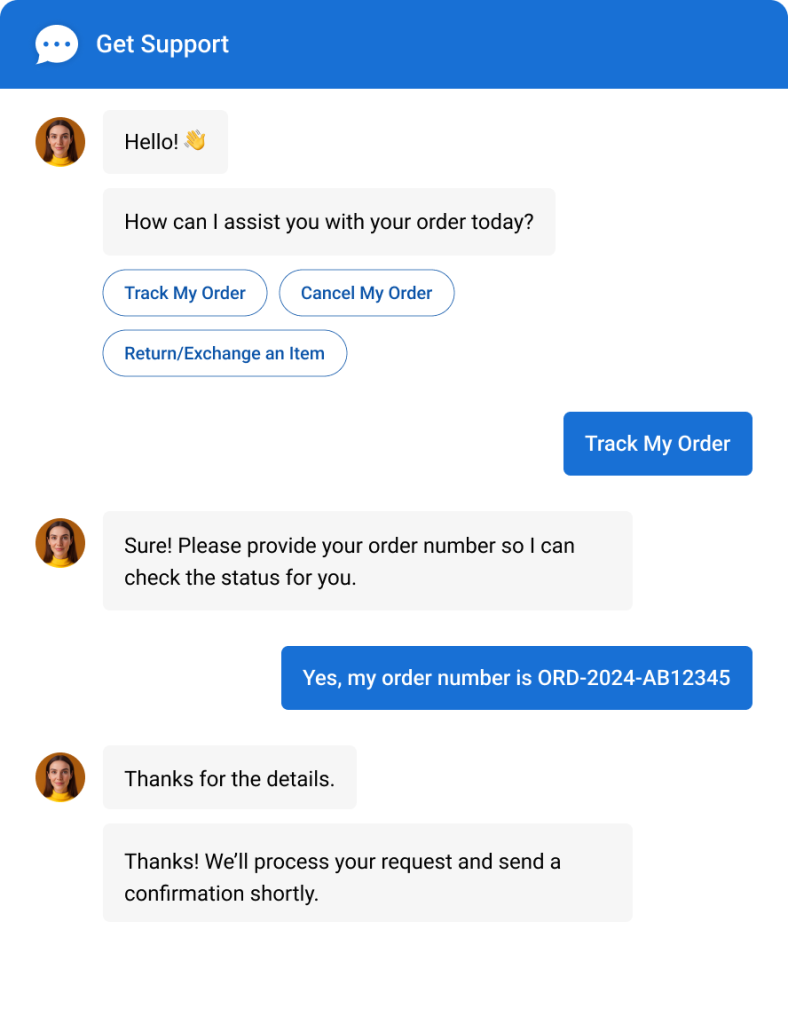
A live chat tool with an AI chatbot lets businesses stay available without being online all the time. It can engage visitors the moment they land, ask smart, multiple-choice or open-ended questions, and guide them toward the right action, often leading to more qualified leads and sales. By automating customer support 24/7, teams never miss opportunities after hours.
It also lets you train the chatbot on your own data, ensuring accurate, on-brand answers, while customization lets you control flows, tone, and questions so conversations feel natural and aligned with your goals.
3. Omnichannel Customer Support
Customers no longer stick to one channel. They move between websites, social media, and messaging apps. Live chat support helps businesses manage all these conversations in one place. Instead of juggling multiple inboxes, teams get a unified view of every interaction.
This reduces missed messages and repeated questions. It also creates continuity, so customers do not have to explain their issue again. A single conversation history leads to clearer communication and better relationships.
4. Integration With Existing Tools
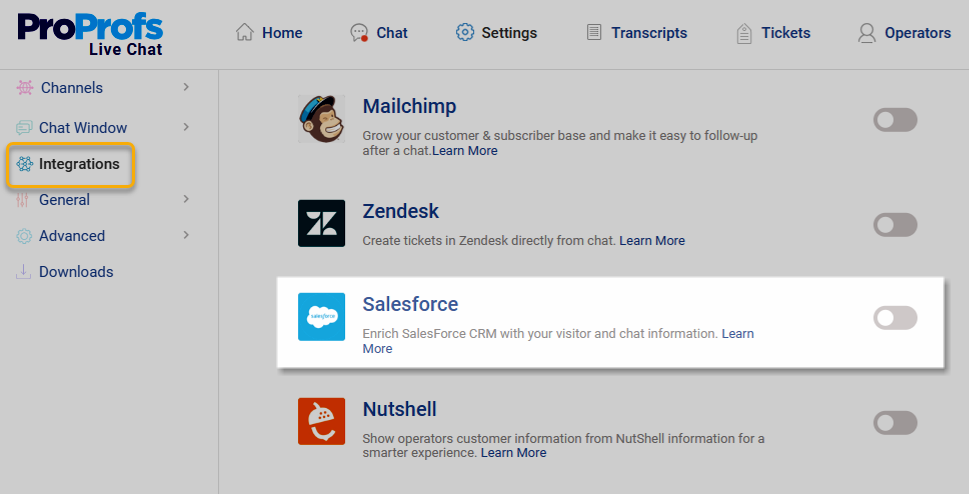
Another reason live chat support is gaining so much popularity is its ability to integrate directly into existing workflows. Businesses do not want to juggle five different tools just to respond to one customer. When live chat integrates with CRMs, support systems, and marketing tools, everything stays connected. Conversations, customer details, and follow-ups are logged automatically.
This saves time, reduces errors, and helps teams respond with context. The easier chat fits into current tools, the faster teams adopt it and rely on it daily.
5. Actionable Customer Insights
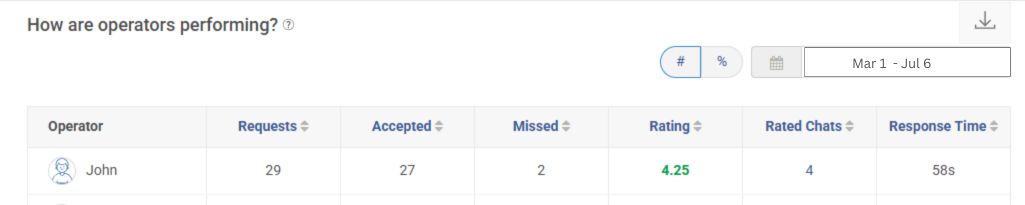
Live chat support does more than facilitate conversations. It also provides valuable data. Detailed reports and analytics show how quickly customers are attended to (response times), the total number of customers who prefer chat as a support channel (chat volume), and how well they rate their support experience (operator ratings). Businesses can see what customers are asking, where they get stuck, and which chats lead to conversions.
Based on these insights, teams can improve scripts, staffing, and website content. Over time, analytics turn chat from a support tool into a source of clear, actionable business intelligence.
Top 5 Live Chat Tools to Engage Visitors and Convert Faster
Over the last few months, I tested many live chat services and checked real user reviews to find the best tool for2026. Here are 5 strong options with better features, more flexibility, and great value. Let’s pick the right one for your business.
1. ProProfs Chat – Best for 24/7 Delightful Customer Support with AI Chatbots
I’ve always felt that quick, accurate responses can make a huge difference in how customers experience a conversation. That’s one reason ProProfs Chat has become a tool I genuinely enjoy using. Its AI-powered chatbot makes it easy to automate repetitive questions, stay available 24/7, and keep communication fast and consistent, even during busy hours.
The ready-to-use chatbot templates for lead generation, customer support, appointment booking, feedback collection, etc., simplifies chatbot development. What stands out most is the ability to train the AI using website or help center content, so the answers stay relevant and contextual. It feels less like a basic widget and more like a real extension of the team.
ProProfs Chat also keeps everything organized. With features like real-time visitor tracking, smart routing, canned responses, and detailed transcripts, agents can stay on top of every interaction. Overall, it balances AI automation with a human-first support experience.
Pros:
- Proactive chat invitations to help engage visitors before they leave
- AI chatbots training for smarter, more reliable answers
- Real-time visitor tracking to start conversations at the perfect time
- Customer Delight Suite offers chat, help desk, knowledge base, and surveys for 360-degree support
Cons:
- Cloud-only – no offline access
- No dark theme
Pricing: A free plan is available for growing teams. Paid plan starts at $19.99/user/month.
2. Kommunicate – Best for Integrating Human and Bot Support
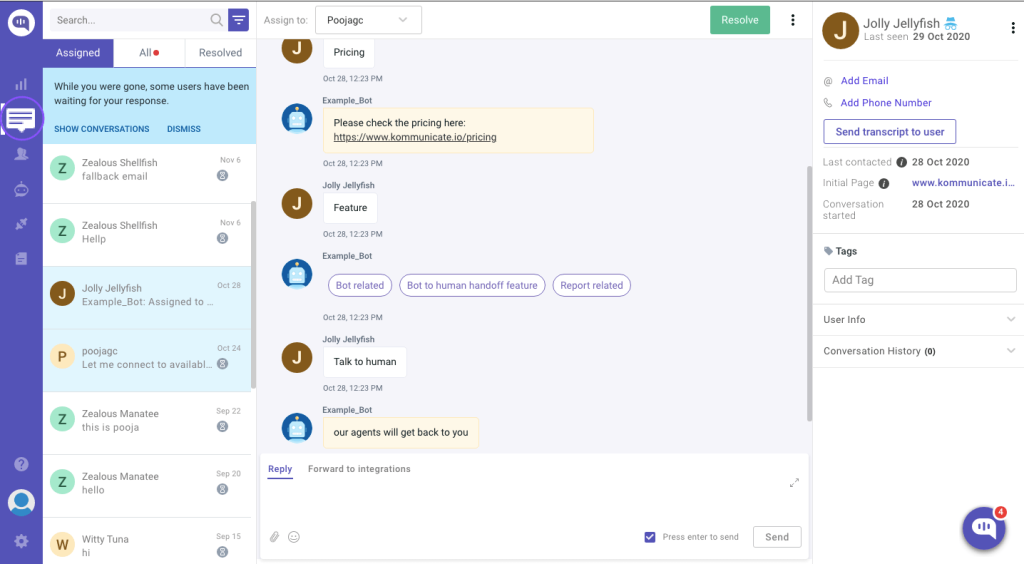
Kommunicate is a powerful conversational support platform that blends live chat with AI automation to help teams handle customer interactions effortlessly. At its core, it’s built to automate repetitive queries with intelligent chatbots while handing off complex or sensitive questions to real human agents without missing a beat. This hybrid approach keeps customers happy and agents focused on higher-value tasks.
What I like most about Kommunicate is how well it supports real-time messaging across websites, mobile apps, and popular messaging platforms like WhatsApp and Facebook Messenger. With native integrations into CRMs and ticketing systems, it brings context to every interaction so no customer feels like they’re starting over.
It also gives teams the tools to build AI chatbots without coding, monitor performance with analytics, and train bots on FAQs or knowledge base content—making it a retention tool, not just a chat widget.
Pros:
- Smooth bot-to-human handoff to keep support fast and personal
- Omnichannel chat support across web, mobile, and messaging apps
- No-code chatbot builder to automate replies with ease
- Built-in analytics to track performance and improve retention
Cons:
- Some advanced AI features require higher-tier plans
- Setup and customization can take time for complex workflows
Pricing: Starts at $34/month.
3. Intercom – Omnichannel Platform With Messenger and App
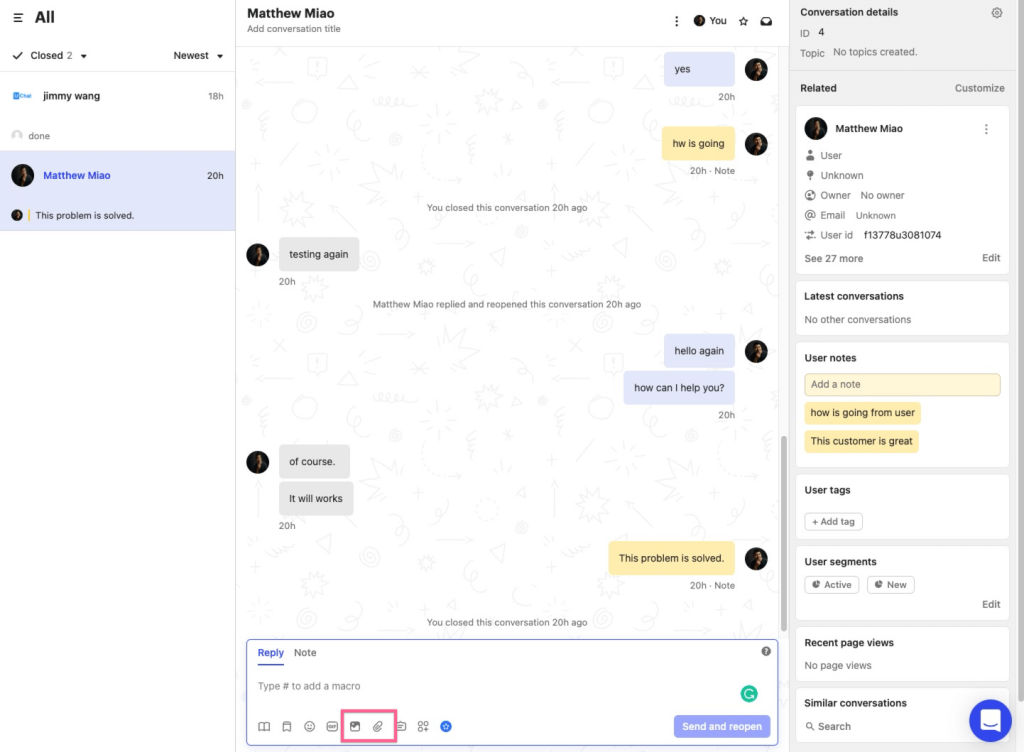
Intercom is one of the most well-known live chat platforms for businesses that want to support customers across multiple channels. I like how it brings website chat, in-app messaging, and email together, so conversations feel continuous instead of fragmented. That kind of connected experience makes a real difference for retention.
What stands out to me is how Intercom helps teams stay proactive. It lets you engage users during onboarding, answer questions inside the product, and reach out before someone drops off. It feels less like basic support and more like ongoing customer communication.
I also see Intercom working especially well for growing teams that want chat, automation, and customer engagement in one place. With strong targeting and messaging tools, it helps teams build better relationships and keep users coming back.
Pros:
- Omnichannel messaging to support customers across web, app, and email
- In-app messenger experience that keeps users engaged inside the product
- Automated bots to handle common questions and reduce support load
- Targeted outreach tools to improve retention and reduce churn
Cons:
- Advanced features may take time to learn and configure
- Smaller teams may find it more than they need early on
Pricing: Starts at $29/user/month.
4. Tawk.to – Best for Free and Freemium Live Chat with Basic Features
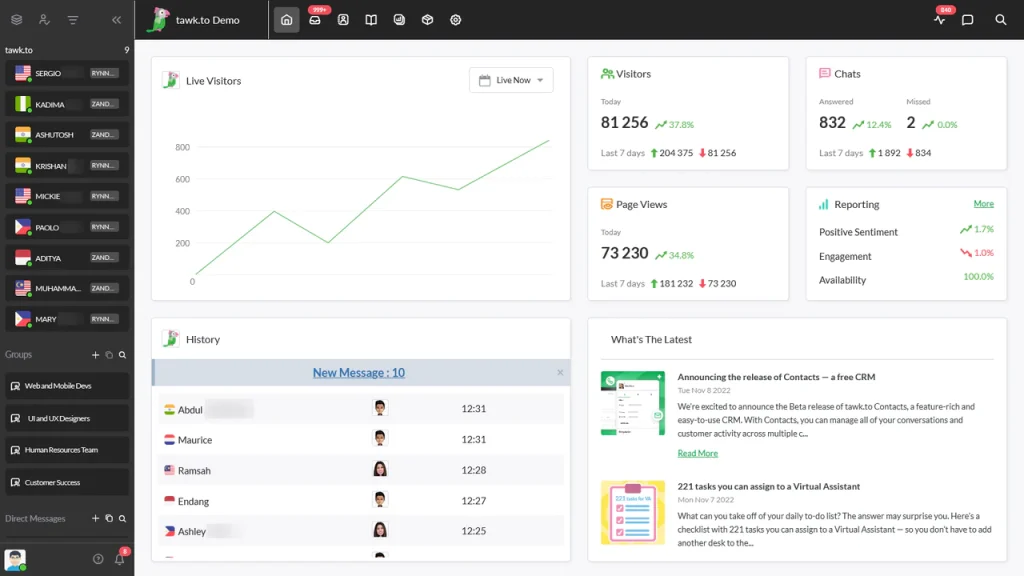
Tawk.to is one of the most accessible live chat tools out there, especially if you want solid support features without stretching your budget. I came across it while exploring options for smaller teams that needed something simple and dependable. The fact that the core live chat experience is free forever makes it a standout choice for startups and growing businesses.
It is easy to add tawk.to to a website, and the dashboard keeps conversations organized in one place. I also like how quickly teams can jump in with canned replies, monitor visitors in real time, and stay responsive through mobile apps. For a free tool, it covers the basics really well.
That said, as support needs grow, some businesses may start looking for deeper automation or advanced integrations, which is where tawk.to feels a bit more lightweight. Still, it is a great retention tool for keeping communication fast, accessible, and always available.
Pros:
- Free live chat widget to help engage visitors without added costs
- Real-time visitor monitoring to start conversations at the right moment
- Canned messages and shortcuts to speed up common replies
- Mobile apps to support customers on the go
Cons:
- Branding removal requires a paid upgrade
- Fewer integrations with CRM and help desk systems than some competitors
Pricing: Free for everyone.
5. Olark – Best for Chat Transcripts
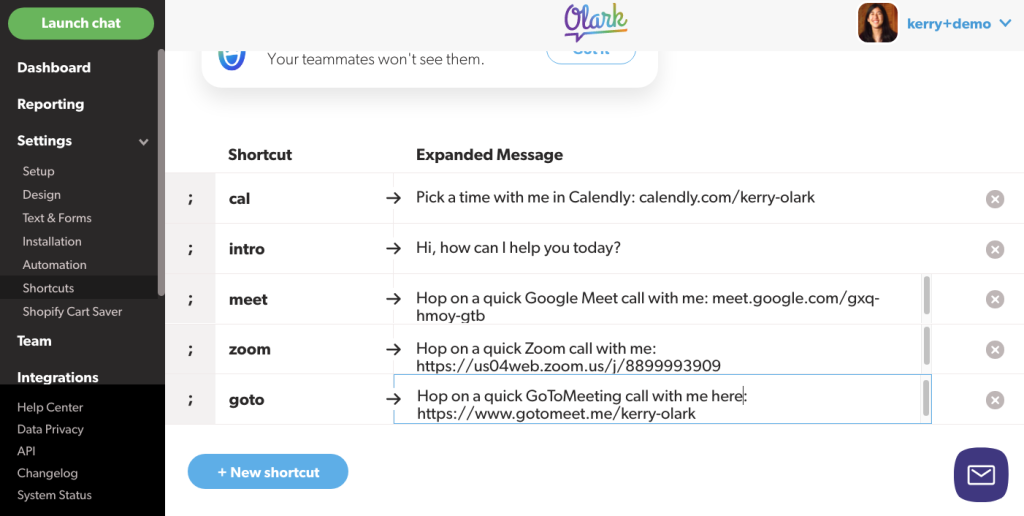
Olark is one of those live chat tools I like when the goal is simple: have real conversations and keep a clean record of them. What really stands out to me is how easy it is to access and search through chat transcripts. If your team relies on past conversations for training or follow-ups, Olark makes that part effortless.
I also appreciate how straightforward the platform feels. Visitors can start chatting instantly, and agents get useful context like what page someone is on or what they were looking at before reaching out. It helps support feel more personal instead of starting every chat from scratch.
For businesses that want clarity over complexity, Olark delivers. I see it working especially well for teams that care about documenting customer interactions and improving support over time without needing a heavy setup or advanced automation.
Pros:
- Searchable chat transcripts to capture full conversation history for review and insights
- Automated greetings and triggers to start conversations at the right moment
- Real-time visitor tracking to support customers with better context
- CRM and help desk integrations to keep chat data connected across tools
Cons:
- Chat widget customization feels fairly basic
- Reporting is useful but not as advanced for larger teams
Pricing: Starts at 29/month.
Best Practices for Effective Live Chat Support
Live chat support works best when it feels fast, helpful, and human. Simply adding a chat widget is not enough. The real impact comes from how teams use it to guide conversations, reduce friction, and create a smooth customer experience. The good news is that a few simple best practices can make live chat far more effective.
| Best Practice | Why It Matters | How to Apply It |
|---|---|---|
| Respond Quickly | Visitors expect instant answers, and delays lead to drop-offs | Set response time goals and enable notifications for agents |
| Use AI for FAQs | AI reduces repetitive workload and keeps support available 24/7 | Train chatbots on common questions and knowledge base content |
| Offer Human Handoff | Customers still want a real person for complex issues | Ensure smooth escalation from bot to live agent when needed |
| Keep Messages Clear | Long or robotic replies reduce trust and engagement | Use short, friendly sentences and avoid jargon |
| Personalize Conversations | Generic chat feels transactional and less helpful | Use visitor info, page context, and custom greetings |
| Capture Leads Naturally | Chat can drive conversions when used thoughtfully | Add simple pre-chat forms or collect details mid-conversation |
| Set Business Hours Clearly | Visitors should know when live help is available | Configure offline messages and auto-replies after hours |
| Track Performance Metrics | Improvement comes from knowing what works | Monitor response times, missed chats, top questions, and CSAT |
| Use Canned Responses Wisely | Saves time but should not sound copy-pasted | Create templates but allow agents to personalize quickly |
| Continuously Improve Chat Flows | Customer needs evolve over time | Review transcripts regularly and update scripts and bot training |
FREE. All Features. FOREVER!
Try our Forever FREE account with all premium features!
Live Chat Support Use Cases: How Industries Are Winning Big
Live chat support shows its real value when applied to everyday business scenarios, especially as more businesses rely on chat customer service to meet rising expectations. Here is how different industries are using it to improve engagement, efficiency, and results.
1. SaaS and Software
SaaS companies use live chat to guide users during trials, answer product questions, and reduce onboarding friction. Real-time support helps users activate faster and prevents drop-offs during critical setup moments. Support teams also rely on chat to handle common issues quickly, while sales teams use it to qualify leads and book demos without slowing the buying process.
2. E-commerce
Online stores use live chat to assist shoppers with product questions, sizing, availability, and order status. Quick answers during browsing or checkout help reduce cart abandonment and increase confidence. Many ecommerce teams also use chat for post-purchase support, returns, and shipping updates, turning support conversations into opportunities for repeat sales.
3. Healthcare
Healthcare providers use live chat to answer non-clinical questions, explain services, and guide users through forms or appointments. Chat reduces call volume and helps users find information faster without feeling overwhelmed. In regulated industries, chat also ensures consistent, documented responses while giving patients and policyholders a more accessible support option.
4. Education
Educational institutions and training providers rely on live chat to handle admission queries, course details, and enrollment support. Chat helps prospective students get instant answers instead of waiting for callbacks. It is also used to support enrolled learners by guiding them to resources, schedules, and technical help, improving engagement and retention.
5. Automotive
Automotive businesses use live chat to answer pricing questions, check vehicle availability, and book test drives in real time. It helps capture buyer interest while they are still comparing options online. Chat also reduces dependency on phone calls and makes it easier for sales teams to follow up with serious buyers.
6. Real Estate
Real estate teams rely on live chat to respond instantly to property inquiries and rental questions. It allows agents to share listings, clarify details, and schedule viewings without delay. This keeps prospects engaged and prevents leads from going cold while waiting for a callback or email response.
7. Finance
Finance companies use live chat to explain products, guide users through applications, and answer account-related questions. Real-time chat reduces confusion and builds trust during decision-making. It also helps customers get clarity quickly without long wait times or complex phone menus.
8. Travel
Travel businesses use live chat to assist with bookings, itinerary changes, and last-minute questions. Immediate responses are critical when customers are planning or facing time-sensitive issues. Chat helps reduce booking friction and gives travelers confidence to move forward with reservations.
9. Sales
Sales teams use live chat to engage high-intent visitors as soon as they show interest. It allows reps to qualify leads, answer objections, and book meetings instantly. This speeds up the sales process and increases the chances of converting website visitors into paying customers.
Go From Delayed Replies to Instant Help With Live Chat Support
Live chat support has quickly become one of the smartest ways to connect with customers in real time. It helps businesses respond faster, reduce friction, and turn website visitors into meaningful conversations.
To get the most out of live chat customer service, focus on quick response times, use AI chatbots for common questions, train your team with simple scripts, and track performance through analytics. Choosing a tool that integrates with your existing systems also makes a big difference.
If you are ready to bring all of this together, ProProfs Chat is a reliable solution that combines live chat, automation, and easy setup. Start chatting smarter today and turn every visit into an opportunity.
FREE. All Features. FOREVER!
Try our Forever FREE account with all premium features!

 We'd love your feedback!
What did you like & how can we make it even better?

 Thanks for your feedback!
 Ask Your Question
Have a question? Get expert help to make your decision easier.