
Most support teams pick their tools backwards.
They start with a feature list, run a demo, check the pricing page, and choose the platform that scores highest. This is the same approach many teams take when evaluating LiveAgent alternatives. Then six months later, they’re back in the same conversation: agents frustrated, response times climbing, and a tool that technically does everything but somehow makes the job harder.
I’ve led teams through three platform migrations. The pattern is consistent: teams over-index on features and under-index on fit. The question that actually matters isn’t “does this tool have AI?” It’s “will my agents use this under pressure, during a high-volume Friday afternoon?”
LiveAgent is capable and for many teams, the right starting point. But capability isn’t the same as fit. When agents are navigating too many screens, when configuration demands exceed your team’s bandwidth, when pricing that made sense at 10 agents looks different at 30, the search begins.
This guide isn’t a feature comparison. It’s a practical breakdown of which tool fits which operational reality, and why.
What’s Inside This Blog:
- LiveAgent alternatives boost automation, integrations, and scalability.
- Modern tools offer AI chatbots, omnichannel inboxes, and analytics.
- Top options: ProProfs Chat, Zoho Desk, Help Scout, Intercom, Freshchat.
- Best fit depends on team size, budget, and needs.
- ProProfs Chat offers AI automation, visitor tracking, and chatbots.
What Is LiveAgent and What Does It Do?
LiveAgent is a multi-channel customer support platform that combines live chat, ticketing, call center, and knowledge base into one solution designed primarily for small to mid-sized support teams.
The platform is known for its wide range of features, including agent gamification, SLA tracking, and chat widgets. It is popular among small to mid-sized businesses that want an all-in-one support tool without investing in multiple separate platforms.
While LiveAgent covers a lot of ground, some teams find it more feature-heavy than they need, or discover that specific capabilities, like deeper integration or more modern interfaces, are better handled by other e-learning support platforms built with those strengths in mind.
Why Do Businesses Start Looking for LiveAgent Alternatives?
Teams outgrow LiveAgent when platform limitations begin slowing agents down, raising costs, or restricting the integrations a growing support operation depends on. Most teams do not switch because of one major failure; the shift usually happens over time, as friction builds and new operational needs emerge.
The most common triggers include:
- The interface slows agents down during high-volume periods
- Pricing becomes unpredictable as the team scales
- CRM or internal tool integrations require workarounds
- Onboarding new agents takes longer than expected
- AI chatbot capabilities aren’t sufficient for automating tier-1 query volume
What Problems Do LiveAgent Alternatives Solve?
The best customer support platforms on this list directly address the pain points that cause teams to outgrow LiveAgent:
- Repetitive queries consuming agent time → Solved by AI chatbots and automated response suggestions
- Conversations scattered across channels → Solved by omnichannel inboxes that centralize email, chat, and social
- Slow onboarding for new agents → Solved by modern, intuitive interfaces with guided setup
- Unpredictable costs at scale → Solved by transparent per-agent pricing models
- Lack of visibility into team performance → Solved by real-time dashboards and CSAT tracking
What Are the Top 10 LiveAgent Alternatives to Consider this Year?
Over the past few months, I reviewed real user feedback, compared feature sets, and evaluated how each platform performs in actual support environments. The result is a carefully selected list of ten tools that consistently stand out.
Before diving into the details, here is a quick snapshot to help you compare options at a glance.
| LiveAgent Alternative | Best For | Pricing | User Rating |
|---|---|---|---|
| ProProfs Chat | Easy Live Chat & AI Customer Service Agent for Instant, Automated Support | Free plan available. Paid plan starts at $19.99/user/month | 4.8 (Capterra) |
| Zoho Desk | Multi-channel support | Starts at $14/user/month | 4.4 (G2) |
| Help Scout | Shared inbox and human-centric support | Starts at $25/user/month | 4.6 (Capterra) |
| Tidio | Live chat with ticketing functionality | Starts at $24.17/month | 4.6 (G2) |
| HelpCrunch | Real-time visitor monitoring | Starts at $15/user/month | 4.7 (Capterra) |
| Freshchat | Freshworks suite users | Starts at $19/user/month | 4.4 (G2) |
| HappyFox | Customer support and IT help desk teams | Starts at $19/user/month | 4.5 (G2) |
| LiveChat | Boosting sales and customer engagement | Starts at $19/user/month | 4.5 (G2) |
| Kommunicate | AI-First Support With Seamless Human Handoff | Starts at $34month. | 4.8 (G2) |
| Intercom | Omnichannel messaging with in-app support | Starts at $29/user/month | 4.5 (G2) |
1. ProProfs Chat — Easiest Live Chat & AI Customer Service Agent for Instant, Automated Support
Most live chat tools force a trade-off between automation and a human feel. ProProfs Chat doesn’t ask you to make that choice. Getting started with AI is simple too. Enter your website URL, and ProProfs automatically creates an AI support agent using the content already available on your site, giving you a working starting point without building the agent from scratch.
Advanced AI agent training trains the chatbot on your website, help center, and FAQs, so AI-generated answers always pull from your actual data with the source cited. Once live, action-based AI agents complete tasks like updating orders and scheduling meetings directly from chat. And when a question needs human judgment, the conversation can be handed over to an operator with its context intact, so customers don’t have to start over.
Sentiment analysis detects emotions in real time and feeds into risk prediction, which assigns churn scores so your team knows who needs attention. Resolution overviews and AI agent performance reports, then continuously track satisfaction.
What separates ProProfs Chat from every other tool on this list is breadth without bloat. The Customer Delight Suite combines live chat, help desk, knowledge base, surveys, and feedback in one platform. For growing teams, that means fewer vendors, fewer integrations to maintain, and a more consistent customer experience at every touchpoint.
Real-time visitor tracking shows who’s on your site and what they’re doing, so every conversation is better timed and more relevant. Ready-to-use chatbot templates for lead generation, support, and appointment booking can be deployed without developer involvement.
Pros:
- Action-based AI agents that update orders, schedule meetings, and trigger notifications
- Sentiment analysis and risk prediction to flag frustrated or at-risk customers early
- Resolution overviews and AI performance reports to track and improve chatbot quality continuously
- Offer 360-degree support with the Customer Delight Suite, combining Live Chat, Help Desk, Knowledge Base, Survey, and Qualaroo
Cons:
- Cloud-only — no offline access
- No dark theme available
How Does ProProfs Chat Compare to LiveAgent?
Compared to LiveAgent, ProProfs Chat places a stronger emphasis on AI-driven automation and proactive engagement. LiveAgent offers a broader set of built-in channels, but ProProfs Chat delivers a more intuitive experience for teams that want chatbots, visitor tracking, and smart routing without heavy configuration. For businesses focused on around-the-clock support with minimal manual effort, it is a compelling switch.
User Rating: 4.8 (Capterra)
Pricing: Free plan available for growing teams. Paid plan starts at $19.99/user/month.
See it in practice: The Horse Saddle Shop used ProProfs Chat to deliver 24/7 multilingual support without adding headcount.

2. Zoho Desk – Best for Multi-Channel Support
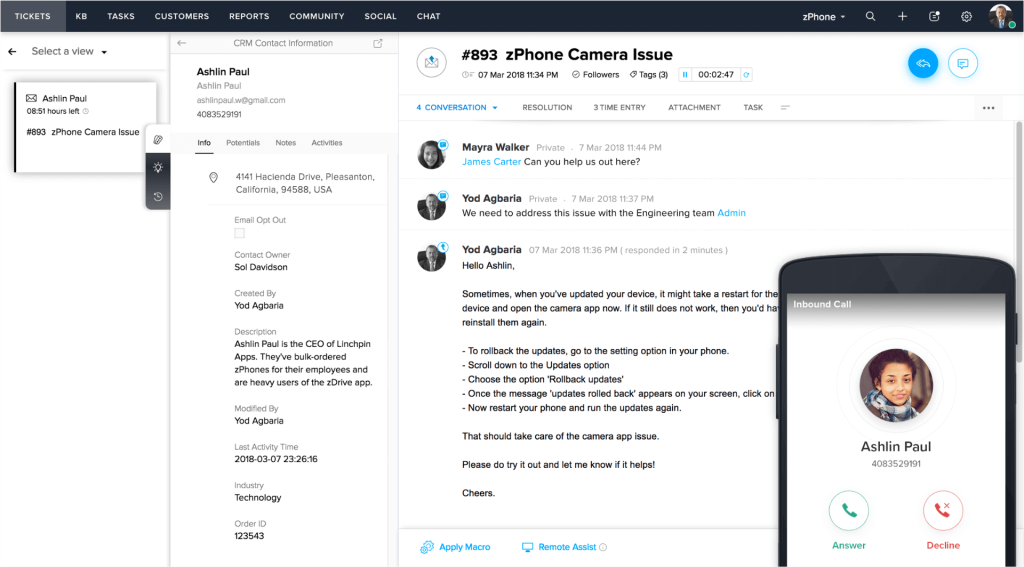
Zoho Desk is built for teams where tickets arrive from everywhere at once, and the primary job is keeping the queue organized and moving.
Email, live chat, phone, social media, and web forms feed into a single dashboard. Routing rules, SLA tracking, priority escalation, and breach alerts can all be configured without custom code. The reporting gives managers real visibility into where tickets stall, which agents are overloaded, and which channels generate the most friction, insight that’s hard to get in LiveAgent without significant manual effort.
The trade-off is setup complexity. Smaller teams without a dedicated admin may find the initial time investment significant, and advanced AI features are locked behind higher-tier plans.
Pros:
- Supports email, live chat, phone, social media, and web forms in one unified space
- Strong automation rules for routing, prioritizing, and escalating tickets efficiently
- Built-in SLA management to maintain response and resolution standards
- Detailed reporting and dashboards for tracking team performance over time
Cons:
- Initial setup can feel complex for smaller teams without dedicated IT support
- Some advanced features are locked behind higher-tier pricing plans
How Zoho Desk Compares to LiveAgent:
Zoho Desk offers a similar multi-channel support experience to LiveAgent but tends to provide more structured automation and better reporting at a comparable price point. LiveAgent has an edge in live chat speed, but Zoho Desk works better for teams managing high ticket volumes across multiple channels simultaneously.
User Rating: 4.4 (G2)
Pricing: Starts at $14/user/month.
3. Help Scout – Best for Shared Inbox and Human-Centric Support
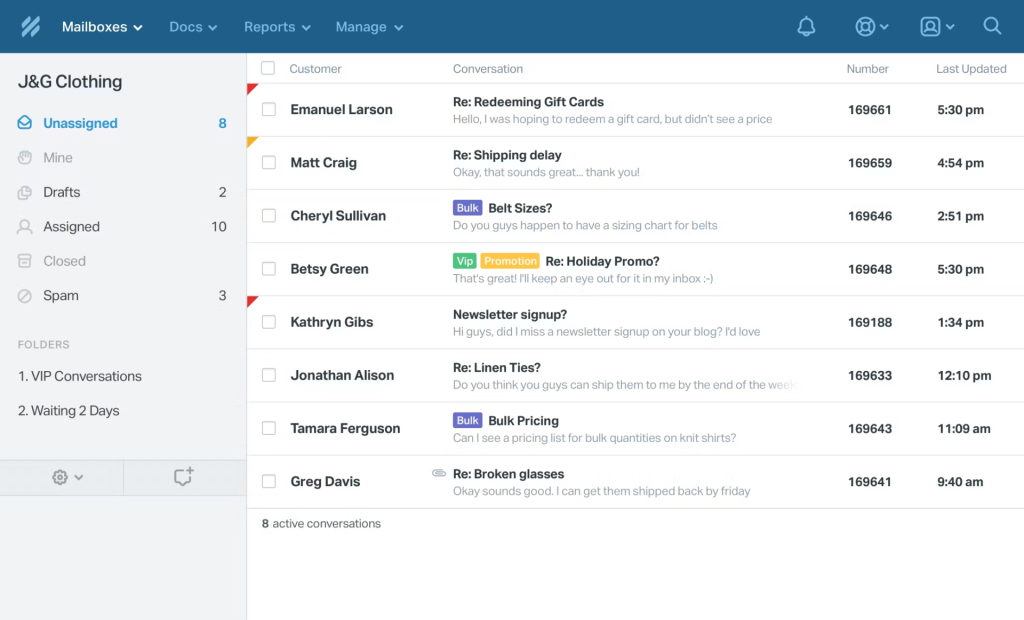
Help Scout is built for teams where the quality of individual conversations matters more than ticket throughput — and every design decision reflects that.
The shared inbox keeps conversations clean. Collision detection prevents two agents from replying to the same thread. Internal notes add context without the customer seeing it. @mentions loop in colleagues without switching tools. The interface is deliberately minimal — no nested menus, no visual clutter. New agents are productive within hours, not days, which has real value for teams that hire frequently or rotate support responsibilities.
Help Scout won’t win on automation depth or AI capability. It’s a focused tool that does email-first collaborative support exceptionally well, and for the right team, that focus is the point.
Pros:
- Shared inbox that keeps customer conversations organized and visible across the team
- Built-in knowledge base to reduce repetitive support questions
- Internal notes and @mentions for smooth team collaboration without switching tools
- Saved replies to help agents respond faster without sacrificing a personal tone
Cons:
- Limited advanced automation compared to more enterprise-focused platforms
- Live chat features are more basic than dedicated chat-first tools
How Help Scout Compares to LiveAgent:
Help Scout takes a simpler, more human approach than LiveAgent. Where LiveAgent leans on feature breadth, Help Scout focuses on clean shared inboxes and calm, organized conversations. It is a better choice for teams that value personal support experiences over complex ticketing workflows and extensive customization.
User Rating: 4.6 (Capterra)
Pricing: Starts at $25/user/month.
4. Tidio – Best for Live Chat With Ticketing Functionality
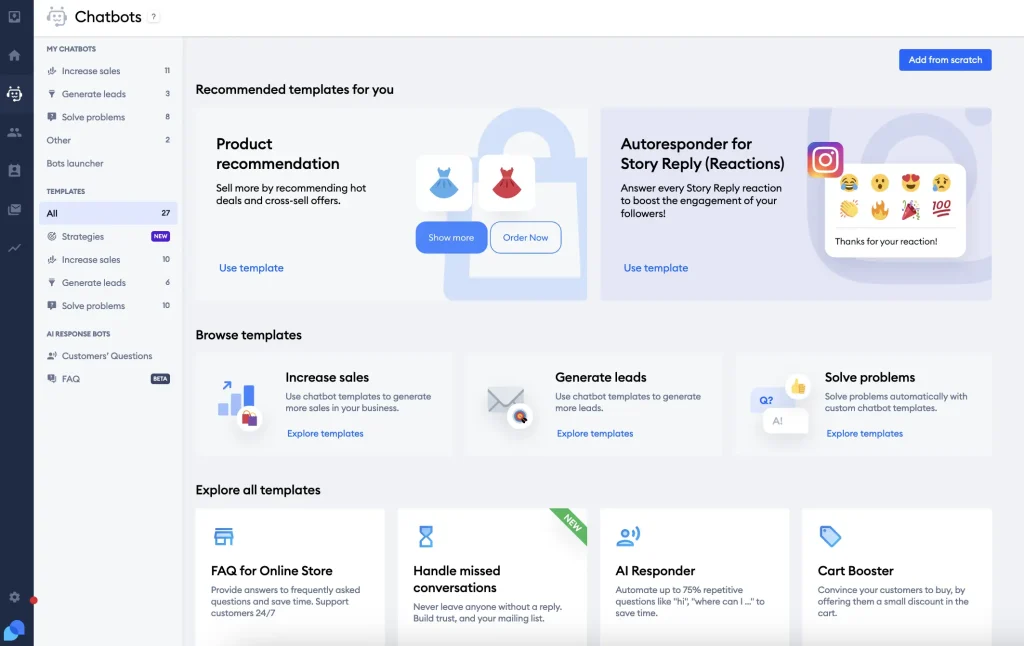
Tidio’s defining quality is speed — fast to set up, fast to learn, fast to deploy a working chatbot without touching a line of code.
For a small business or e-commerce team that needs live chat and basic automation running the same day, Tidio is hard to beat. The Shopify and WooCommerce integrations go beyond surface-level — agents can look up order status, trigger abandoned cart messages, and handle product questions without leaving the chat interface. The shared inbox consolidates chat, email, and Messenger so nothing falls through.
The ceiling appears as teams grow. Advanced SLA management and complex routing logic are limited compared to more mature platforms. Tidio is built for simplicity, and that simplicity works against operationally complex support teams.
Pros:
- Quick setup with a clean interface
- Easy chatbot automation for common questions
- Shared inbox for better conversation management
- Strong fit for e-commerce and growing teams
Cons:
- Limited advanced ticketing and SLA features
- May feel basic for complex support setups
How Tidio Compares to LiveAgent:
Tidio is easier to set up and feels more modern, especially for small businesses that want live chat with light ticketing and automation in one place. LiveAgent, on the other hand, offers deeper ticketing workflows and more advanced SLA controls. If you need simplicity and chatbot-driven support, Tidio fits well. If your team depends on structured ticket management, LiveAgent provides more operational depth.
User Rating: 4.6 (G2)
Pricing: Starts at $24.17/month.
5. HelpCrunch – Best for Real-Time Visitor Monitoring
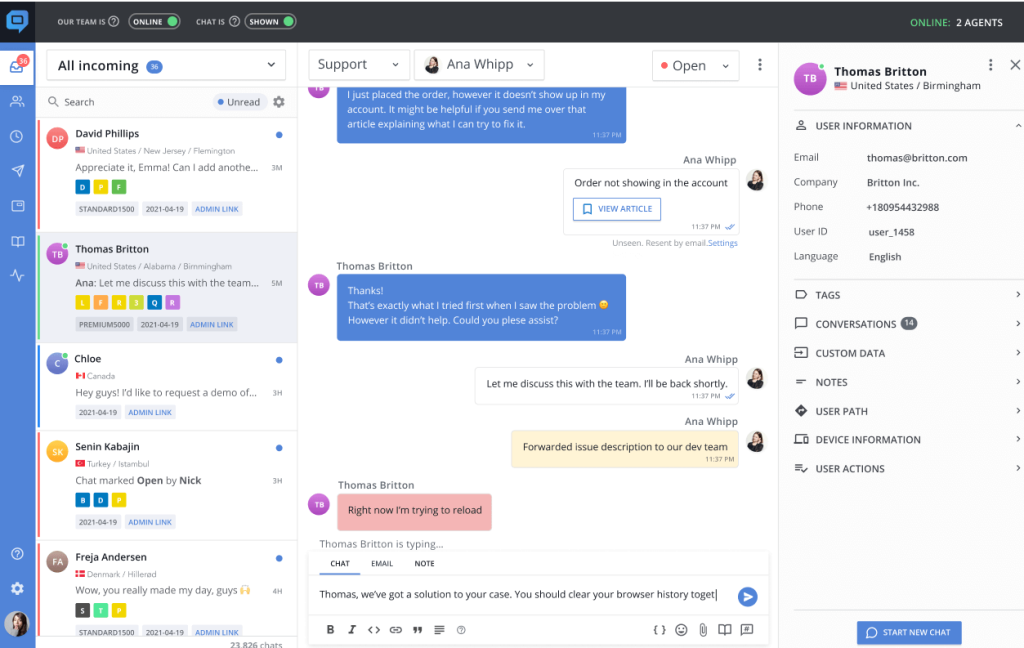
Most live chat tools wait for customers to reach out. HelpCrunch is built around reaching them first, at exactly the right moment.
The real-time visitor monitoring dashboard shows who’s on your site, which pages they’re viewing, and how long they’ve been there. Proactive chat triggers fire automatically based on behavior rules — the right message reaches the right visitor without an agent watching the dashboard manually. The inbox manages chat and email together, and full transcript history gives agents context for every returning customer.
Where HelpCrunch is limited is in automation depth and reporting. Teams that need complex workflows or detailed performance analytics will find it falls short.
Pros:
- Conversation tagging to organize chats and track common customer issues over time
- Proactive chat triggers to start conversations when customer intent is highest
- Centralized inbox for managing both chat and email conversations together
- Chat transcript history to maintain context for follow-ups and future interactions
Cons:
- Limited advanced automation features for complex support workflows
- Reporting and analytics may feel basic for larger, data-intensive support teams
How HelpCrunch Compares to LiveAgent:
HelpCrunch puts more emphasis on real-time visitor monitoring and proactive chat than LiveAgent does. While LiveAgent offers a wider range of support features overall, HelpCrunch excels when response timing and user behavior visibility matter more than deep automation or complex ticket routing.
User Rating: 4.7 (Capterra)
Pricing: Starts at $15/user/month.
6. Freshchat – Best for Freshworks Suite Users
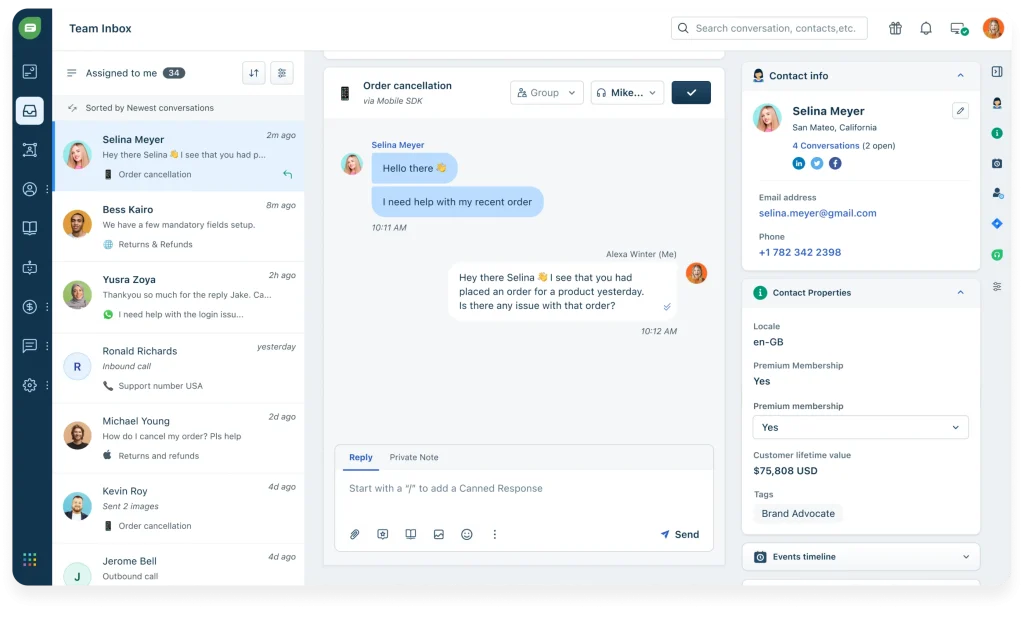
Freshchat’s biggest selling point isn’t a single feature — it’s how seamlessly it connects to everything else in the Freshworks stack.
If your team already uses Freshdesk or Freshsales, chat conversations automatically become tickets with full customer history attached. Agents see past interactions, open issues, and CRM data in one view. That continuity reduces back-and-forth and speeds resolution in a way that’s genuinely noticeable at scale. AI bots handle first-response volume, and smart routing sends conversations to the right agent based on skills and availability.
Outside the Freshworks ecosystem, Freshchat is capable but loses the integration depth that makes it compelling.
Pros:
- Built-in analytics to track chat performance and customer satisfaction scores
- Unified inbox that keeps conversations, tickets, and customer data together
- AI-powered chatbots for instant replies and reduced agent workload during peak hours
- Smart routing and automation to assign chats to the right team or agent
Cons:
- Delivers the most value only if you are already using Freshworks products
- Can feel overly complex for smaller teams with straightforward chat needs
How Freshchat Compares to LiveAgent:
Freshchat is comparable to LiveAgent when it comes to structured support and automation. LiveAgent offers more standalone flexibility, but Freshchat feels more powerful when paired with Freshdesk and the wider Freshworks suite. Teams that want chat, tickets, and CRM data all connected in one workflow will find Freshchat the stronger choice.
User Rating: 4.4 (G2)
Pricing: Starts at $19/user/month.
7. HappyFox — Best for Customer Support and IT Help Desk Teams
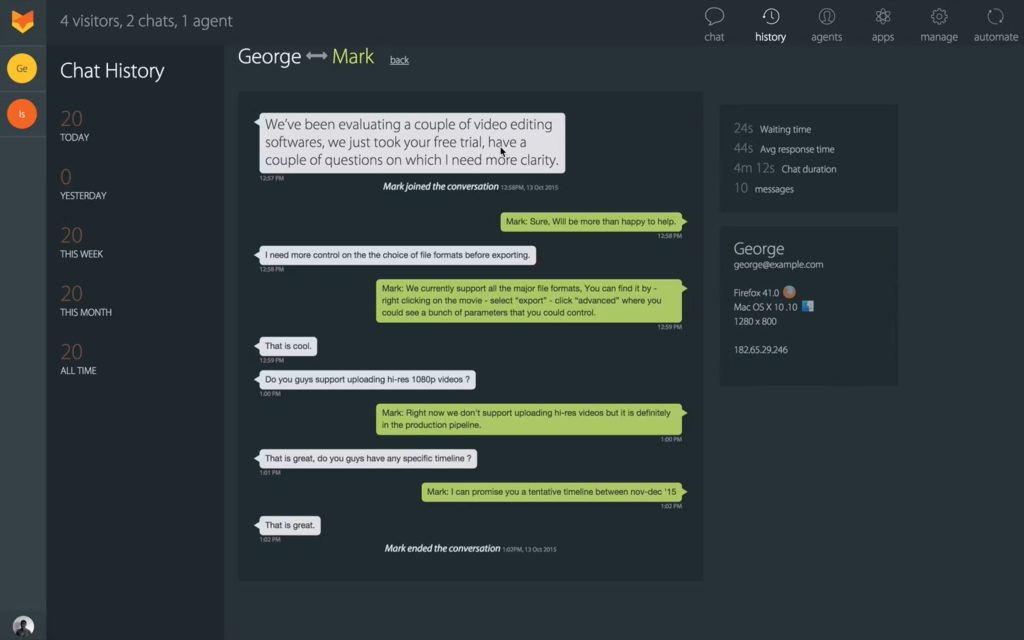
Most support platforms are built for one audience. HappyFox handles external customers and internal IT requests in the same system without making either feel secondary.
Role-based access controls keep the right people on the right issues. SLA tracking with breach alerts holds teams accountable to response standards. Workflow automation keeps resolution times consistent as volume grows. For mid-sized companies where the same team handles both external support and internal IT — a common reality — that consolidation eliminates significant tool-switching overhead.
The trade-off is cost and setup time. HappyFox is expensive for smaller teams that don’t need the full feature set, and configuring the automation properly requires real upfront investment.
Pros:
- Canned responses to maintain consistency and speed up replies across common request types
- Role-based access controls to manage permissions cleanly across support teams
- Context-rich ticket views to give agents complete customer and request history
- SLA tracking and reporting to measure support performance against defined targets
Cons:
- Pricing can feel high for smaller teams that do not need the full feature set
- Initial configuration of workflows and automations can take time to get right
How HappyFox Compares to LiveAgent:
HappyFox focuses more on structured help desk workflows than LiveAgent does. LiveAgent performs better in real-time live chat scenarios, while HappyFox is a stronger fit when combining customer support with internal IT help desk operations in one unified system.
User Rating: 4.5 (G2)
Pricing: Starts at $19/user/month.
8. LiveChat — Best for Boosting Sales and Customer Engagement
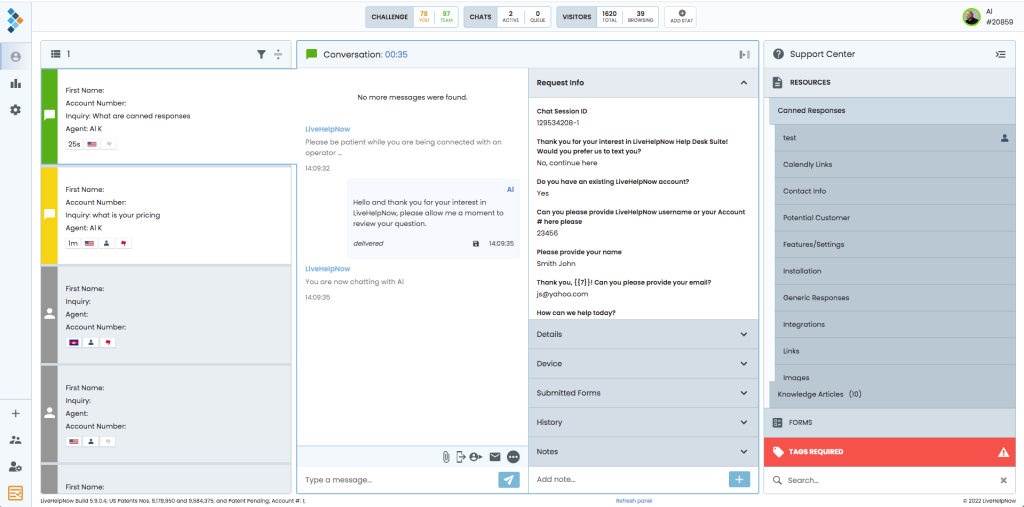
LiveChat is the most refined pure chat experience on this list. The interface is fast, visually clean, and noticeably more polished than most support tools — agents pick it up quickly, and the reduced friction shows up in response times.
Targeted chat messages, visitor tracking, and cart abandonment triggers help support teams contribute directly to revenue, not just resolution rates. The integration library connects cleanly with CRMs, e-commerce platforms, and marketing tools without custom development. Where LiveChat is limited is support depth — ticketing is basic, and teams that need complex SLA workflows will hit a ceiling quickly.
Pros:
- Clean, fast chat interface that agents find easy to use from day one
- Targeted chat messages and triggers to engage visitors at high-intent moments
- Wide range of third-party integrations including CRM, e-commerce, and help desk tools
- Detailed analytics for tracking chat performance, agent activity, and customer satisfaction
Cons:
- Ticketing features are more basic compared to dedicated help desk platforms
- Pricing increases quickly as team size grows
How LiveChat Compares to LiveAgent:
LiveChat and LiveAgent are quite similar in core functionality, but LiveChat delivers a cleaner, more modern interface and stronger integrations. LiveAgent has an advantage in built-in call center and gamification features, while LiveChat wins for teams that want a polished chat experience with strong e-commerce and sales-focused capabilities.
User Rating: 4.5 (G2)
Pricing: Starts at $19/user/month.
9. Kommunicate – Best for AI-First Support With Seamless Human Handoff
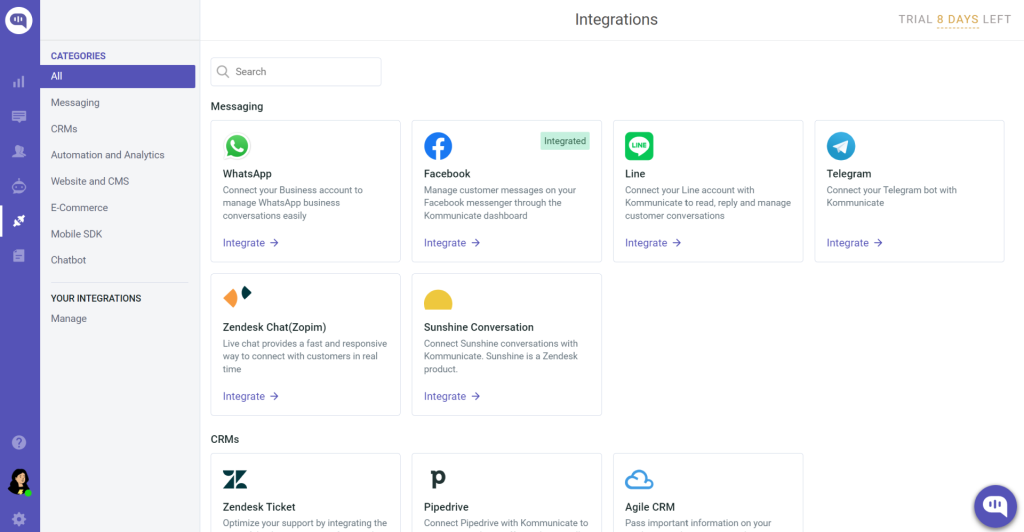
Kommunicate is purpose-built for teams that want AI handling the first layer of every conversation, with a human agent available the moment the bot reaches its limit.
What makes it operationally distinct is the handoff architecture. When the chatbot cannot resolve an issue, the full conversation context — including what the customer asked and how the bot responded — transfers to a live agent without the customer having to repeat themselves. For support teams running high query volumes with lean agent headcount, that handoff quality directly affects CSAT scores.
Kommunicate integrates with major LLMs including OpenAI, Google Dialogflow, and AWS Lex, which means teams are not locked into a proprietary AI engine. The no-code bot builder (Kompose) lets non-technical team members build and update flows without developer involvement. It also supports omnichannel deployment across web, mobile, WhatsApp, and in-app.
Pros:
- Seamless bot-to-human handoff with full conversation context preserved
- Integrates with OpenAI, Dialogflow, AWS Lex, and other LLM providers
- No-code bot builder (Kompose) for non-technical team members
- Supports web, mobile app, WhatsApp, and in-app chat from one platform
Cons:
- The reporting and analytics dashboard is less mature than enterprise platforms
- Not the strongest choice if you need deep ticketing workflows or SLA management
How Kommunicate Compares to LiveAgent:
LiveAgent treats chat as one channel within a broader support system. Kommunicate is built from the ground up around AI-first conversation management with human escalation as a deliberate second layer. Teams that want AI to handle the majority of incoming volume rather than assist agents will find Kommunicate better suited to that model. LiveAgent remains stronger for teams that rely on a call center, SLA-driven ticketing, or gamification features.
Rating: 4.8 (G2)
Pricing: Starts at $34month.
10. Intercom — Best for Omnichannel Messaging With In-App Support
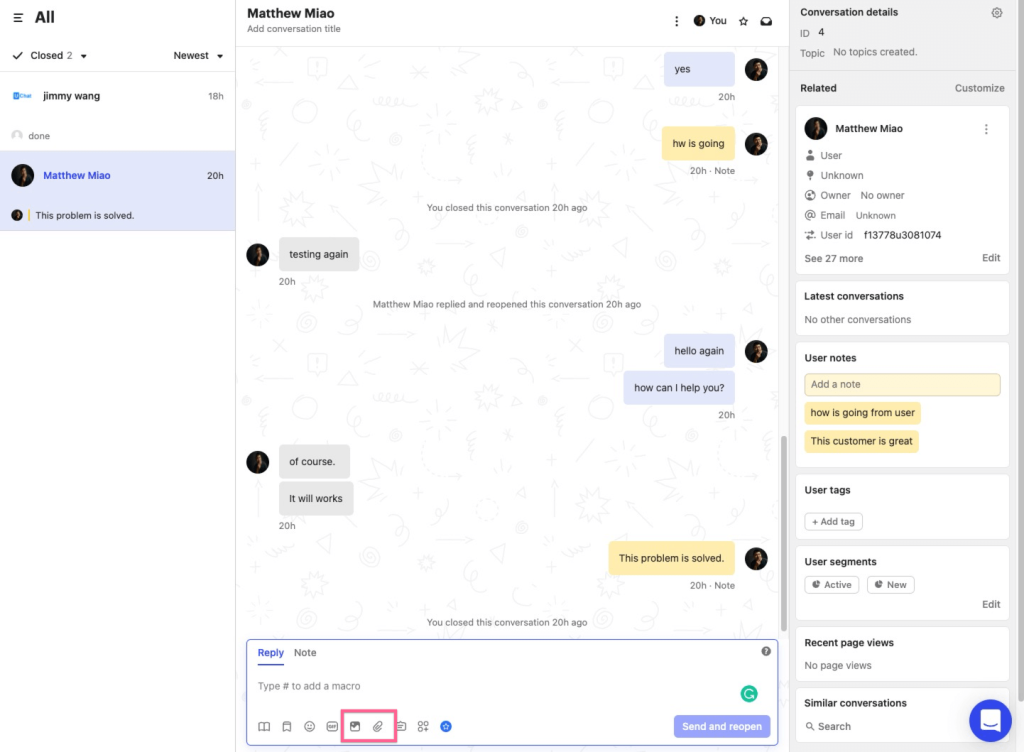
Intercom is a fundamentally different type of tool from everything else on this list. It spans support, onboarding, engagement, and retention in one system — which makes it powerful for the right team and overkill for everyone else.
The in-app messaging capability lets you reach specific user segments based on behavior — a trial user on day 6, a customer who hasn’t activated a key feature, someone who’s been quiet for 30 days. That turns support from a reactive function into a proactive retention tool. Fin, Intercom’s AI assistant, handles a meaningful volume of incoming questions autonomously and escalates appropriately when human judgment is needed.
For a team that just needs live chat and a ticketing queue, it’s too much. For a SaaS company where customer engagement is a direct growth lever, it’s one of the strongest platforms available
Pros:
- AI-powered Fin assistant that handles a high volume of support questions automatically
- In-app messaging and product tours that support onboarding and user engagement
- Advanced audience segmentation for targeted, behavior-based messaging
- Comprehensive reporting and conversation analytics for support and engagement teams
Cons:
- One of the more expensive options on this list, particularly at scale
- Can feel overly complex for teams that only need basic live chat support
How Intercom Compares to LiveAgent:
Intercom goes considerably beyond what LiveAgent offers in terms of customer engagement and in-app messaging capabilities. LiveAgent is stronger for traditional support workflows like ticketing and call center management. Intercom is the better choice for product-focused businesses that want support, onboarding, and customer engagement tools unified in one platform.
User Rating: 4.5 (G2)
Pricing: Starts at $29/user/month.
FREE. All Features. FOREVER!
Try our Forever FREE account with all premium features!
Which Tool Is Right for Your Team?
You’ve probably tried a tool that promised to do everything and ended up doing nothing well. This time, let’s get it right.
| If your primary problem is... | The best fit is... |
|---|---|
| Agents buried in repetitive tier-1 queries | ProProfs Chat |
| Too many disconnected support tools | ProProfs Chat |
| High ticket volume across many channels | Zoho Desk |
| New agents taking too long to get productive | Help Scout |
| Small team or e-commerce needing fast setup | Tidio |
| Missing customers at high-intent moments | HelpCrunch |
| Already using Freshdesk or Freshsales | Freshchat |
| Managing both customer support and IT help desk | HappyFox |
| Chat that needs to convert as well as support | LiveChat |
| SaaS product needing in-app messaging and retention | Intercom |
| Tight budget, need real ticketing structure | Kommunicate |
Three Questions Worth Asking Before You Commit
1. What is the one bottleneck costing you the most right now?
A platform that solves your actual problem beats one with more features every time. If repetitive queries are killing agent productivity, AI automation matters more than call center depth.
2. How fast does your team need to be up and running?
Implementation time has a real cost. Some solutions are live in hours; others demand days or weeks of setup. Be honest about what your timeline can actually handle.
3. Will this pricing still make sense in 18 months?
Per-agent pricing that looks reasonable at 8 agents can become uncomfortable at 25. Run the numbers at your projected team size, not just your current one.
Ready to Upgrade? Choose the Right LiveAgent Alternative Now!
Customer expectations for speed and personalization continue to rise, and a support platform that creates friction works against everything your team is trying to achieve. The LiveAgent alternatives covered in this guide reflect a clear shift in what modern support teams actually need — smarter automation, cleaner interfaces, and tools that scale comfortably as the business grows.
When evaluating your options, focus on how well each platform fits your team’s day-to-day workflow, how much of the repetitive work it can genuinely take off agents’ plates, and whether the pricing will remain predictable as usage grows.
For teams looking to balance AI-powered automation with genuine human interaction, ProProfs Chat is a strong starting point. With a free plan for growing teams, ready-to-use chatbot templates, real-time visitor tracking, and the full Customer Delight Suite, it is built to help teams deliver consistent, satisfying experiences around the clock.
Frequently Asked Questions

How do I know if my team needs a LiveAgent alternative?
If your current support platform is slowing down your agents, lacks essential features like AI automation, or becomes too expensive as your team grows, it might be time to explore alternatives. Look for signs like high response times, a dated interface, or lack of integrations.
Can I migrate data from LiveAgent to another platform easily?
Most LiveAgent alternatives provide migration tools or support to help you transfer customer data, ticket histories, and conversations smoothly. It’s always a good idea to check with the new platform’s support team to ensure a smooth migration process.
Yes, several LiveAgent alternatives offer free plans with essential features. Platforms like ProProfs Chat offer free versions that let teams get started without upfront costs.
What specific problems do LiveAgent alternatives solve for different industries?
LiveAgent alternatives help eCommerce teams manage orders, SaaS companies streamline onboarding, regulated industries ensure compliance, and small businesses access professional support through free, easy-to-use plans.
How can LiveAgent alternatives help improve customer support?
Alternatives to LiveAgent can streamline workflows, reduce response times with AI-powered automation, and centralize customer conversations across multiple channels. They also offer features like proactive chat, real-time visitor tracking, and better analytics to improve team performance.
What’s the best way to test out a LiveAgent alternative?
Most alternatives offer free trials or free plans, making it easy to test them out. Use this time to assess the platform’s ease of use, the effectiveness of automation, and how well it integrates with your existing tools and workflows.
How do LiveAgent alternatives handle security and compliance?
Many LiveAgent alternatives offer strong security features like SSL encryption, GDPR compliance, and access control. Be sure to check the platform’s security documentation to ensure it meets your business's compliance and data protection requirements.
FREE. All Features. FOREVER!
Try our Forever FREE account with all premium features!

 We'd love your feedback!
What did you like & how can we make it even better?

 Thanks for your feedback!
 Ask Your Question
Have a question? Get expert help to make your decision easier.